Packaging
 |
 |
 |
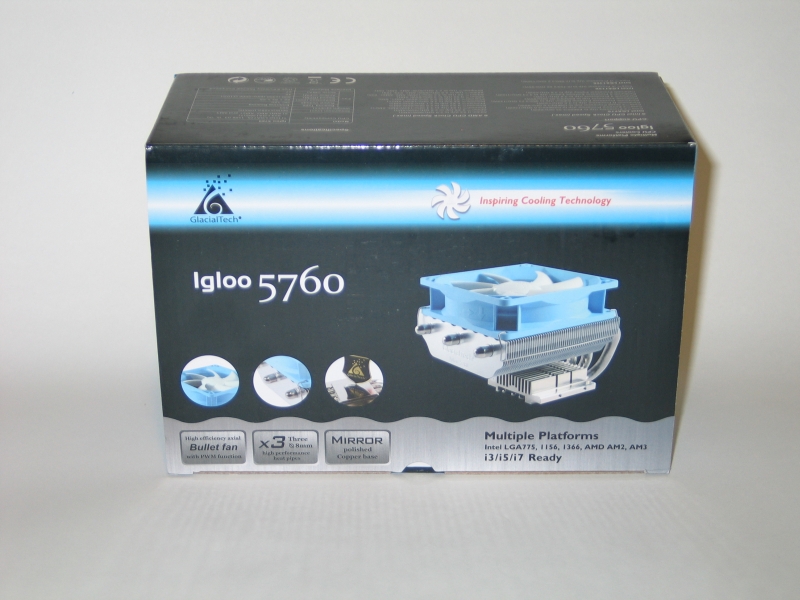
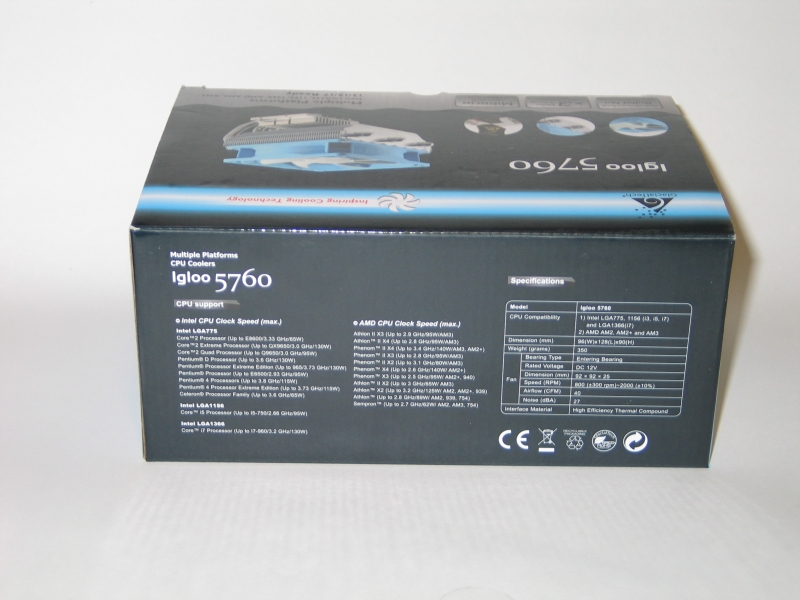
The packaging here is well designed: attractive, informative, and distraction-free. The back gives you the specs and features, in no-nonsense fashion. If I had a dollar for every time I’ve seen a package ruined by eye-searing colors, cramped layout or gaudy graphics, I could buy a couple of monitors. It’s good to see GlacialTech avoid those trends here.
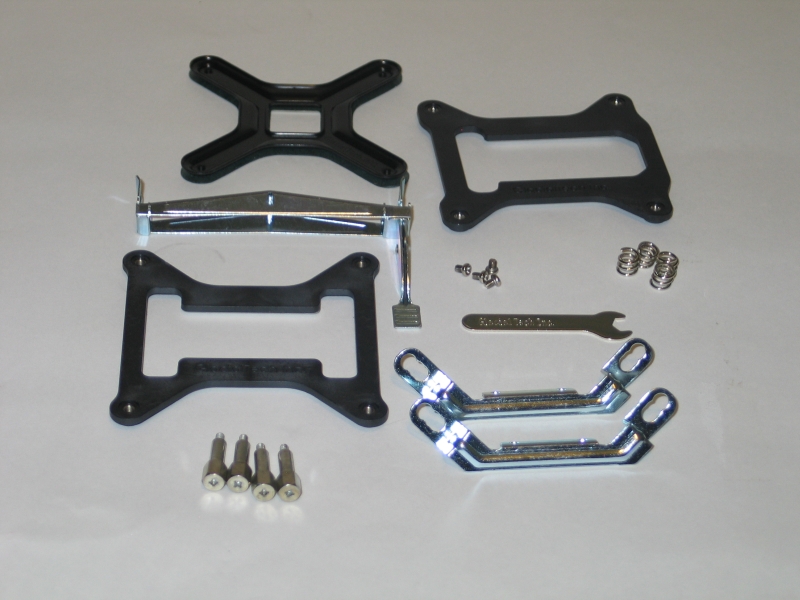
With everything unpacked from the de rigeur foam sarcophagus, we can see that GlacialTech did not skimp on the accessories. For Intel users, you get a choice of backplates, a pair of brackets that screw into the base of the heatsink, and the mounting screws and spacer springs to keep the two together. AMD platform users have things rather easier, as the Igloo 5760 uses the standard single-clip mounting bracket that comes with the motherboard.
A Closer Look
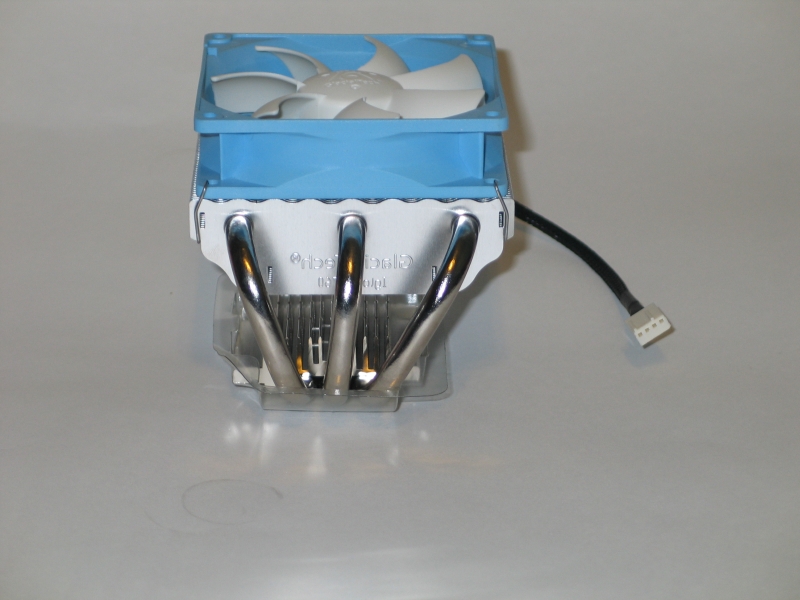
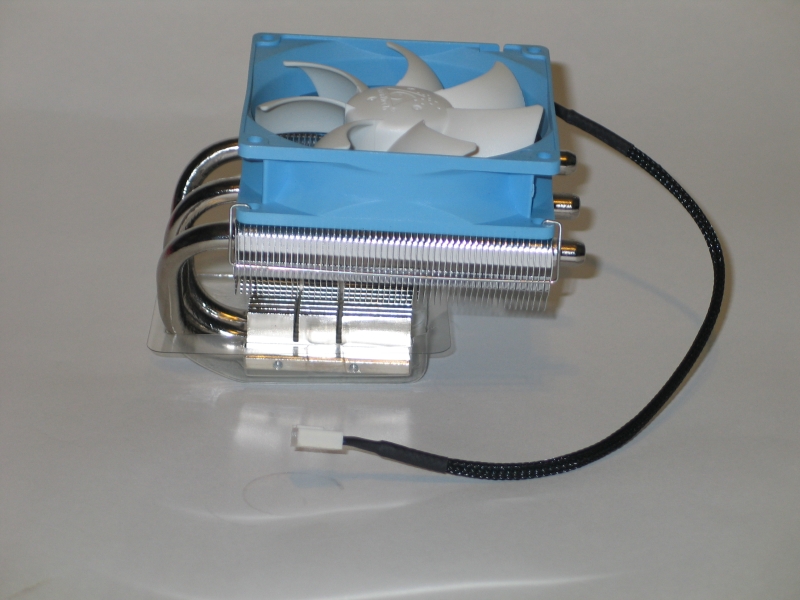
Now, let’s get a good look at the cooler itself:
 |
 |
 |
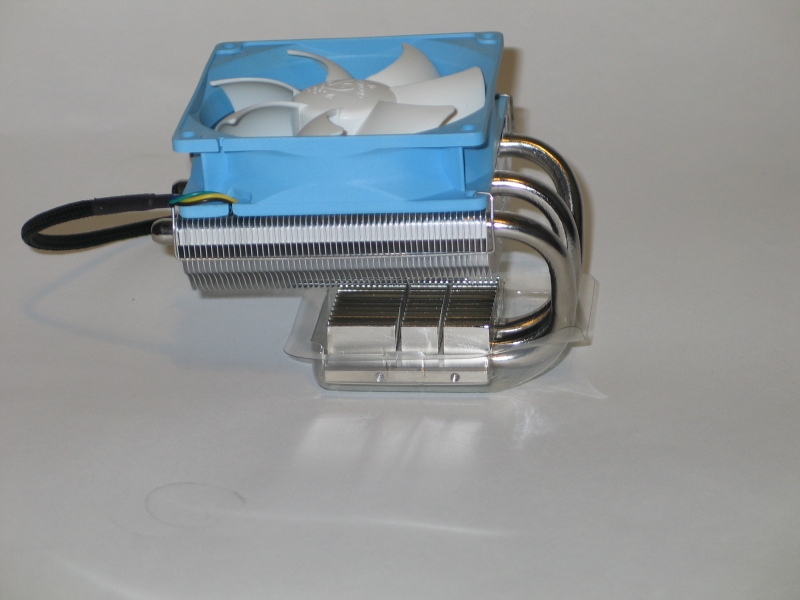 |
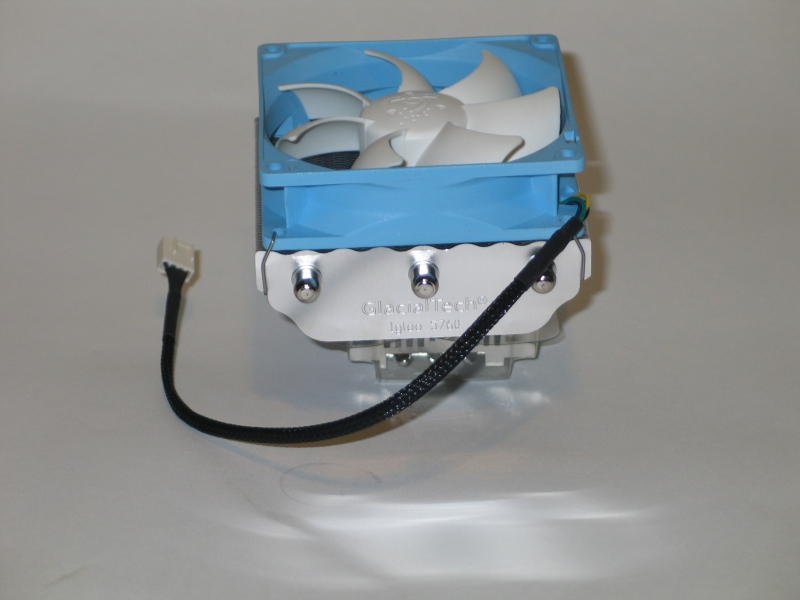
One thing that stands out immediately is the offset layout of the main cooling fins. Rather than try to center them over the main block, GlacialTech has opted to line up the top edges. This keeps the heatpipes clear of any heatsinks you may have behind the CPU socket, but also causes the fins to overhang the first two RAM sockets. With normally-sized RAM, this is actually a blessing in disguise, as a fair bit of the fan’s output washes over the RAM, providing some cooling for it. If your RAM features tall heat spreaders, though, you’ll run into significant problems.
Another significant aspect is the fan. It comes already clipped to the cooling fins with a pair of metal brackets, which makes it simple to replace. The fins are cunningly shaped to improve airflow and minimize turbulence, which helps significantly with the noise characteristics. Oh, and it’s set in a baby blue housing. Not a usual color by any means; but the silver, blue and white color scheme definitely has me thinking cold thoughts.
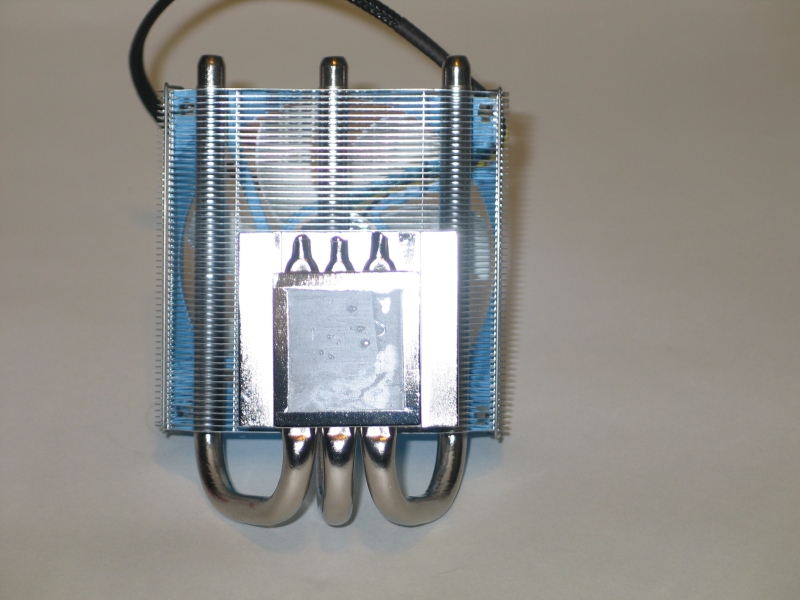
Flipping the Igloo 5760 up on its side, we can get a good look at the bottom of the block—where cooler meets CPU. Thermaltake has thoughtfully provided us with a bit of thermal grease already applied—though rather too much of it, as is sadly common in such cases. A rice-grain-sized squirt, spread out evenly over the heat spreader, is all you need to get the job done. With the grease wiped away, we find…
 |
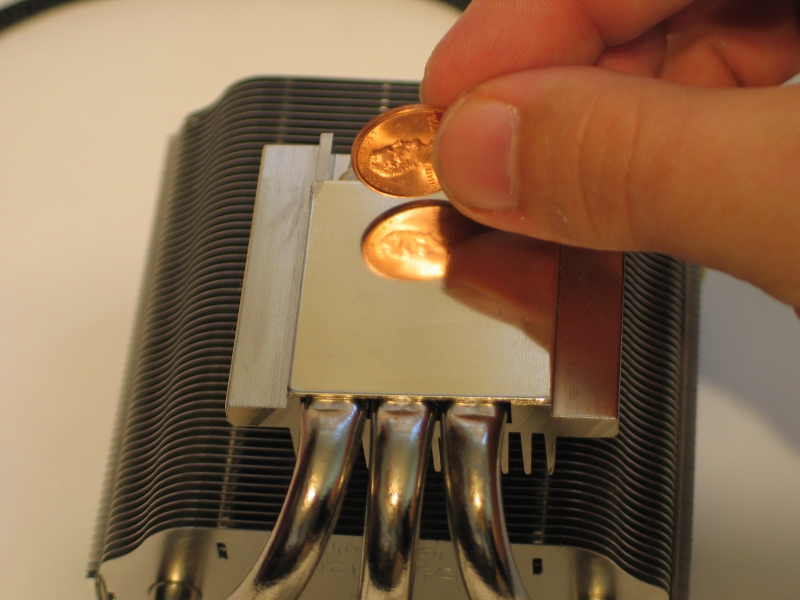 |
…a perfectly smooth surface, polished to a mirror shine. This is excellent, as it lets us use the thinnest-possible layer of thermal grease, maximizing heat transfer.

[…] the ZOTAC NM10-DTX WiFi (NM10-Express) Motherboard w/ Atom D510 CPUTechwareLabs chills out with the GlacialTech Igloo 5760 HeatsinkMadShrimps shares its thoughts on the XFX RADEON HD 5830 1GB GDDR5 Video CardKitGuru gets its hands […]
[…] GlacialTech Igloo 5760 Heatsink @ TechwareLabs Noctua NH-C12P SE14 Heatsink @ […]
[…] This post was mentioned on Twitter by ChrisTWL, Cory Blomenkamp, Tom Gowing, mattandroTWL, willhalsteadTWL and others. willhalsteadTWL said: Review: GlacialTech Igloo 5760 – http://www.techwarelabs.com/glacialtech-igloo-5760/ […]