A Closer Look at the Target Audience
The fact that this case is directly marketed towards women meant that it had to be “appealing” to the eye. The front of the case is shiny and the power button is inset with a Swarovski crystal. The choice of colors for the diva case is “fuchsia red”, “champagne gold” or “starry black”. Our case color is the “champagne gold” which is perhaps the most neutral of the colors that In Win offers for this case. Outside the Diva looks relatively small when compared to other similar form factor cases from competitors, however, the fact that it is small does not translate into the lack of interior space.

Installation
 |
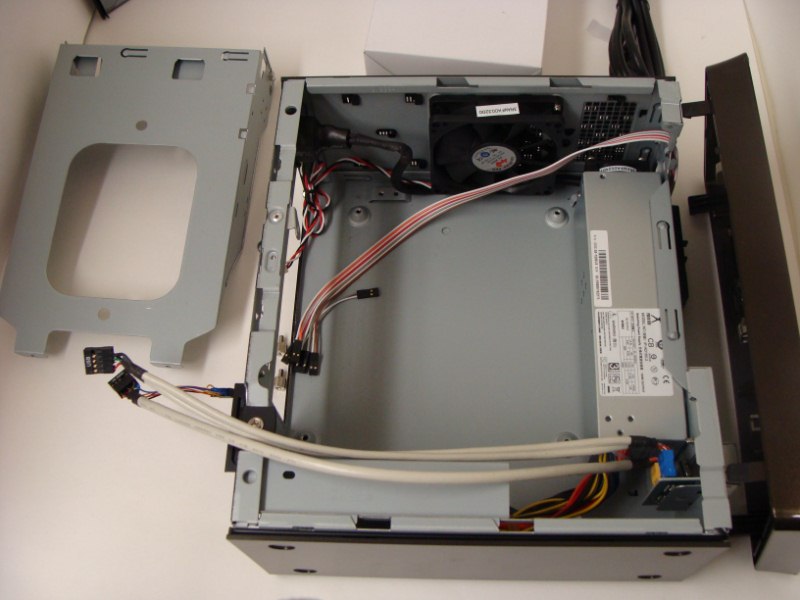 |
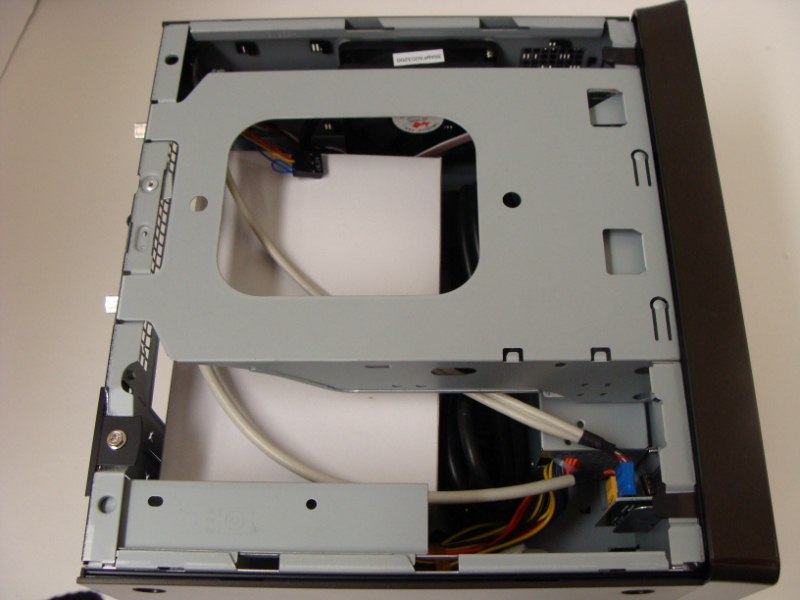
To start off, the case must be almost completely taken apart in order for the motherboard to be installed. As you can see in the pictures above, the first thing that needs to be removed is the side panel. This can be done by removing the black screws placed on the backside of the case. Following the removal of the side panel, you then remove the front panel which was basically piece of plastic that was held in place by pressure pins. After the removal of the front panel, you must then remove the 5.25” bay which can be done by removing a silver – colored set of screws from the back of the case.
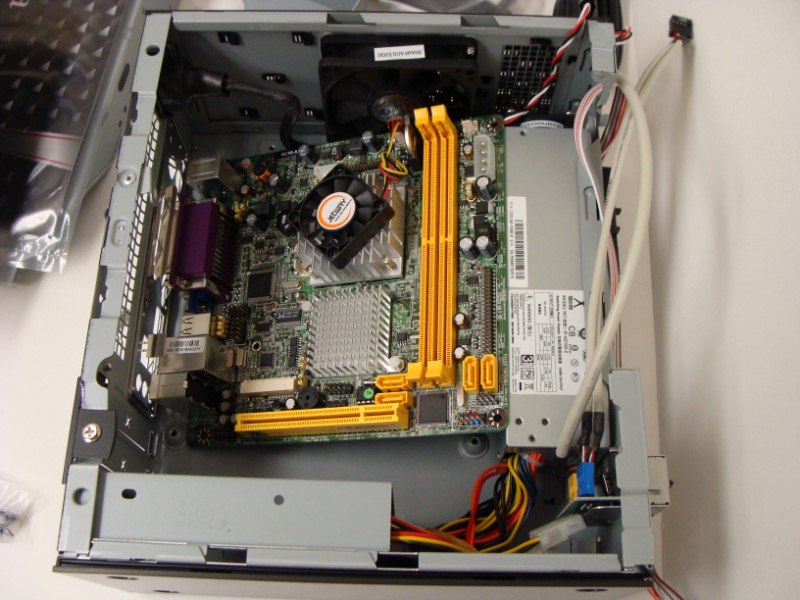
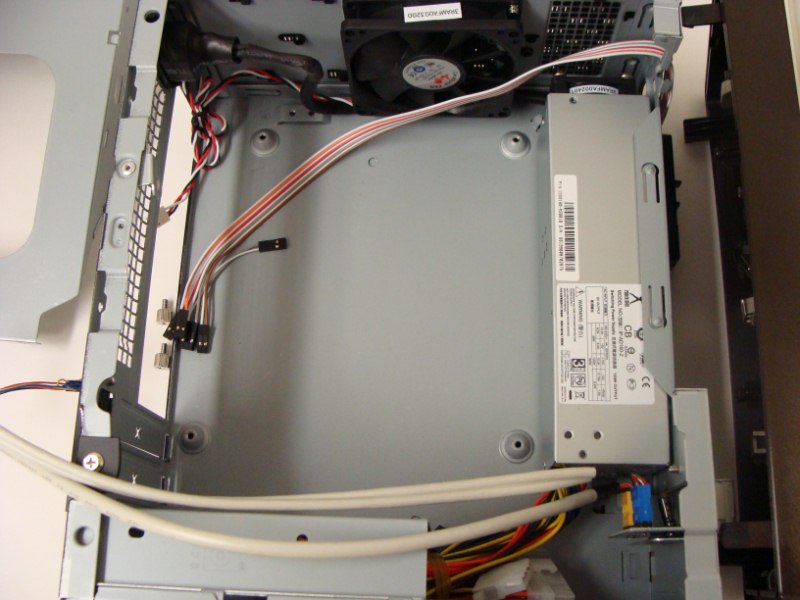 All these steps are necessary in order to expose the backplane where the motherboard is to be mounted. Once the motherboard is mounted, folks at In Win made it so that the user has the ability to decide where to put the hard drives. Usually cases this size there is not much room to stick a single full size hard drive. This case is designed in such a way that it provides enough room for 2 full sized hard drives or 3.5” hard drives depending on the optical drives that the user selects.

[…] HD 5750 Go Green @ techPowerUpAltitude – PC @ LanOC ReviewsNZXT Panzerbox @ LanOC ReviewsInWin Diva MITX Case @ TechwareLabsOverclock3D have just published a new article titled: Mionix NAOS 5000 ReviewAntec P183 Advanced Mid […]
[…] InWin Diva MITX Case @ TechwareLabs […]
[…] InWin Diva MITX Case @ TechwareLabs […]
[…] InWin Diva MITX Case @ TechwareLabs […]
[…] InWin Diva MITX Case @ TechwareLabs […]
[…] In Win – Diva Case | TechwareLabs […]
[…] NZXT Hades @ techPowerUp InWin Diva MITX Case @ TechwareLabs NZXT Panzerbox @ LanOC […]
[…] TechwareLabs reviews the InWin Diva MITX Case […]
[…] Bruin Cooling Thermaltake SpinQ VT CPU Cooler Review @ Legit-Reviews Cases InWin Diva MITX Case @ Techware Labs Antec P183 Advanced Mid Tower Case Review @ Think Computers Lian Li PC-T1R Spider @ techPowerUp […]