

|


<
Disk Station DS207+

Let’s take a close look at the specs for the device to get a better understanding of what type of device this is and what one can expect from it as far as performance. Synology has several models to choose from, so if the DS207+ doesn’t come with all the features you need, then check out their website to see what other devices they have that will suit your needs. As we mentioned earlier the plus sign in the name of DS207+ means Synology has upgraded several features over the previous DS207 Synology released. These upgrades include more RAM, faster CPU, external eSATA support and a lower power consumption.
Click here for the DS207+ Specifications
Below are a few photos of the DS207+ and the installation of the two Western Digital SATA drives. The manual that comes with the DS207+ was 107 pages thick, but only contains instructions on how to install the two drives. The thickness of the manual was due to the same ten page instructions in eleven different languages. The documentation on how to use the device came in the software shipped with the appliance. The software is webpage based and on every page there is a "help" button which provided easy to read explanations of all options. The DS207+ does not come with the SATA drives so the consumer has the option of purchasing whatever size drives they want. This is actually a great concept since the cost of hard drives drops every time a larger capacity drive is released to the market so the DS207+ stays desirable to the consumer. The initial cost of the DS207+ seems a little high for the average consumer since two SATA drives are needed in order to use the device. Though in the end, the consumer will not have to purchase a server OS which alone will be the equivalent cost of a about five average size SATA drives. The entire setup from out of the box to kicking off the consistency check was about 10 minutes. The consistency check time will vary due to size of the SATA drives if you choose to mirror the drives.
|
|
|
|
|
|


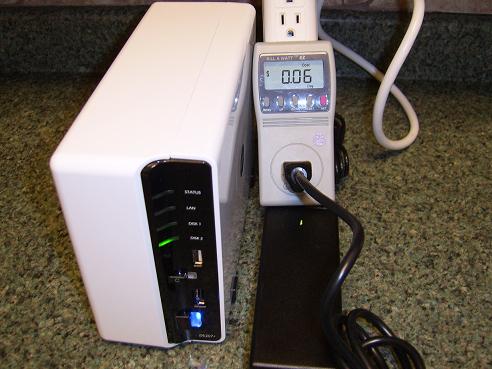
Performance
Performance of the DS207+ was as expected with a gigabit network interface and the speed of a SATA II drive. Synology states on their site that so far they haven’t experienced any incompatibility between hard drives purchased for testing and their products. For a list of drives they have tested, click here. With multiple copies of files running simultaneously (16 command windows copying 5 ~ 10 meg files) virtually no slow down was noticed. The rest of the performance of the device was focused on the configuration of the DS207+. With the "help" button provided on every page to explain what each option meant and possible setup the average user should not get lost configuring the device the way they would like. The well thought out help button is a testament to great engineering on Synology's part, cutting down on the support calls they could potentially get from users who can't figure out how to do something.
| « Introduction | Setup » |