

|
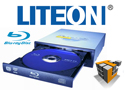


LiteOn DH-4B1S-08 Blu-ray Burner

DVD Testing:
The DVD testing process is very similar to the CD testing process, only difference is that instead of using a CD we are going to be using a DVD. The DVD of our choice is Windows Vista Ultimate Install DVD which is 4.38GBs in size.
Media Used: Windows Vista Ultimate Install DVD
Media Type: Data-DVD
Media Size: 4.38 GBs
Read:
The first part of the test corresponds to the reading of the disc. These tests will test for Average Speed, Random Access Time (ms), Burst Rate (MB/s), and the CPU Usage (%).

Reading DVD's are much slower than reading CDs, for the CD test we averaged around 33x while here on the DVD test we are averaging around 9x. The Sony Optiarc AD7170S read at 9.95x while the LiteOn DH-4B1S-08 only read at 7.71x. This is a difference in nearly 25%, which if reading large amounts of data you might notice this slight speed difference.

The Random Access Time test measured in milliseconds showed both drive with nearly the exact same response rate. As you might recall from the CD Test, there was quite a significant difference in the results as the LiteOn performed quite remarkable. Now that we are looking at DVD Media, the speeds were nearly the exact same as both drives had an access time of nearly 125ms.

The Burst Speed describes how fast data can be transferred for a short period of time. These results are not going to be the same as the sustained transfer speeds, as those are sustained and this is for short bursts. Again the Sony Optiarc AD7170S shined through the test surpassing the score of the LiteOn DH-4B1S-08 triple burner.

Most of these test show the Sony Optiarc performing better than the LiteOn triple burner, although during the CPU Usage test, we see that LiteOn outperformed Sony. As the LiteOn triple burner used a significant amount less CPU power than the Sony transferring at high speeds.
To see screen shots of the results that were posted above please view the following images:
 |
 |
LiteOn DH-4B1S-08 |
Sony Optiarc AD7170S |
If you would like to see the benchmark output file, they were included at the end of the review.
- LiteOn DH-4B1S-08: Page 11
- Sony Optiarc AD7170S: 13
Write:
Now that the DVD Read test is over we are now going to test the DVD Write tests. We are going to be testing the average write speed, the percent of data in the buffer, cpu usage, and how long it took to write the data to the disk. As posted at the top of this page, we are going to be writing a copy of Windows Vista Ultimate to our DVD Media.

The average write speed obtained by the LiteOn Triple Burner was 7.57x while the Sony Optiarc achieved 9.98x.

The write buffer is an allocated block in memory that is used to store the information being loaded by the read requests while the write requests are taking place, this will help to prevent any bottlenecks in the performance of the write performance. Both drives had the exact same amount of data in the buffer, resulting in no difference.

The CPU Usage to write the Windows Vista Ultimate Installer used nearly 25% of the processing power. As the LiteOn DH-4B1S-08 was a little more efficient, it also wrote a little slower.

The overall time that it took to write the Windows Vista Installer to the DVD media was what we were expecting. As the Sony Optiarc took under four and a half minutes the LiteOn triple burner took just under five and a half minutes.
To see screen shots of the results that were posted above please view the following images:
 |
 |
LiteOn DH-4B1S-08 |
Sony Optiarc AD7170S |
REALTIME PRICING