Techware Labs Header
Home | Reviews | Articles | Downloads | Guides | Staff | Advertising | Links
Mainboards | Networking | Video | Cases | Storage | Other

Forums

Bargains

Home

Links

News Archives

Hardware Reviews

Articles

Guides

Downloads

About TWL

Advertising

The Geek Weekly

Newsletter


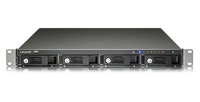
QNAP TS-409U Turbo NAS


Author:  Matthew Homan
Date:  2008.11.23
Topic:  Servers
Provider:  QNAP
Manufacturer:  QNAP


QNAP TS-409U Turbo NAS

qnap

feature

Setup Continued

cd1
cd2
The main menu has a several options to choose from, but it shouldn't look too intimidating
One of the first screens to appear following the quick installation guide is the items that should have been packaged with your QNAP.
cd3
cd4
Front view explained
Rear view explained.
cd5
config
The configuration agent assists you with setup, such as giving your NAS a server name and setting up the RAID
Provide your QNAP with a server name
raid
cd6
Configure what RAID you are looking to run
The QNAP is downloading it configuration and initializing the hard drives.


Once you find, configure and finally log into the TS-409U you are presented with the main page from which are able to configure the NAS to work with your company. Lets take a look.

REALTIME PRICING


« Setup
Web Interface Configuration »


Gigabyte GA-EX58-UD3R

Radeon 4890

Conficker Virus

Goliathus Mouse Pad

Hard Drive Destruction

OLPC=The Next Newton?

QPAD Gaming Mousepad

FSP BoosterX 5

Fusion Side Marker

eStarling ImpactV

Itami FiTrainer

Patriot WARP 128GB

Cyber Snipa 5.1

Game Bag 2.1

System Cache

:: Copyright © 2002-2008 Techware Labs, LLC :: All Rights Reserved

Email for spiders