

Trillian Pro 2 'Public' Beta Review
Reviewed by James on 09.15.2003
Retail Value: $25.00
Improved GUI
Tabbed Interface
CS has put alot of work into improving the GUI of Trillian. With the default
installation come three different levels of interface for the same skin: Default,
Minimal, and Tabbed. I've never been a big fan of the default Trillian skin
and won't comment on it here further since it really is about the same thing,
just with changes to allow for the functional updates to the program. The minimal
and tabbed interfaces, though, change much of what bothered me about the default
skin: The incredible waste of space. The minimal interface is easy to navigate
for the user familiar to the options of Trillian, but for first time Trillian
users, the Tabbed Interface is the best way to go. Trillian has always depended
upon non-obvious icons, often mistaken as just part of the skin, to access many
of the features of Trillian. Plenty of long time users of the program will find
a new option with a mis-click, simply because they couldn't even tell a button
was present in that place. The tabbed interface fixes this problem by making
most of those obscure icons on the buddy list (though still existant in the
chat windows) into text-labeled tabs. This interface should make the switch
to Trillian a much easier experience.
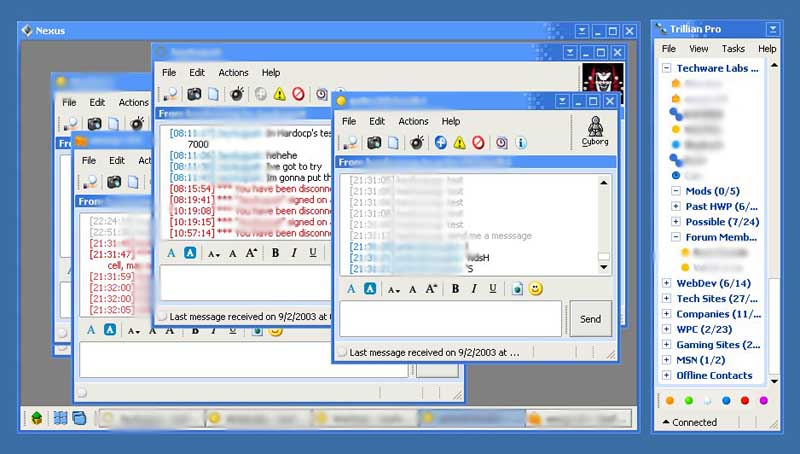
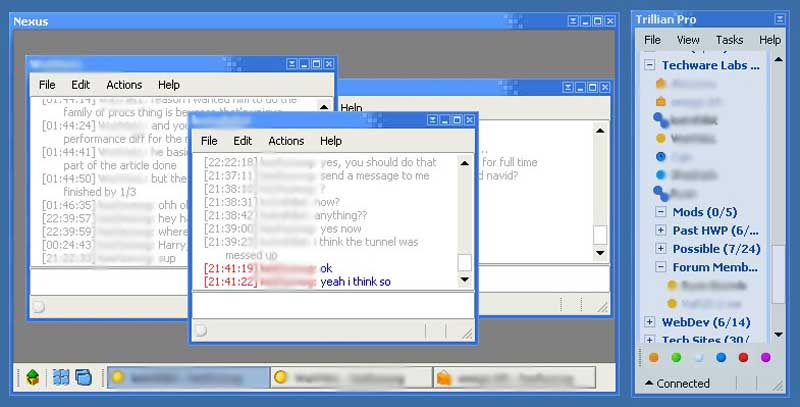
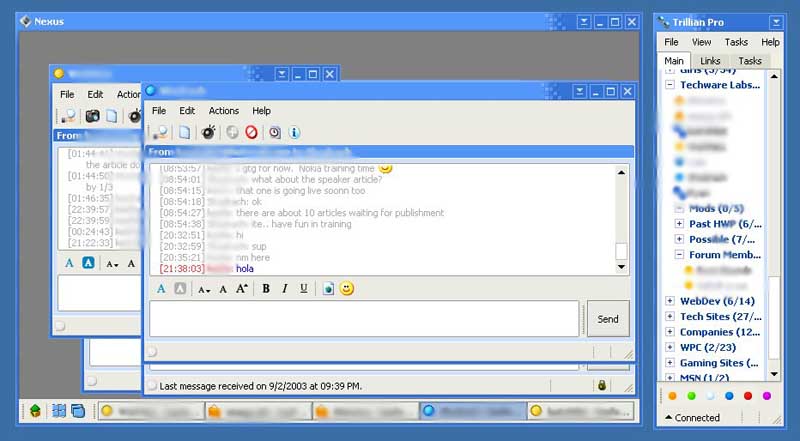
The Normal, Minimal, and Tabbed interfaces
If you look at the blown up versions of the screenshots, it is fairly obvious that the options enabled via the advanced skins menu affect the buddy list, the chat/IM windows, and the containers fairly randomly. The minimal interface is like the normal/default interface in the buddy list, but the quick access icons have been removed from the chat windows. I personally prefer this interface if the menu driven system is well designed. However, after Trillian .73, keyboard driven context menus are not available, making quick menu access more difficult. To make this interface work, keyboard driven context menus need to be added back into Trillian. The tabbed interface is the same as the normal interface except it adds the Main, Links, and Tasks tabs to the top of the Buddy List. The biggest drawback to the tabbed interface is that it does not force universal tabbed containers, requiring the user to select that option by default on a per-container-basis. Obviously, selecting a skin-wide option should, well, set the skin-wide option. A nice option to see in the future would to make the minimal interface an option on both the default and tabbed interfaces, so that you can get the best of both worlds.
However, that is not to say that the tabbed interface is perfect. Insofar as the "tabbed" part of the interface is concerned, the implementation is quite weak. The versions.txt makes the note that the tabbed interface "forces maximize" of windows within a container, which points to the major fallacy found in the interface: it's not really 'tabbed,' it's an multi-document interface (MDI) that doesn't allow you to change the size of the windows. (Note: An MDI is like windows itself. Each window is separate from all the others, and can be toggled through in the order of last viewed. Trillian's default interface with containers is also an MDI. A true 'tabbed' interface is like Mozilla or the properties window of "My Computer" where the windows are built seamlessly into the main window and toggling through them moves in order of the tabs.) Not only does Trillian inappropriately toggle in order of last viewed rather than the order of the tabs, but it doesn't allow for moving backward through the list (like Alt-Tab as opposed to Alt-Shft-Tab). These shortcomings really get in the way of the tabbed interface, especially the inability to toggle backwards through the list.
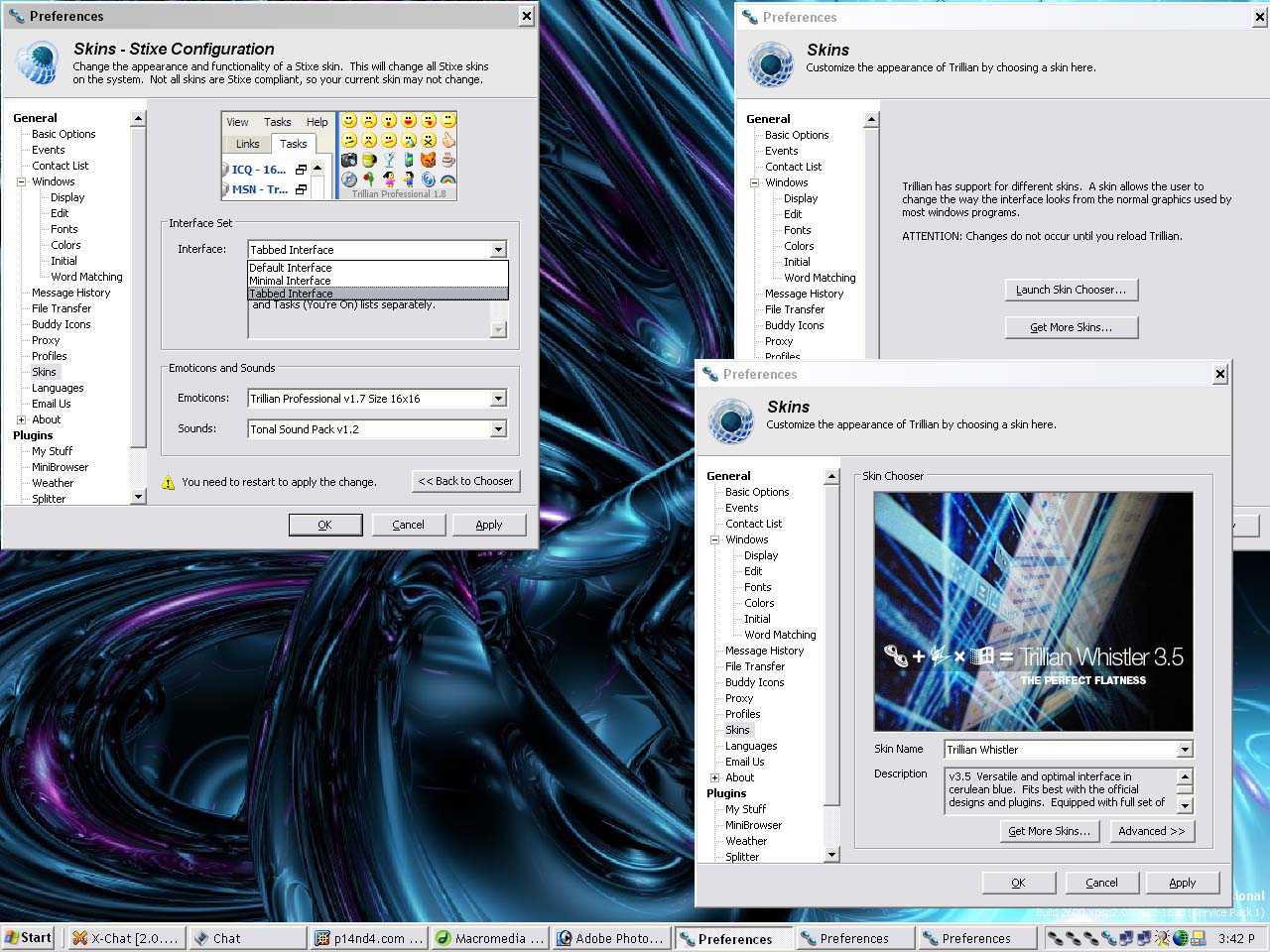
General Skin Improvements
Attempting to install skins in the past could be a bit of a pain. Besides the
fact that you had to restart Trillian after applying a skin (you still have
to do that), unzipping the skin in the appropriate location was not easy for
the average user. Hence Trillian came up with their TSZ, Trillian Skin Zips,
to "allow quick installation of new skins" and "change Interface
Packs and Emoticon Packs easily using /stixe config dialog." The new format
is what allows quick toggling of the three types of interfaces and also quick
and GUI accessible changing of Emoticon sets. Apparently, a downside to the
new system means no more 'themed' skins, which had a configuration dialogue
to alter the skin quickly as you saw fit. This give and take is CS's decision,
but I'm not sure I agree with it. On the other hand, it is probably still possible,
through a more involved process, to create a themed TSZ file by having the config
file compile the necessary parts and put them in the appropriate directory.
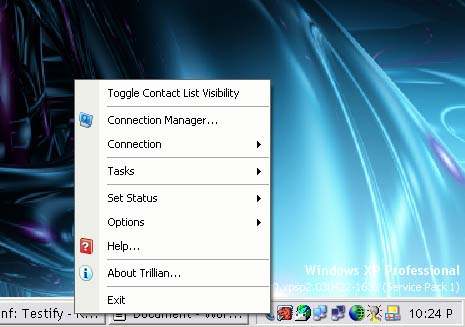
The other improvement to the skin is that it is more global. While still not carrying over to the preferences window, the system tray context menu is now configured from within the skin. The last touted feature is a buddy is typing indicator. CS, however, has not enabled Trillian sending a buddy is typing message. Thus, Trillian 2 users will see their buddies typing, but their buddies will not see the Trillian 2 user typing. Whether this is will be a configurable option in the final version is not known, but there were lots of requests for it so I wouldn't be surprised to see it.
| « SDK 2.0 | Customer Friendliness » |