Techware Labs Header
Home | Reviews | Articles | Downloads | Guides | Staff | Advertising | Links
Mainboards | Networking | Video | Cases | Storage | Other

Forums

Bargains

Home

Links

News Archives

Hardware Reviews

Articles

Guides

Downloads

About TWL

Advertising

The Geek Weekly

Newsletter

TechwareLabs is no...

Albatron PX845PEV Pro Motherboard
Review by Navid Mortezaei on 02.11.2003

Here we see 2 PS/2, Ethernet, 2 USB, 2 Serial, 1 Parallel, 1 Game, and 3 Sound connectors.

BIOS:
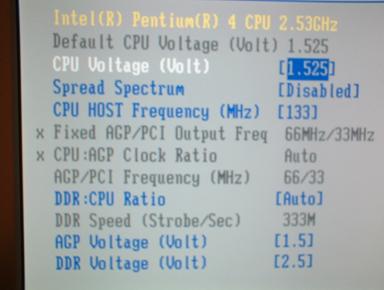
BIOS Frequency Selection Page

Here is the main page for frequency/voltage control in the bios.
Voltage Selection Page

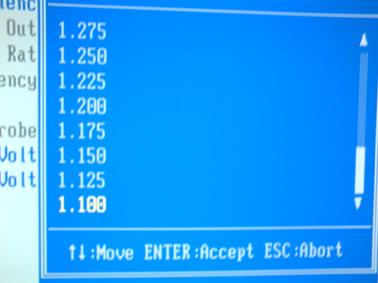
Voltage Selection Page

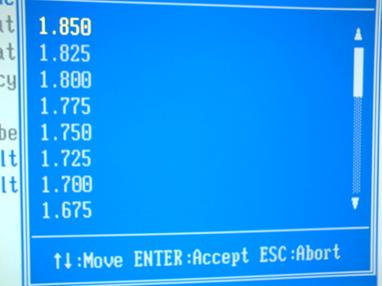
You can select a CPU voltage from 1.1V to 1.85V in .025 increments. This gives u a lot of headroom for overclocking.
FSB Selection Screen

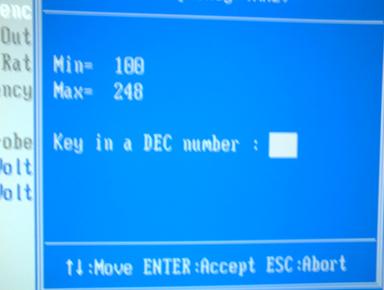
You can select a CPU FSB from 100Mhz to 248MHz.
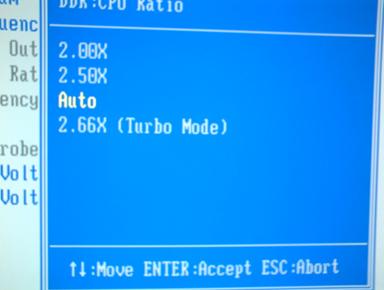
CPU:DDR Ratio Screen

You have four options for DDR:CPU ratio. You can either put to 2.00X (DDR 266), 2.5X (DDR 333), Auto, 2.66x Turbo (DDR 354). The speeds will change depending on your FSB speed.
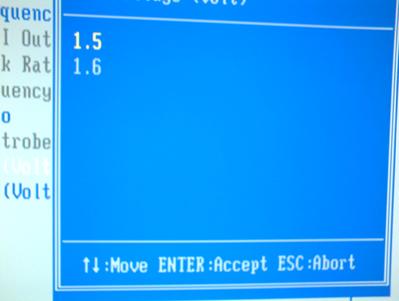
AGP Voltage Selection

Here you can either set your AGP voltage at 1.5V or at 1.6V.

DDR Voltage Screen

And last but not least, you have four choices for your DDR Voltage (2.5, 2.6, 2.7, & 2.8)

« Page 3 Page 5 »


Gigabyte GA-EX58-UD3R

Radeon 4890

Conficker Virus

Goliathus Mouse Pad

Hard Drive Destruction

OLPC=The Next Newton?

QPAD Gaming Mousepad

FSP BoosterX 5

Fusion Side Marker

eStarling ImpactV

Itami FiTrainer

Patriot WARP 128GB

Cyber Snipa 5.1

Game Bag 2.1

System Cache

:: Copyright © 2002-2008 Techware Labs, LLC :: All Rights Reserved

Email for spiders