

|
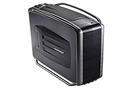


Cooler Master RC-1100 Cosmos S Case
 |
Wrap-up and conclusion of the Cosmos S RC-1100 case:
We have explored the Cosmos S case, almost to the point of exhaustion. I would like to comment on several aspects of the case that I thought were noteworthy. The case is very large, and could fit any system you could imagine; while at the same time still remaining relatively light. Everything was very easy to take apart and put together providing for a truly tool-free design, with 2 exceptions.
1. The HDDs had to be mounted inside of the 4x3 module, but first the module had to be removed. It wasn't that difficult of a feat to remove the cage but did involve removing 4 screws that held it in place. A neat feature of the HDD module itself was the inclusion of isolation grommets, these were used to help keep vibration caused by the HDDs to a minimum by absorbing most of the vibration before it could propagate to the rest of the case. Getting the HDD module back in place took some time and determination, the tolerances were very tight and there was very little margin for error. The fact that this case only supports 4 HDDs may be a turn off to some individuals, so I thought that I would mention that Cooler Master has modules for sale separately so you could add another cage or 2 in order to support that massive RAID array for maximum performance.
2. The second aspect that wasn't exactly tool-free was the mounting of the motherboard. This involved the same standoffs and screws used in every other case, it would have been nice to see some thumb-type mounting hardware that didn't involve using a screw driver, I know these devices exist and am actually somewhat shocked that they weren't included with this case.
While on the topic of installing the motherboard into the case, it is worth mentioning that the motherboard tray is not removable. This is not really necessary because of the size of the case inside, but it might make installation a tad bit easier. The expansion slots on the back of the case were all solid aluminum, which help to keep dust from settling inside the case and were actually secured with thumb screws, a very nice touch; keeping to their tool-free design. The fans are not controllable, but Cooler Master also thought of that and has several PWM fan controllers available to control up to 6 fans with one device via PWM. The dust cloth was a nice idea, especially for transporting you're computer around, it would be much nicer if there were carrying straps or handles on it so it was easier to carry around.
All in all, the Cosmos S RC-1100 case is a marvelous case. While all cases will have some drawbacks, Cooler Master has found a way to keep them to a minimum with this case, and the ones that do exist aren't very minor. Is this case worth the $249.99 sticker price? I don't know about you, but I found that it is worth every penny. It was very hard to find anything to complain about with this case, and trust me I am pretty good at finding things. If you truly want to make that dream machine all that much more dreamy, you have to put it inside of this case. I am now a firm believer in Cooler Master products and will probably be using them quite extensively in the future, as should you! Be sure to visit their web site to keep up on current products, so you can have that extra special edge on all of your friends to keep them jealous.