

Nexland WaveBase Wireless/Wired Gateway
Review by David on 04.05.02
Item supplied by Nexland
Features
The Nexland WaveBase comes packed with features, one of which is a flashable firmware, allowing for future upgrades to allow for new features. As listed on the WaveBase description page, the features are as follows (excerpt):
- Go Wireless! 802.11B (11MB) Wireless Router w/ 128 Bit WEP
- High-Speed 4 Port 10/100 Switch with Duplex (200MB)
- NAPT Firewall to Protect your Computers
- Analog / ISDN Backup 230k Serial Port for Truly "Always On"
- Supports up to 253 Computers
- Unlimited IPsec Tunnels Passing-Through (Patent Pending Nexland)
- Supports PPPoE, IPsec Server Behind NAPT, SNMPv1, Full Routing
- Symantec RaptorMobile VPN Client & Personal Firewall (10 User)
- 5 Year Warranty & 30-Day Money Back Guarantee
Configuration/Setup
The Nexland WaveBase has two methods for configuration: direct serial configuration console and web browser configuration; there is no telnet configuration. The level of configuration offered in the serial configuration console is very limited. Only very basic settings can be changed, such as the unit's IP address, subnet mask, and basic DHCP server settings. Quite opposite of very high-end devices such as Cisco routers, almost all configuration must be made through the web browser interface. While most users probably prefer the graphical, web interface, the lack of more extensive console configuration options was disappointing, even compared to devices like Netgear routers.
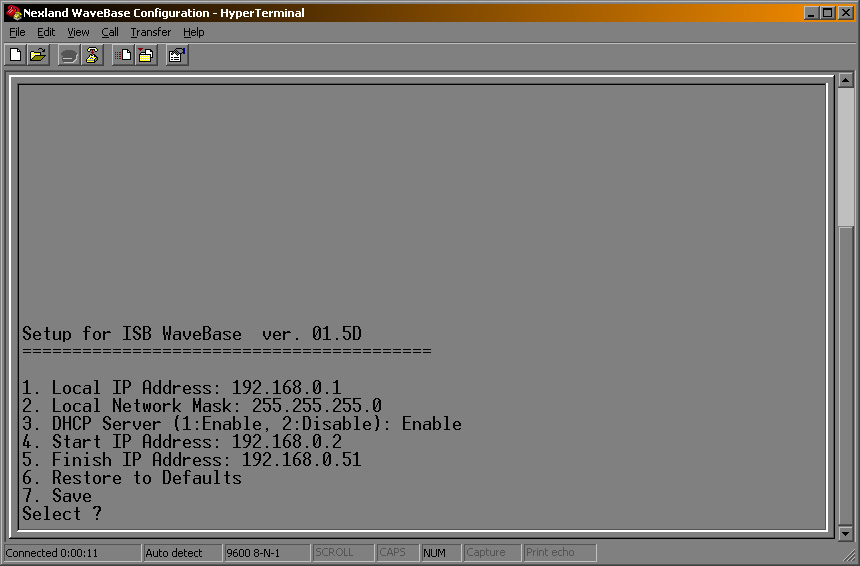
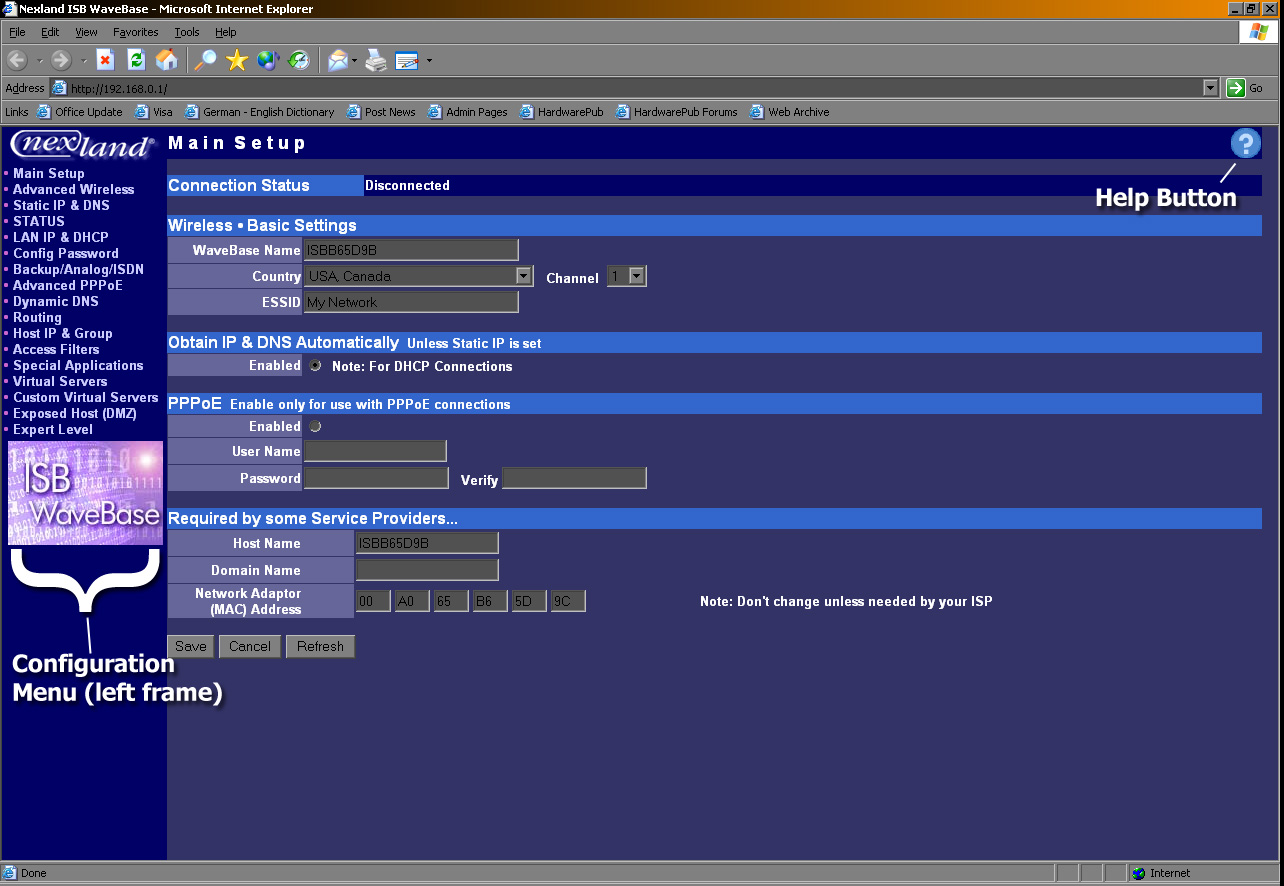
After the WaveBase has been configured not to interfere with current network functionality through the serial configuration console, it can be added to a network, and configured from any "standard" web browser. The unit's default IP address is 192.168.0.1, so by simply entering that (or whatever its IP address was configured to be) into the address bar of a web browser on the same network as it will allow for further configuration.

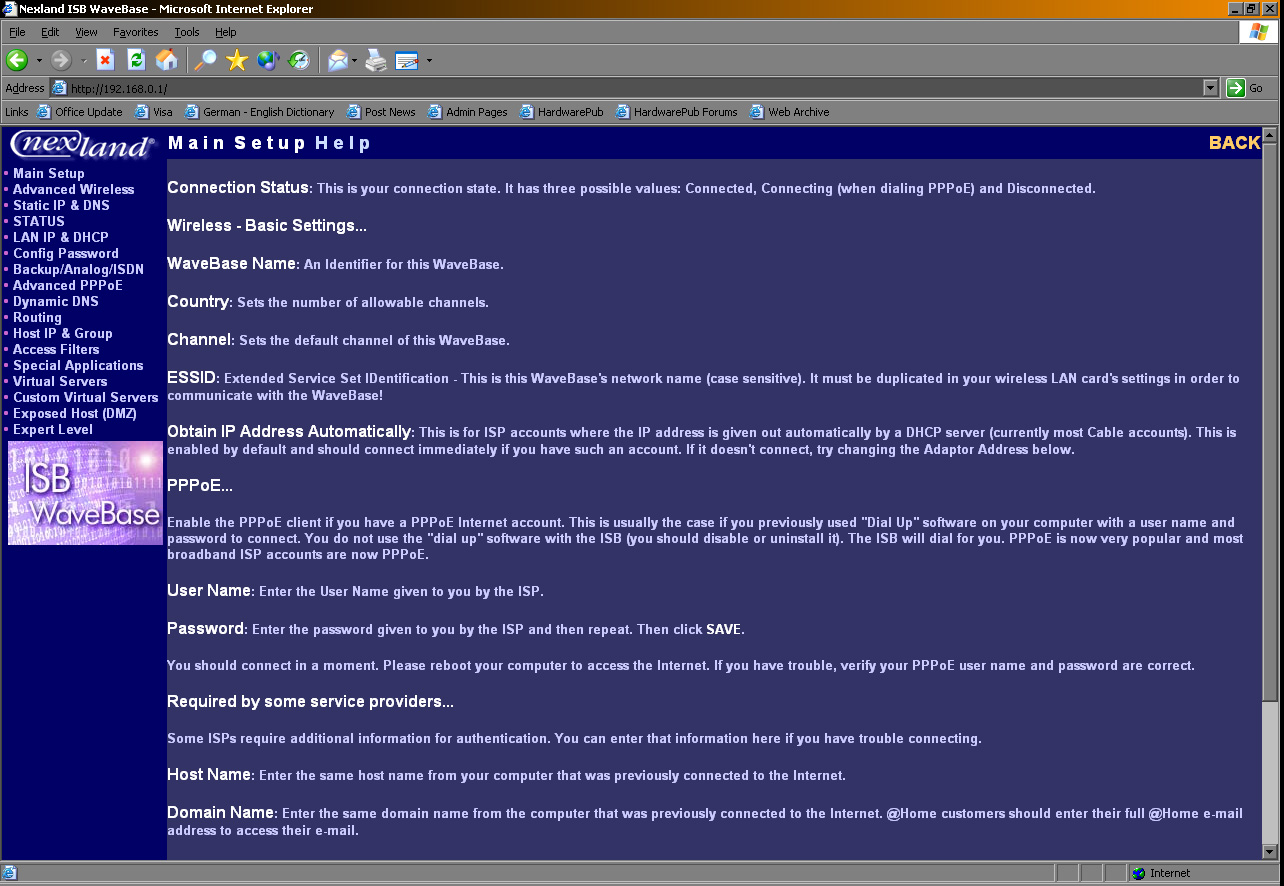
The main page has a menu in the left frame, and in the right frame is some basic wireless and WAN configuration. All pages in the web browser configuration are set up in this manner. What is most impressive about the web-based configuration is the extensive, easy-to-access help feature. On every page in the configuration there is a button in the top right with a "?". Clicking this button loads a page with a description of every item on the previous configuration page, with some help on what to do.
Configuration Overview
Below is a very brief overview of the various configuration options offered for the Nexland WaveBase.
- Advanced Wirless - Allows for setting transmission thresholds and encryption options, as well as viewing wireless connection statistics
- Static IP & DNS - Configuration options for static IP WAN accounts such as address, subnet mask, gateway, and DNS addresses
- STATUS - Displays a brief overview of operational settings
- LAN IP & DHCP - Configuration of unit's LAN settings, and allows for setting up the WaveBase as a DHCP server. Also displays the current DHCP table.
- Config Password - Setting and changing configuration password
- Backup/Analog/ISDN - Set up functionality of a backup connection when broadband connection drops
- Advanced PPPoE - Configures PPPoE settings
- Dynamic DNS - Configuration for dynamic DNS accounts. Special slots for TZO service in addition to standard accounts.
- Routing - Allows for setting up dynamic routing entries
- Host IP & Group - Allows reserving IP addresses for certain hosts, and setting up groups for different access filters
- Access Filters - Configuration for restricting different predefined groups of hosts specific applications (e-mail, http) as well as custom filters
- Special Applications - Configuration for opening ports or port ranges for special applications
- Virtual Servers - Configuration of virtual servers (setting IP addresses) for predefined applications (FTP, POP3, etc.)
- Custom Virtual Servers - Allows for setting up customized port forwarding for external access to an internal IP address
- Exposed Host (DMZ) - Forwards all ports to a specified local IP address, and allows for easy enabling and disabling of this feature
- Expert Level - Advanced configuration options such as renew DHCP, SNMP trap receivers, remote access IP range, and enabling/disabling various features
| « Page 2 | Page 4 » |