

Nexland WaveBase Wireless/Wired Gateway
Review by David on 04.05.02
Item supplied by Nexland
Testing & Features In-Depth
Virtual Servers
After setting up a few workstations on a LAN for specific purposes, various features can be easily tested from a remote location.
First, a workstation on the LAN was configured to run a game server, for Quake 3 Arena. The necessary ports were forwarded to the game server's IP address (which had been reserved in the DHCP configuration table). Next, another workstation was configured to run a WinVNC server. Yet another workstation was configured to be an FTP and Web server. All the necessary ports were forwarded to the appropriate IP addresses through the Virtual Server and Custom Virtual Server configuration pages.
From a remote location, the various servers were able to be accessed in all attempted permutations, allowing also multiple open connections to the same server.
Exposed Host
This feature offers no real purpose in every-day computing, and after setting up the appropiate virtual servers, such as those described above, this feature also shouldn't prove necessary, but is a nice addition nonetheless. Allowing all ports to be forwarded to a particular IP address, without having to reconfigure all other settings for virtual servers was quite useful for certain, temporary situations in which a workstation needed unrestricted access from the WAN.
IPsec
A nice description of IPsec, for those unfamilliar with the term, is available here. The Nexland WaveBase boasts a system "IPsec Enforced". This type of system is very beneficial for users running a virtual private network (VPN), in that it allows for greater security. (IPsec allows for further encryption of data, at the network layer of the OSI model, whereas previously encryption and security has been increased at only the application layer.) For most users, however, this will likely not provide any advantages or disadvantages.
802.11b/Wireless
Integrated into the rear of the WaveBase is a PCMCIA slot. Included with the unit is an 802.11b card (as of the time this was shipped). The genius behind designing a product in this fashion is that the user will be able to upgrade a network to 802.11a, or other future wireless technologies at a significantly lower cost than purchasing an entirely new wireless access point or gateway. The 802.11b card meets IEEE 802.11 standards. Performance, as with all wireless products, depends greatly on range and obstructions. For example, using the WaveBase in a field, a signal could be received at higher throughput at a larger distance than in a dense office building. WEP can be either disabled (for maximum throughput), set at 40 bit (for some encryption, with medium throughput), or set at 128 bit (for maximum encryption, with the lowest throughput).
ISDN/Analog Connection
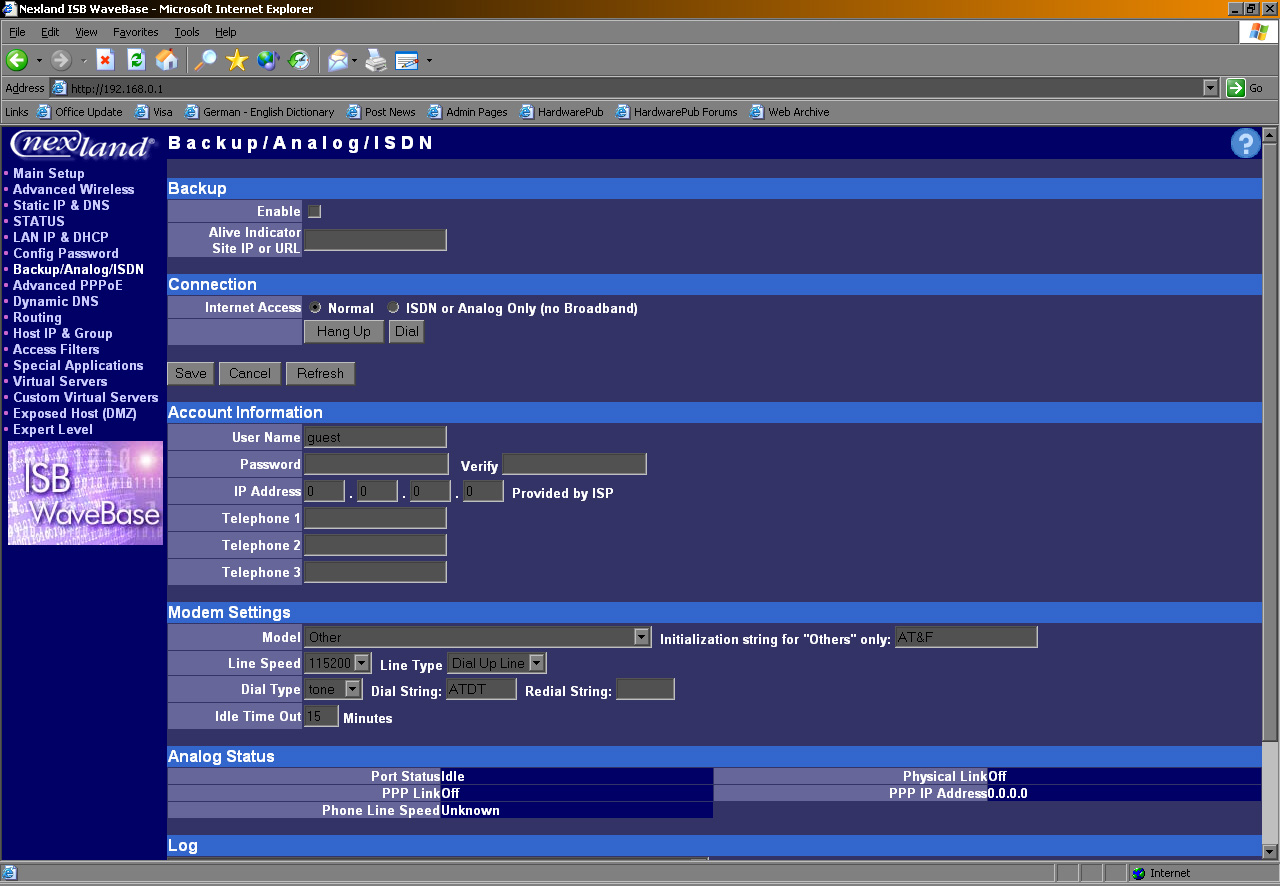
Unfortunately, during testing of the WaveBase no access to a serial ISDN or analog modem was possible, so this feature could not actually be tested. There are two modes of functionality for the ISDN/analog connection. The most common usage for this feature is as a backup for when a broadband connection is dropped, or a service outage occurs. Upon disconnection from the broadband connection, the WaveBase tells the modem to connect, and within a matter of about 30 seconds a WAN connection is reestablished for all LAN users. The other function is to use the WaveBase solely as an ISDN/analog router. In this case, after the appropriate paramaters are entered in the configuration page, the user simply has to click "dial," and the connection will be established shortly. This feature is an unusual addition to a mid-range device, and is a defining characteristic that sets this device apart from many others.
| « Page 3 | Page 5 » |