

|


Asus W5Fe Laptop

Design Aspects:
Some notebooks continue to be designed like bricks and have sharp corners and little asthetic appeal. While Dell has recently opened its eyes to the need for an overall increase in appealing design Asus has had this in mind for some time. A short search online shows that most users find Asus notebooks to be of high value and highly appealing. A look at our W5Fe shows some possibilities why this might be:
- Asus notebooks sold as a complete user experience package.
- Appealing Design Elements
- 24 Month Global Warrenty
- Excellent Customer Support
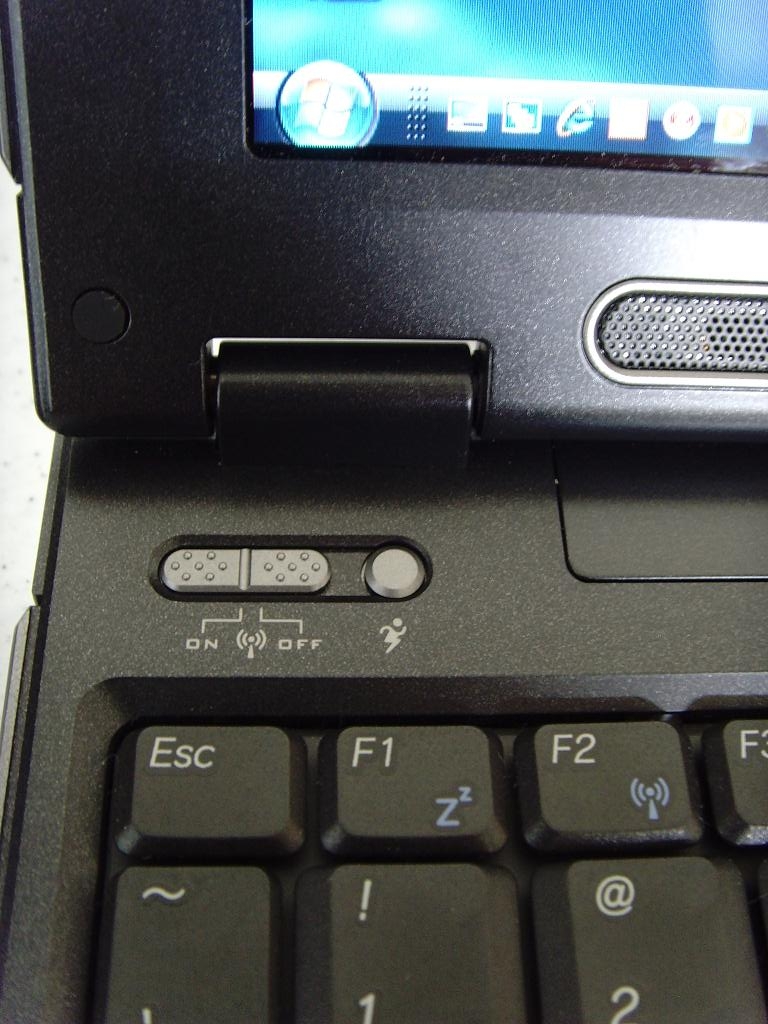
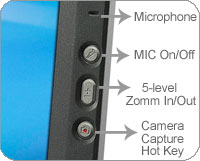
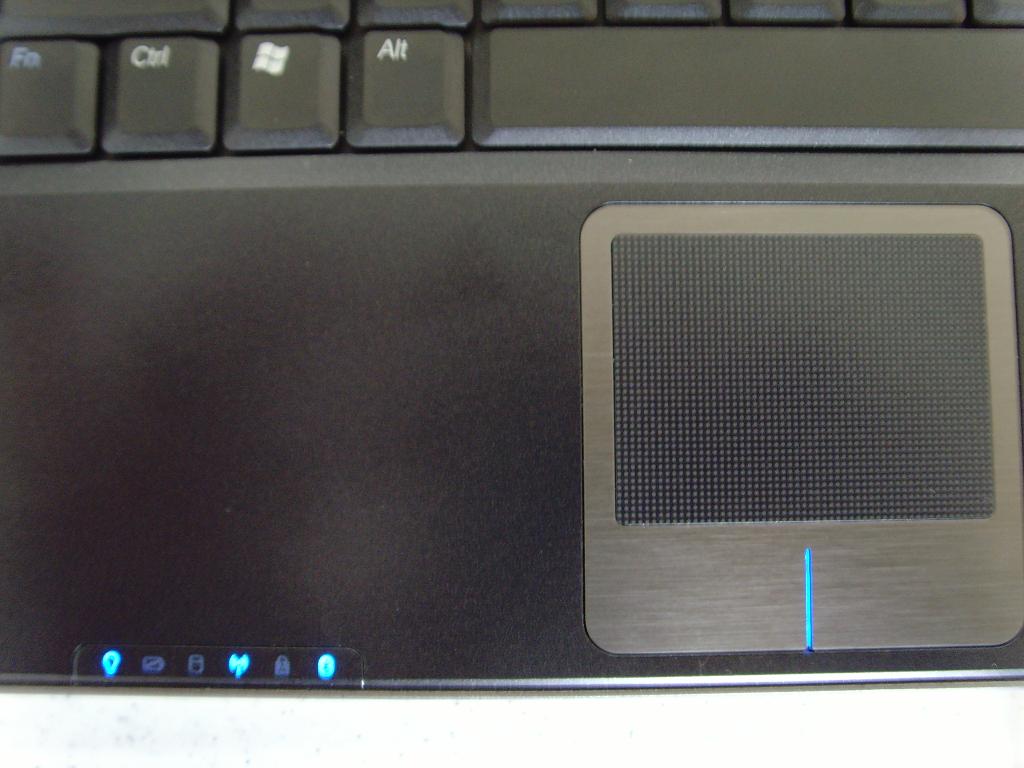
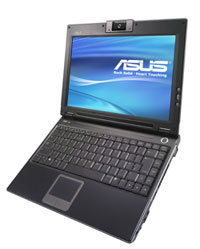
As for the Design aspects of the W5Fe, as you can see the notebook has no sharp corners, nothing but smooth lines here. The all black chassis and blue lights is asbolutely sexy in a laptop. The touchpad is textured and provides tacticle feedback when using which you either love or hate, we personally don't care for it but many users have reported positive experiences. The right and left click areas of the touchpad are at the same level as the palmrest and touchpad adding to the overall sleek and seamless design of the laptop. The function buttons that are included on the W5Fe keyboard half all serve a purpose and we found them useful on an everyday basis. There are controls for activation and deactivation of the wireless and bluetooth, a CPU speed control button that activates one of several profiles, and an audio up and down wheel. On the LCD panel additional buttons are included that show some forethought by the engineers and most probably a good amount of testing and feedback. The camera button allows immediate access to the webcam instead of the usual way of accessing it through the My Computer icon, additionally you have buttons that control the zoom in/out and microphone mute on/off. As the W5Fe is an ultra-portable and aimed at the mobile professional these buttons take the guess work and frustration out of holding any online meeting. If you are in a noisy environment or wish for a moment of audio privacy you can simply mute your microphone with the touch of a button. Similarly the zoom in and out buttons allow you to show as much or as little of your surroundings in a meeting as you wish.
 |
 |
 |
 |
The running man function button to the right of the wireless on/off button activates one of several power profiles for the W5Fe. You can place the laptop into any of four different modes at the touch of a button. The choices are:
- Entertainment Mode
- Quiet Office
- High Performance
- Battery Saving
Each of these modes allows the user to define a combination of LCD brightness, CPU power, and approximately 20 other settings. While we are talking about LCD brightness Asus has included a software utility called Splendid View which allows the user to select from one of 6 different profiles. Each profile changes the way the gamma, brightness, and color tones are displayed.
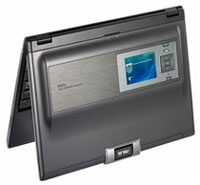
Overall the W5Fe was built with everyday use and overall design in mind. If you click on nothing else you absolutely must check out the power button. The power symbol is recessed beneath the plastic giving it a 3D look in addition to the Asus name being written in the metal ring surrounding the button. We were highly impressed with the attention to detail given in this notebook. It is important to note that we purchased this notebook after looking through many of the other Asus models and it was probably the touchest decision on a hardware purchase we have had to make. Each of the models in the Asus lineup has the same attention to detail and overall excellent design characteristics. In the end the decision came down to size, weight, and feature set. Most of the Asus models are also offered in white in addition to black.
Although the W5Fe chassis appears to be made of a plastic shell in truth it is a coating on top of a metal frame for the lid and we suspect several other sections of the laptop. The entire unit has no flex and is very solidly built. You can lift the entire laptop by one corner and not get any chassis flex. The keyboard is firm and does not give in the middle and the keys are easy to tpye on giving good response without being clicky. The LCD lid closes slowly and is actually slightly difficult to open as the hinge mechanism strongly keeps it in any position.
 |
 |
| « W5Fe Performance | Conclusion » |