

|


Installation:
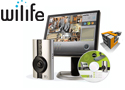
One of the hardest parts to installing a home security system is undoubtedly running all of the wires from each camera to your central security box. WiLife makes this mundane task and tosses it out the window by introducing a wireless system. By using the Home Plug 1.0 technology, the WiLife Digital Security System sends the video data over the power lines to anywhere in our home or small office. WiLife claims to have a " 15 minute hassle-free installation ". Normally, I tend to believe these claims have no validity behind them, but lets see if this system truly stands up to its claim.
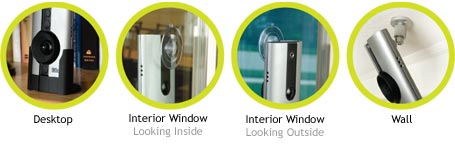
The installation involved with the WiLife Security System is very minimal. With the availability of installing the device using four different mounting options, you can easily get the exact camera angle that you are looking for. The four types of mounting are: Desktop stand, Interior Window, Exterior Window, and Wall Mounting. You can see an example of each of these shown below.
To complete the installation of the system, there are three easy steps.
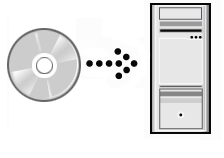
Step 1: Install Software to be used to monitor the system
Step 2: Connect Wireless receiver to computer via USB
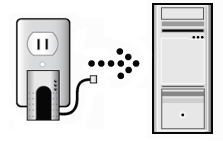
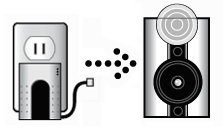
Step 3: Indoor Camera: Connect Wireless transmitter with the Camera via ethernet cable
Outdoor / Spy Camera: Connect power plug into nearest outlet
 |
 |
Indoor Camera: Overall the physical installation of the indoor security camera was quite easy. The only requirement of where you must place the camera, which is that it must be located near a power outlet. But the ethernet cable included is 10 feet long, so you shouldn't have to much problem trying to place the camera, but if you do then any ethernet cable (up to 80 feet) will work fine.
Outdoor Camera: The installation of the outdoor camera was a little more tricky than the installation of the indoor camera, but still extremely simple. Being mounted outside, I had no choice of what type of mounting I choose as I did with the indoor camera, so I had to use the mounting brackets included. Mounting the system required screwing the mounting plate to the side of the house and then attaching the camera to the plate with the adjustable arm. Once in place simply tighten the adjustable arm in place so it wont move.
Spy Camera: Ultimately the easiest to set up. Simply plug the camera into the nearest power outlet and thats all.