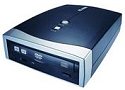
Testing
The big innovation of the EZ-DUB is the one button copying, so let's dive right
into that first. Afterwards, we'll put it through the usual tests, because after
all, there is still a regular SOHW-1673SU drive at the heart of this beast.
EZ-FILE
The EZ-FILE function works alot like windows XP direct CD function. It allows
you to drag files onto a special EZ-DUB user interface which then keeps track
of how much you have dropped. This is quite handy, as it's easy to lose track
of how much info you're trying to burn when trying to squeeze movies and pictures
onto DVD's.

CD TEST
For the first test we used the EZ-DUB function to copy an audio CD.
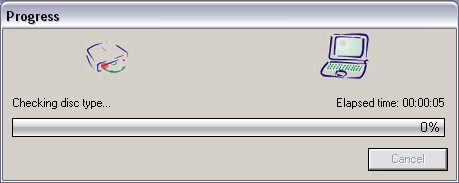
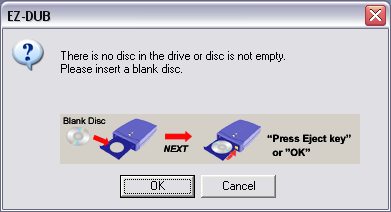
We start by placing the disc to be copied in the drive and pressing the DUB
button on the top of the unit.

Nero CD Speed Test results
| General Information |
|
| Operating System |
Windows XP |
| Drive |
LITE-ON DVDRW SOHW-1673S |
| Firmware Version |
JS0C |
| Serial Number |
|
| Disc |
Audio CD |
| MID |
203m180s212f |
| Capacity |
58:36.60 |
| Transfer Rate |
|
| Start |
19.70x |
| End |
7.54x |
| Average |
29.92x |
| Type |
P-CAV |
| DAE Quality |
|
| Quality |
9 |
| Accurate Stream |
Yes |
| Seek Times |
|
| Random |
131 ms |
| 1/3 |
158 ms |
| Full |
207 ms |
| CPU Usage |
|
| 1X |
13 % |
| 2X |
7 % |
| 4X |
15 % |
| 8X |
27 % |
| Interface |
|
| Burst Rate |
16040 KB/sec |
| Spin Up/Down Times |
|
| Spin Up Time |
2.20 sec |
| Spin Down Time |
1.95 sec |
| Load/Eject Times |
|
| Load Time |
1.09 sec |
| Eject Time |
0.92 sec |
| Recognition Time |
10.45 sec |
| Log |
|
| Time |
Elapsed |
Action |
| [15:30:44] |
|
Starting Transfer Rate Test |
| [15:32:57] |
2:13 |
Speed:21-50 X CAV (37.62 X
average) |
| [15:32:57] |
|
Starting Seek Times Test |
| [15:33:10] |
|
Random Seek: 132 ms |
| [15:33:27] |
|
1/3 Seek: 166 ms |
| [15:33:52] |
0:55 |
Full Seek: 245 ms |
| [15:33:52] |
|
Starting CPU Usage Test |
| [15:34:07] |
|
CPU usage at 1X: 3 % |
| [15:34:22] |
|
CPU usage at 2X: 11 % |
| [15:34:37] |
|
CPU usage at 4X: 13 % |
| [15:34:53] |
1:02 |
CPU usage at 8X: 26 % |
| [15:34:53] |
|
Starting Burst Rate Test |
| [15:34:55] |
0:02 |
Interface burst rate: 18 MB/sec
(18335 KB/sec) |
| [15:34:55] |
|
Starting Spin-Up/Down Test |
| [15:35:02] |
|
Spin-up time: 3.35 seconds |
| [15:35:16] |
0:21 |
Spin-down time: 3.75 seconds |
| [15:35:16] |
|
Starting Load/Eject Test |
| [15:35:18] |
|
Eject time: 2.42 seconds |
| [15:35:20] |
|
Load time: 1.10 seconds |
| [15:35:33] |
0:17 |
Recognition time: 13.57 seconds |
| [15:38:52] |
|
Starting Transfer Rate Test |
| [15:41:00] |
2:08 |
Speed:20-8 X P-CAV (29.92 X
average) |
| [15:41:00] |
|
Starting DAE Quality Test |
| [15:41:07] |
|
Total errors: 43 (0.001 %) |
| [15:41:07] |
|
DAE Quality: 9 |
| [15:41:10] |
0:11 |
Accurate Stream: Yes |
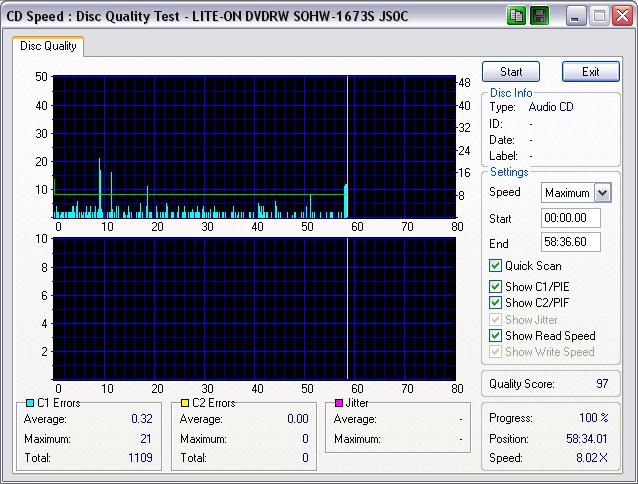
As you can see, the disc we used was not free of errors, and that caused a
few dips in speed as the error correction of the drive came into play. On the
next image, you can see that the resulting copy was free of C2 errors, and had
minimal C1 errors.
DVD Burning
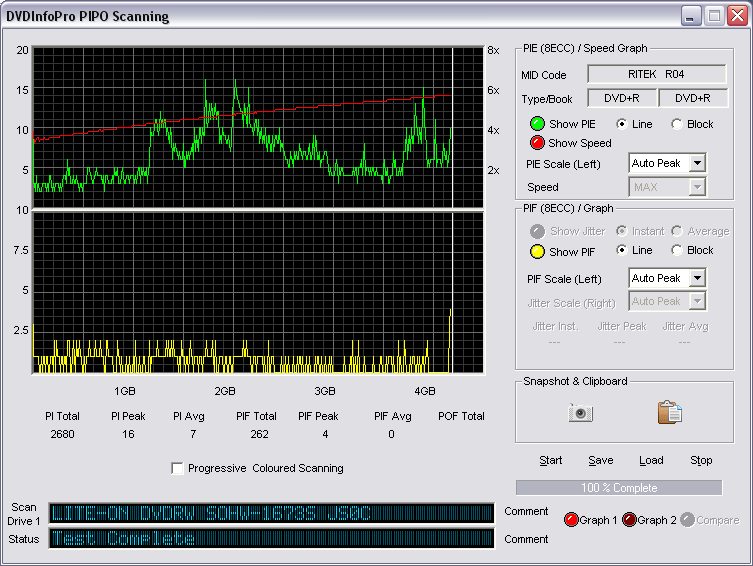
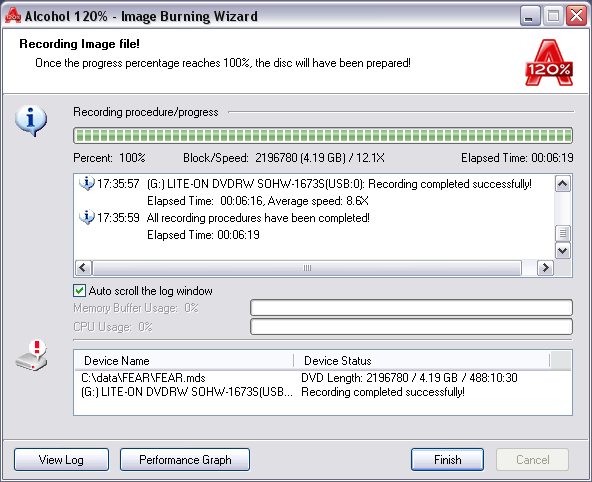
Next we took an image of the DVD fear and burned it onto a single layer DVD.
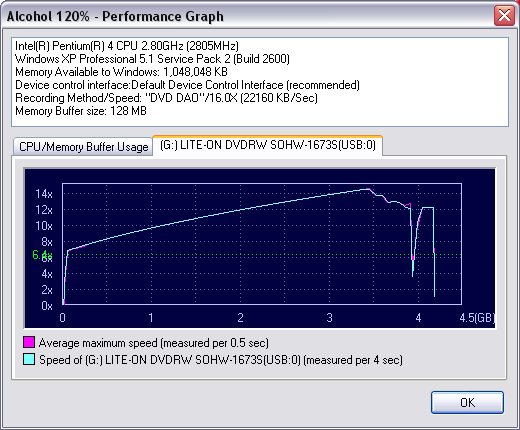
Below you can see it took almost 6 and a half minutes to burn 4.2GB of data.
The drive is making pretty good time! Also you can see that it nearly reaches
its rated speed of 16X, but starts to slow down at the end because again the
Smart-Burn kicks in and finds some deficiencies with the media near the outside
of the disc.
Scanning our newly created DVD, we notice an increasing trend of errors as
the disc reaches the outside edge. The PIPO error rates are pretty decent, and
this is a rather clean burn over-all.