

|
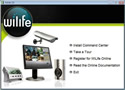


Logitech WiLife Security System
 |
Testing:
After the camera was installed, and the installation was finished, the Command Center automatically found all my cameras and added them to the system. Although, at this point in time, I was only able to test the indoor camera included in the starter kit, I have read else where that there are no issues with the outdoor or spy cameras. One thing that is recommended is to plug the devices directing into the wall and not through power strips, as they will cause loss of data quality or have connection problems.
As you can see in the following pictures, the three different views were tested and no problems arouse. These screen shots were taken when the camera was pointed directly at a wall, only inches in front of it, thus explaining the complete darkness.


For testing out the camera, I decided to try and walk from one side of the room to the other without being detected by the motion detection feature. No matter how slow I walked or crawled, the camera still was able to pick up the movement. This happened both when the camera had no predefined motion zones and when I walked through the motion zones.
As you can see by clicking on the following two pictures, the quality is very good.


Overall I would have to say that the quality of the system was very impressive, with the motion detection picking up the slightest movements, which will catch even the sneakiest of people.
REALTIME PRICING