Introduction

Thermalright is one of those companies I like to think of as a nerd house; it produces a small, but carefully crafted selection of high-quality components, all centered around a single core competency. Packaging is utilitarian, attention to detail is obsessive, and build quality is uniformly high. They don’t get distracted with sponsorships, press events, or TweetFaceSpace promos; the Product Is All.
Today we’ll be looking at one of their larger coolers to date, the HR-02. Aimed at the enthusiast and overclocker crowds, this cooler seems geared to tackle the hottest CPUs on the market. Stick with us as we see just how Right the Thermals are on this beastly cooler.
Thermalright’s Take
As you would expect from a nerd house, Thermalright wastes no time getting into the nitty-gritty details:
Features
Patented multiple support pressure vault bracket system, allow users adding pressure to the bracket system (40~70 lbs.), and have a more efficient and secure mounting.(1366/1156/775).
Fanless design for low-noise operation
Proprietary through holes on fins for efficient ventilation
Heatsink are all nickel plated to ensure the best quality and performance and could last for years.
Soldered heatpipes, copper base and fins, to ensure the best thermal conducting efficiency.
Six sintered heatpipe design, all heatpipes are nickel plated.To slow the oxidation deterioration to the heatpipe, to ensure longer usage and performance of the heatsink for the CPU.
Including 120*25mm fan clips & 140*25mm fan clips and Chill factor III thermal paste.
Convex copper base design, to ensure the Highest thermal conducting thermal efficiency between the CPU and the heatsink.
Most of this is pretty self-explanatory, though there are a few key points to note. First, the heatpipes are soldered to both the base and the fins. This isn’t strictly necessary, but it does improve heat transfer between the different pieces of the heatsink, as well as subtly improving the overall rigidity of the structure. Second, the whole thing is nickel plated, from top to bottom. This serves to avoid the oxidation problems that pure copper has when exposed to air.
Packaging and A Closer Look
 |
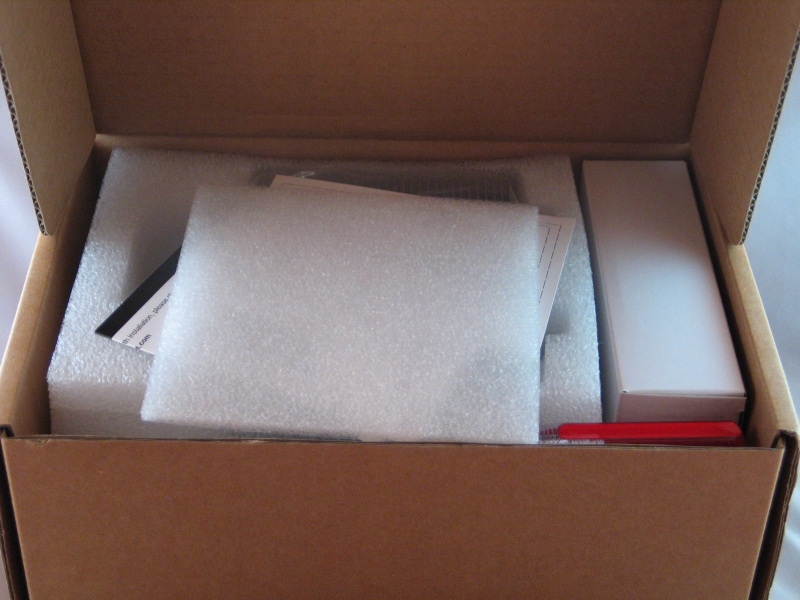 |
Thermalright clearly knows their market here; no wasted flash or gloss on a box that’s getting thrown out or stuffed in a closet in an hour’s time. Opening it up, we see that the contents are very well padded. Conspicuously absent is the sort of demented origami packaging that some manufacturers delight in suprising us with; getting the contents back into the box is as easy as getting them out. This is a minor point, but it says good things about their attention to detail.
 |
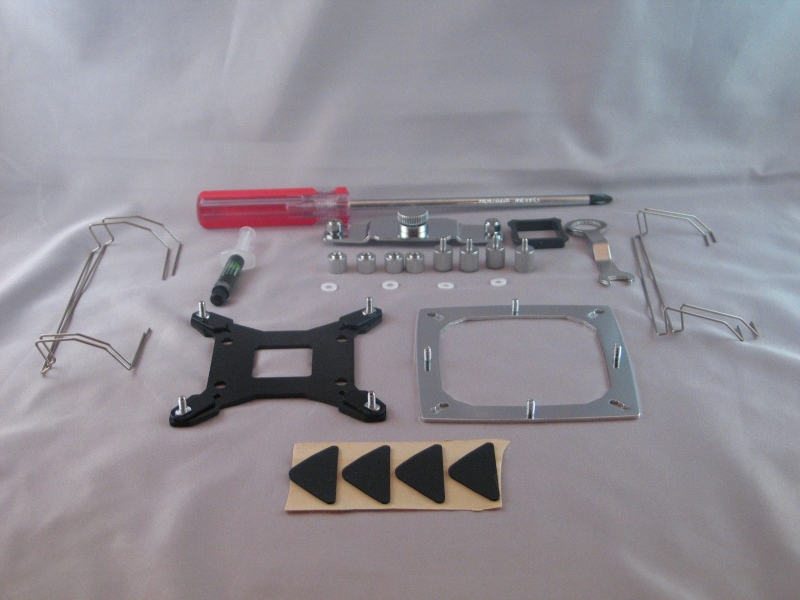 |
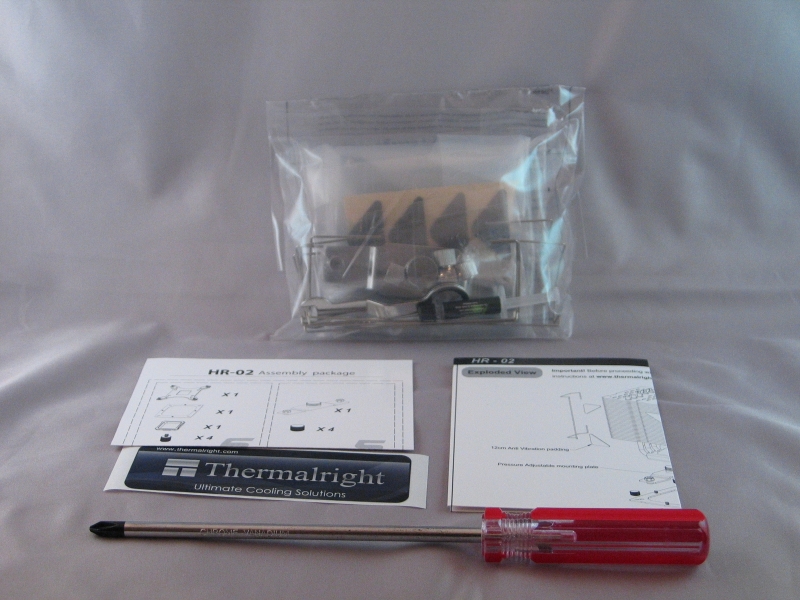
The accessories package is similarly utilitarian; a plastic bag containing the brackets and fasteners and pads shares space with the instruction pamphlet, a parts list, and–in a welcome deviation from the norm–a full-sized, long-blade magnetic screwdriver. Given that most tower coolers of this stripe practically require such a tool, its inclusion is quite welcome. Notably absent is any kind of AMD mounting bracket–this is quite damning when the cooler is advertised as being AM2/AM3 compatible. I was able to obtain a compatible mounting bracket through other channels, but this is a problem worth noting if you’re considering pairing the HR-02 with an AMD CPU. Also absent is any kind of fan; this CPU cooler is meant to be able to run passively in many systems. If this will not work for you for some reason–hot-running CPU, sub-optimal airflow, enforced transverse mounting–brackets are included to accommodate a 120mm or a 140mm fan.
 |
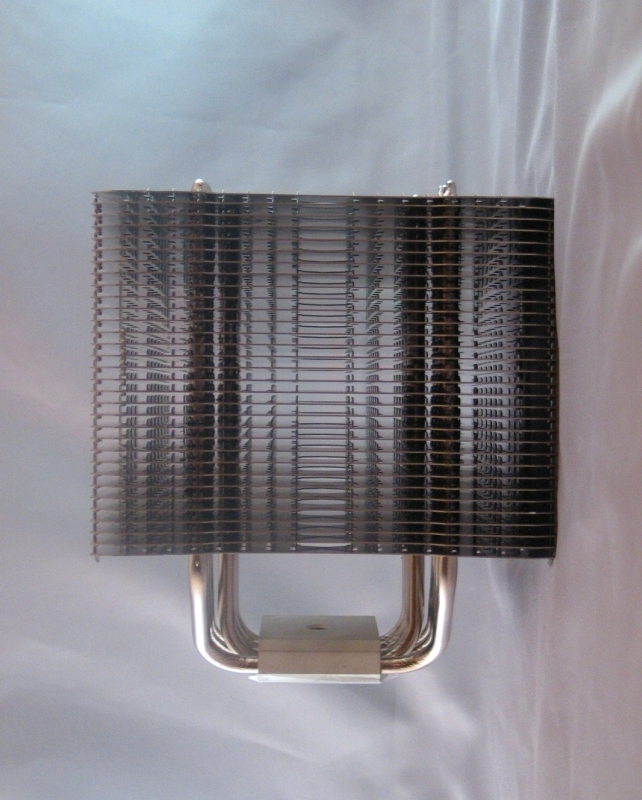 |
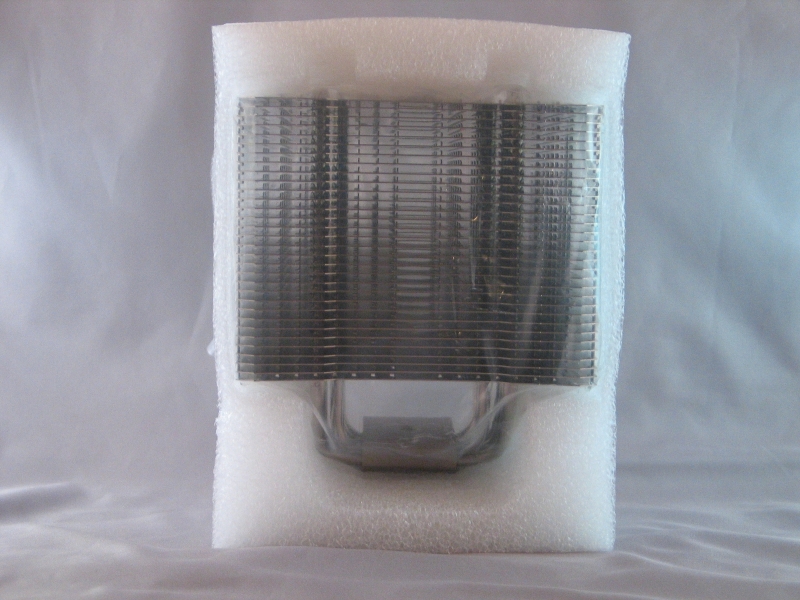
The cooler itself is firmly encased in a styrofoam shock mount, with a plastic bag to keep out any possible debris and a static-cling sticker to keep the mating surface pristine. With all that removed, it’s clear from the outset that this is a high airflow design, though only in one direction. If you plan on using this cooler in passive mode, lining up the front of the heatsink with the intake and exhaust fans on your case is key.
 |
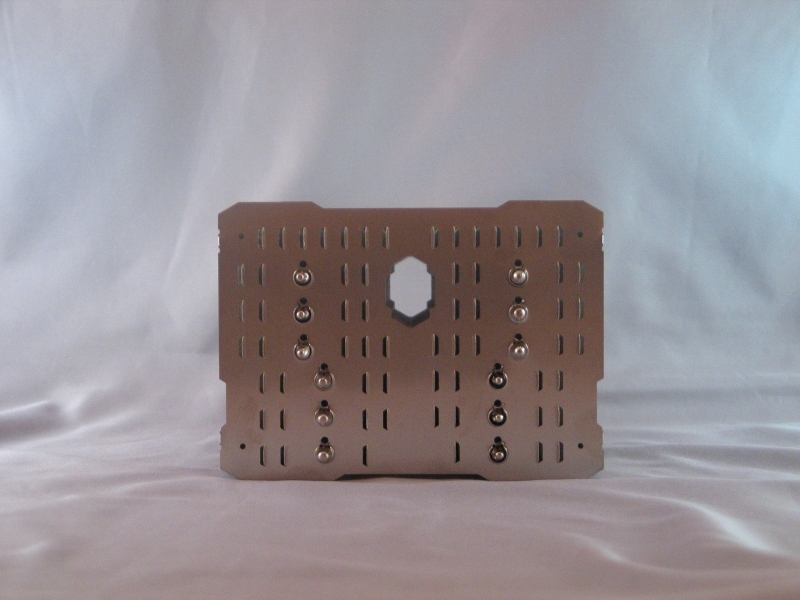 |
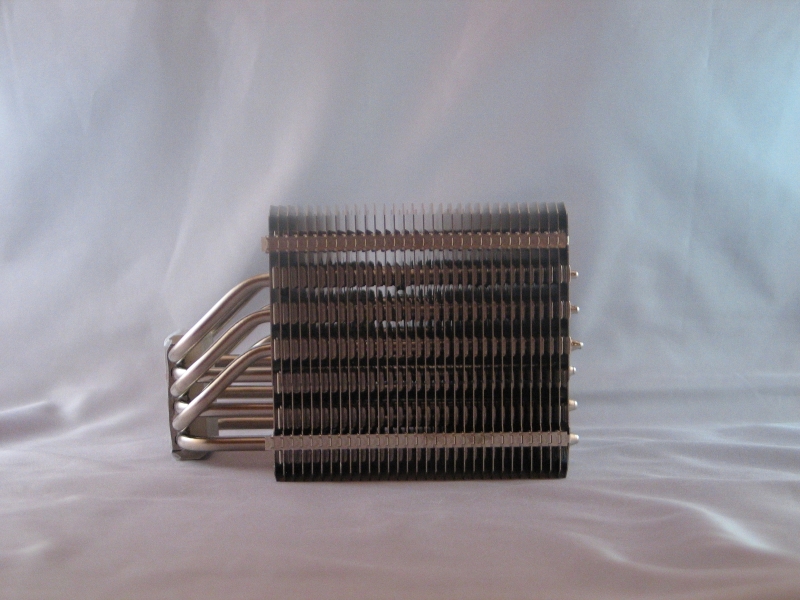
Looking at the side, the directionality of the airflow is reinforced; the numerous tabs will serve to block most airflow coming in from the sides. Also apparent from this angle is the off-center placement of the mating surface; it’s been moved as far forward as possible, so that the cooler will (hopefully) not block the first few ram slots on your motherboard with a fan installed. The view from the top introduces another novel design choice: each plate–I hesitate to call them fins when they’re this large–has a roughly hexagonal hole cut out of it near the rear. This is deliberate, and meant to accommodate the Intel mounting brackets’ screw holes.
 |
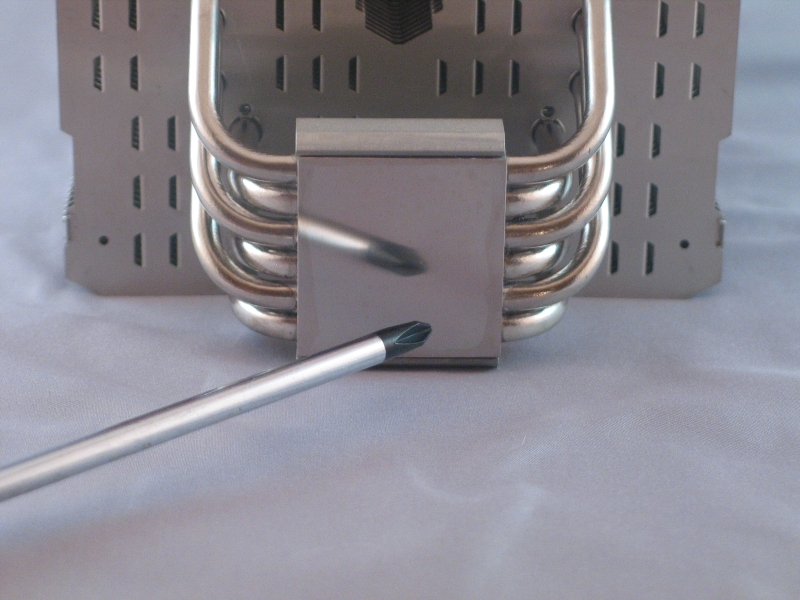 |
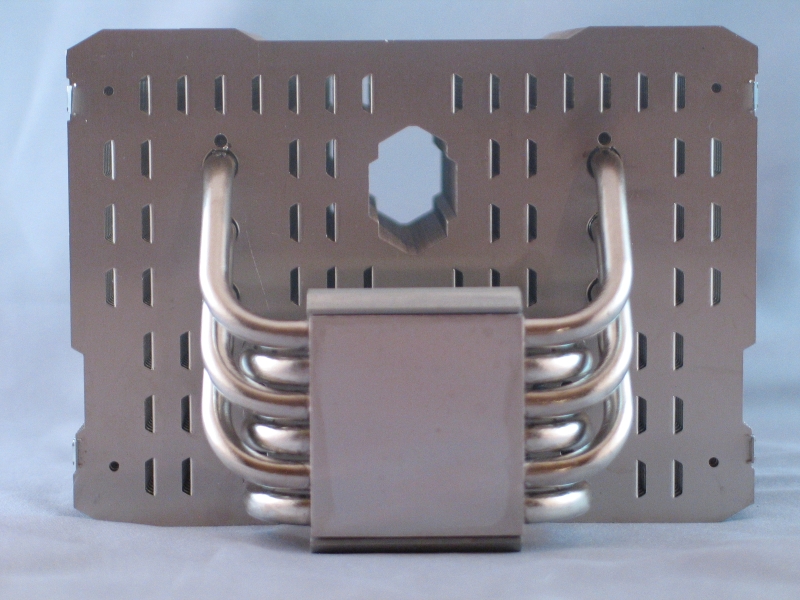
The mating surface is one of the key components of any heatsink; it is what ultimately determines how much heat goes from your CPU’s heat spreader to the rest of the heatsink for dispersal. The goal here is flatness; the more perfectly even the mating surface is, the more of it comes in contact with the heat spreader. Thermalright has done an excellent job here; the mating surface is extremely smooth, and as you can see, is even moderately reflective. It’s not a perfect mirror finish, but as no amount of polishing is going to remove the need for thermal grease, that’s not an issue.
Installation and Test System
Installation was a bit tricky on our test system, owing partially to the enforced orientation of our AM3 test board. Because of how the heatsink was designed, it was impossible to mount the heatsink in a front-to-back orientation. Additionally, the provided screwdriver was largely useless with the AM2/AM3 mounting kit, due mainly to screw placement. The spring-screw bolts included with the AM2/AM3 mounting kit were designed to work with a wrench, but the mini-wrench included with the cooler was the wrong size. Mounting large tower coolers is often a challenge on AMD boards, and this was no exception. Unless your case is unusually accommodating, you’ll want to disconnect and remove the motherboard from the case before you begin.
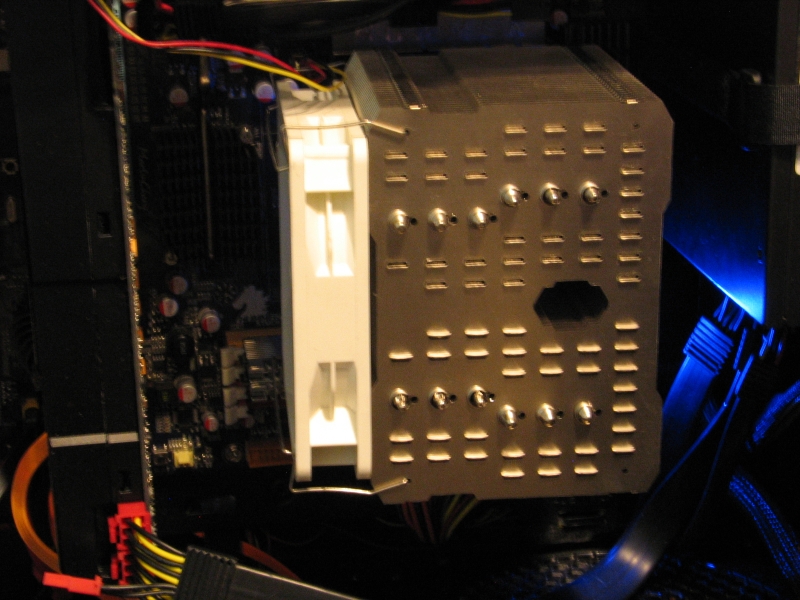
As you can see, there is not a lot of room to spare. Also note the rather sub-optimal airflow path: the intake fans are “down” in this picture, while the exhaust fans are “up”. That slab to the left is the video card, which further affects the quality of the air intake.
Testing was performed on the following system:
| Test System | |
| CPU | Phenom II X6 1100T Black Edition @ 3.3GHz |
| Heatsink | Thermalright HR-02 |
| Motherboard | Jetway Hummer HA-09 |
| Chipset | AMD 890GX |
| Graphics card | Sparkle GeForce GTX 465 |
| RAM | 2x4GB SuperTalent DDR3-2000 @ 1600MT/s, CL9 |
| Sound | Creative Sound Blaster X-Fi Titanium HD |
| SSD | Crucial RealSSD 256GB SATA 6Gb/s |
| HDD 1 | Seagate 7200.10 500GB |
| HDD 2 | Western Digital Caviar Green 5400RPM 500GB |
| HDD 3 | Western Digital Caviar Green 5400RPM 1.5TB |
| Power Supply | OCZ 750W Fatal1ty Series Power Supply |
| Case | Silverstone Fortress FT-02 |
| OS | Windows 7 Ultimate |
| Drivers | Catalyst 10.11, Forceware 258.96 |
Benchmarks
For this test, we used the CPU’s on-die temperature readouts, as reported by CPUID’s HWMonitor utility. Temperatures were recorded with the room at an ambient temperature of 24°C, during the late evening to avoid any possible temperature swings. Temperatures were sampled over 15 minutes, with any change in the temperature causing the timer to reset. To ensure that the CPU was loaded to 100%, multiple instances of Stress Prime Orthos software were run in tandem, with core affinities set to ensure each core would be pegged at 100% load. As the Phenom II X6 1100T is a hot-running CPU, we elected to run this cooler with a 120mm fan attached. Fan speed was regulated by the motherboard’s onboard fan controller.
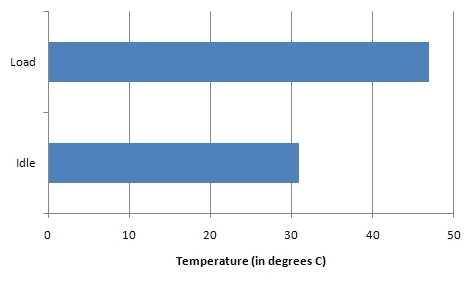
The idle temperatures were quite impressive for this hexa-core beast of a CPU: it averaged out to 31°C, which is a 7° rise from ambient. Under maximum load, the temperature rose to 47°C, which is a 23° rise from ambient and a 16° rise from idle. These numbers are quite impressive for a 140W CPU. Additionally, while we did elect to provide active cooling, the fan never throttled up to 100%. Thus, noise levels were quite low.
Conclusion
The thermal performance of this cooler speaks for itself; even with sub-optimal alignment, it produced very good temperatures for such a power-hungry CPU. The quality of the included accessories is for the most part quite good, but the lack of included mounting kit for AMD boards is disappointing. That said, the people in most need of really good cooling are likely to be Intel users, and this cooler is well suited to taming those heat monsters. With an average list price of $67 online at time of publication, the HR-02 is definitely on the upper end of the scale for air coolers. The performance you get, however, is well worth the cost.

Pros:
- Excellent thermal performance
- Doesn’t block RAM slots
- High build quality
Cons:
- No AMD mounting hardware included
- No fan included


[…] Thermalright HR-02 CPU Heatsink @ TechwareLabs […]
[…] NZXT Sentry LXE Fan Controller @ Hardware Secrets- Thermalright HR-02 CPU Heatsink @ Techwarelabs- Arctic Cooling Freezer 13 CPU Cooler @ eTeknixStorage- Patriot Xporter XT Rage 32GB @ Viperlair- […]