Thermaltake Urban T81 Introduction and Specifications

Thermaltake has been a leader in the enthusiast market since its inception in 1999. The Chinese company has been bringing out countless products year after year aimed at everything from casual gamers to extreme enthusiasts.
Today we are looking at the Urban T81, a case aimed to appeal more to the high end enthusiast market. The flagship T81 is Thermaltake’s newest addition to the Urban line of cases that are geared towards a more streamlined professional look that can be used at home or at the office. Thermaltake’s motto for the Urban T81 is “Simple, Yet Elegant”. I believe those words hold true, but the real test that determines whether this case is worth the price tag is the features, modularity, and build quality.
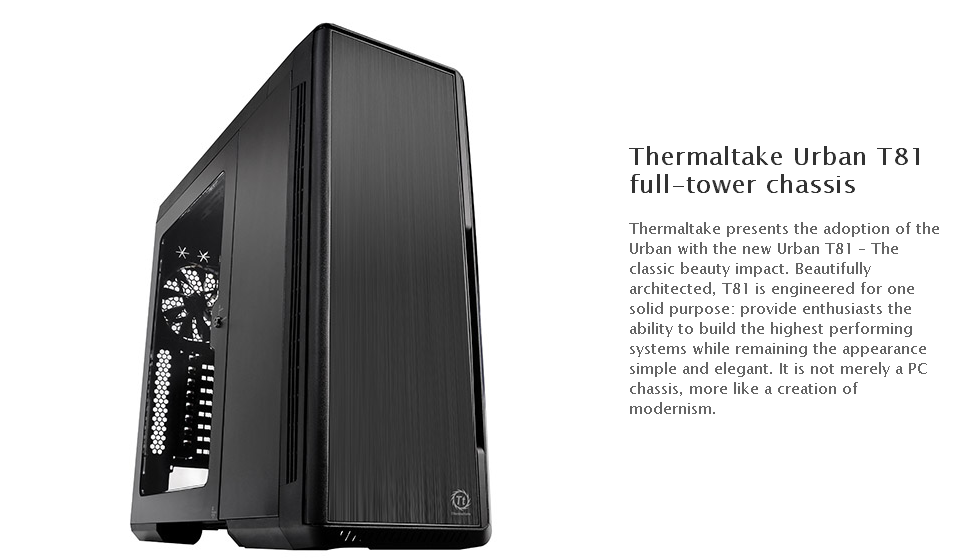
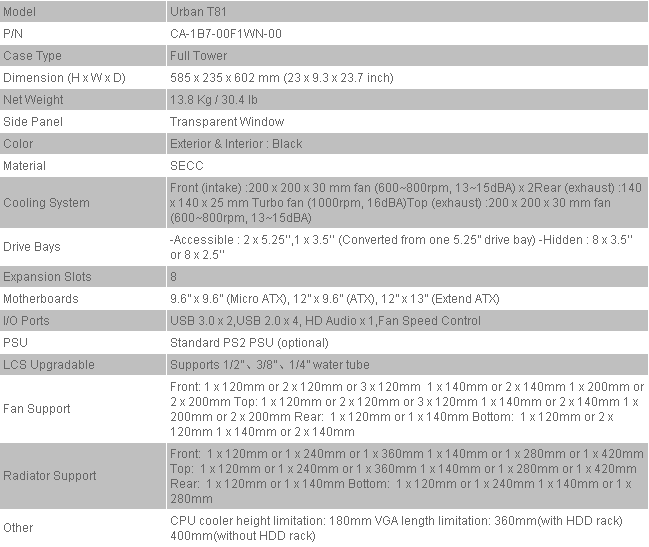
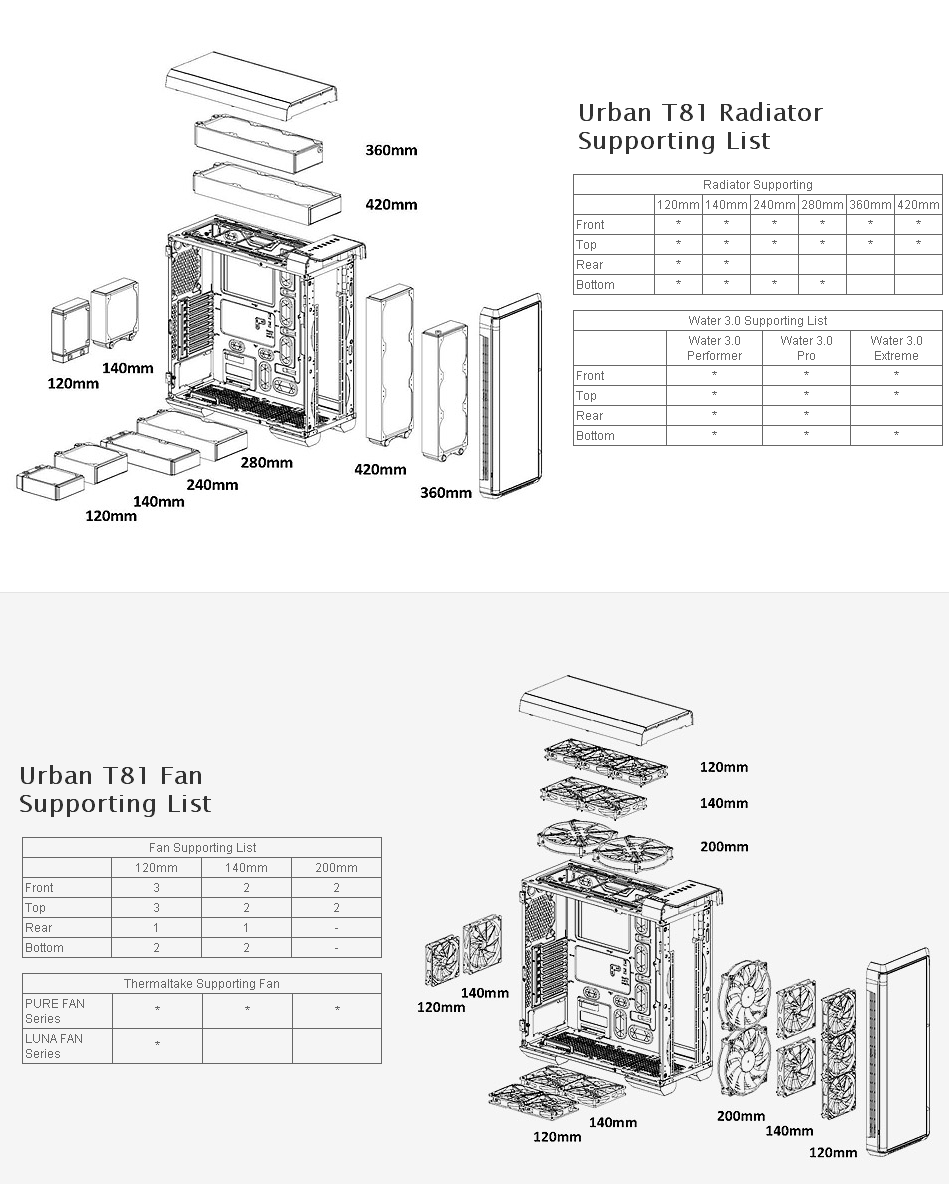
In this review I want to focus on the Urban T81’s water-cooling options rather than the standard air cooling. I will describe my experience installing a full custom loop on the monster-sized Urban T81, along with the review of the standalone chassis. Looking at Thermaltake’s marketing strategy for the Urban T81, it is clear the case is being heavily aimed at water-cooling enthusiasts and so I believe it is fair to give the Urban T81 a review in that aspect.
Unboxing and Packaging
To my surprise, Thermaltake’s Urban T81 was shipped in the same box that carries the case. There were no punctures, tears, or any visible impacts on the carton besides the normal wear and tear present due to shipping and handling.
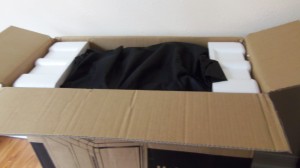

Opening the box, we begin to unveil the packaging. We find the T81 firmly cushioned between two pieces of Styrofoam preventing any movement inside the box. The chassis was covered by a cloth wrapping that prevented any scratches. No tears on any part of the protective cloth were present.
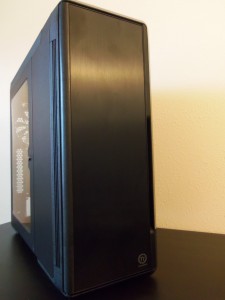
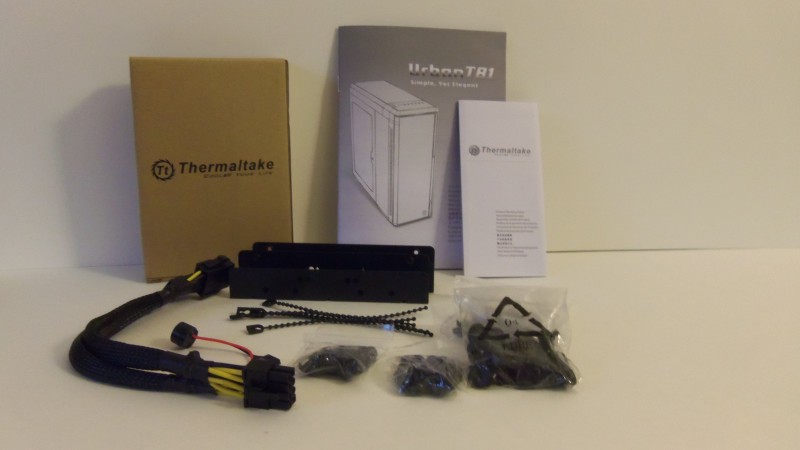
Unveiling the Urban T81 reveals an elegant case with a beautiful black finish, with no fingerprints or scuffs to be found. Hidden inside the case is all your standard equipment pictured above including screws for your hard drive, motherboard, and even extended fan screws.
Closer Look: Exterior
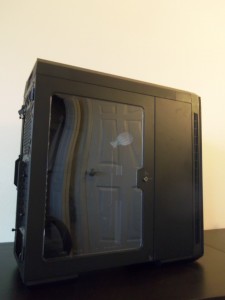
What stands out the most in the Urban T81 is the two sliding doors: one that is windowed and the other to cover the hard drive and 5.25in cages. Right next to the tint-less window is a small lock that requires the two included keys, located behind the case. To open the two sliding doors, one needs to simply push a button underneath the chassis. The windowed door can be fully removed without any tools. The other one, however, will require a Philips screw driver to remove.
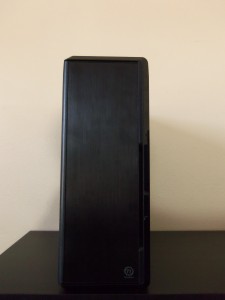
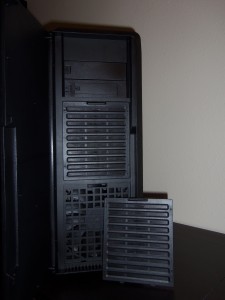
The front of the case is by far the best looking part. The nice black finish resonates nicely with any light in the room, giving off a nice aluminum look. Anybody with sweaty palms or fingers will have to be careful, as it is sort of a sweaty fingerprint magnet. Behind the door we find the two dust filters covering two of the included 200mm fans. The dust filters are easily removable and are easy to clean since they are made of stiff plastic mesh. At first glance, the closing front door does seem to provide limited air movement, but Thermaltake has ingeniously included side and bottom air intakes to compensate, which ironically are a lot harder to clean. Also found are two 5.25in drive bays, one of which accommodates a 3.25 floppy.
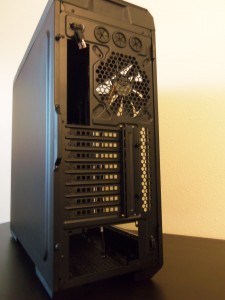
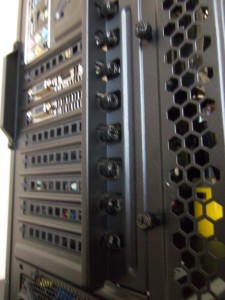
Taking a look at the rear, we see all the standard openings for a full tower case. What stands out the most is the PCI removal. Unlike most cases, the Urban T81’s 8 PCI slots are removed from the rear rather than inside the case. This is done by removing a small bracket held by two thumbscrews giving you access to the PCI thumbscrews to remove the PCI slots one by one. A welcomed and interesting feature by Thermaltake, it adds to the aesthetic appeal since the thumb screws will not be in the way of a graphics card when viewed though the T81’s side window. Expect everything else to be similar to your average full tower: 3 water-cooling holes and a fan port that supports up to 140mm fans. I do, however, wish Thermaltake would have added mesh openings at the very top of the rear to release the hot pocket of air that accumulates there when running a system.
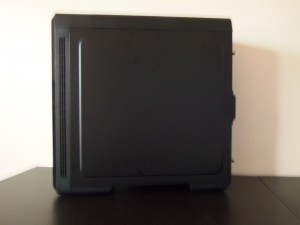
Moving to the right side of the case, we see the door that hides all the cable management. Nothing special about the panel; it is removed by two thumbscrews and has a half inch indent to allow for extra cable space.
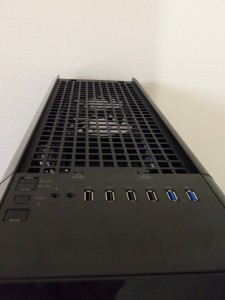
On the top of the case we find all the typical buttons you would find on a case and the top intake fans. The Urban T81 sports four USB 2.0 and two USB 3.0, a great addition for users who connect flash drives, cameras, and smart phones to their computers. Besides that we see the ON button and a two-button switch for the fan controller found inside the case. The top intake has an easily removable mesh fan filter; unlike the front fan filter, this one is not made out of plastic and cannot be cleaned as easily. Nevertheless, the intake fan filter is a welcomed addition to the Urban T81’s already great filtration system.
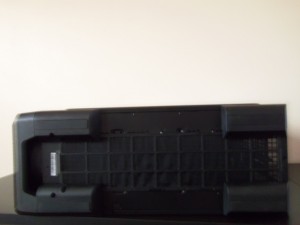
Lastly, looking at the bottom of the case we see four rubberized legs and a power supply fan filter that extends almost the entire length of the case. I love the look of the Urban T81’s legs; they are sturdy and when upright give the case an aggressive pose. My biggest problem with the legs is how much they impede you when picking up the entire chassis from the bottom. It is not possible to put your hand underneath the front of the case due to the design of the legs. The only opening that the legs allow when the case is up right is in the middle and that does not provide good grip or balance. The leg issue is not a con, it just shows that the Urban T81 is not really meant to be moved around too much and may provide some placement problems when first installing a system. What may bother some users is the long fan filter; it extends the entire length of the case and may prove a hassle to remove.
Closer Look: Interior

The interior is where the Urban T81 really shines since the massive amount of real estate given can accommodate most systems with a lot of room to spare. Thermaltake gracefully engineered a case that even when fit with a small system, does not look bare or tiny in comparison with the case.

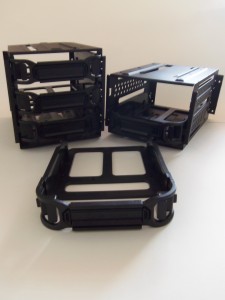
Thermaltake’s Urban T81 is fitted with all the excellent features one would expect from a full tower case. All 8 hard drive cages are modular and can be moved around by simply removing a couple of thumbscrews. The well placed cable holes have high quality rubber covers that do not come off easily, which is an annoying issue found in many other cases. Looking at where you place a power supply, you will find that it is slightly raised. At first it may look a bit awkward, but Thermaltake did it on purpose to better show off the power supply when the side panel window is closed. The motherboard cut out offers plenty of space to remove any cooler without removing the entire motherboard. The last thing I would like to point out is the bar running down the chassis. This bar is used to close the suicide doors; it can be removed using a Phillips screw driver, and doing so will remove the locking mechanism for both doors. I suggest looking elsewhere if the you find Urban T81’s locking bar is an eyesore as removing it is not an option.
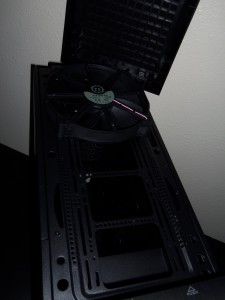
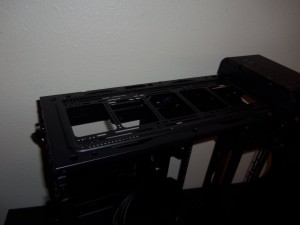
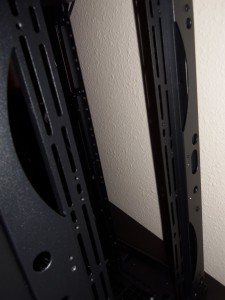
With a bit of elbow grease you will be able to remove the T81’s top panel and front panel; this reveals all three massive 200mm fans Thermaltake included. My favorite part of this case is the abundance of options for mounting fans and radiators. The screw openings should allow for a radiator or fan of allowable size to be screwed in securely. This sort of innovation is what I am looking for when I buy a case.
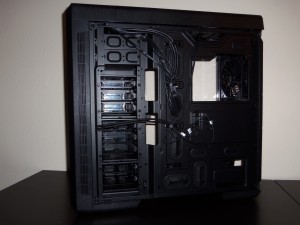
Taking a look at the back side panel, we see where all the cables will go. The first thing you see is the fan controller, allowing up to 10 fans to be powered off one Molex and controlled by the front I/O panel next to the ON button. The fan controller, although well placed, is a disappointment for only supporting 3-pin fans. Allowing PWM fans to be controlled through voltage would be a huge plus since many high performance fans for radiators only support 4 pin PWM. Another downside I see on this side of the case are the cable ties; a large number of cable ties are missing on the right side, which causes a cable management nightmare when installing a system in the future.
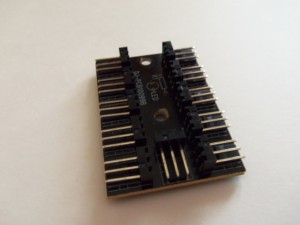
SIDE NOTE I was not planning on using the fan controller in my test build, but decided to test it regardless. I opted to use three 200mm, and four 140mm voltage controlled (3pin) fans for testing. First, every time you start up your system the fans will reset to max speed requiring you to manually set the speed down with no way to keep the fans at medium or low speed on start up. Second, after a couple of hours of use the fan controller simply stopped working. I removed the fan controller and could not see anything wrong on the board itself so I figure it is an issue in the I/O panel.
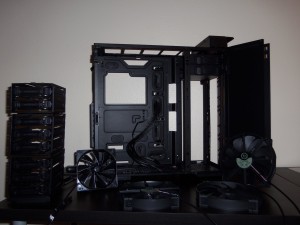
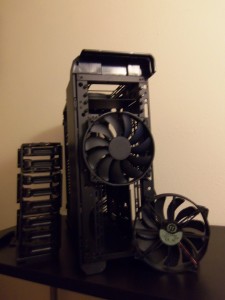
Here is the Urban T81 completely naked. The 5.25in drive bays can be removed as well.
Test Build: Water-cooling Setup
There is no doubt that the Urban T81 was designed with water-cooling in mind. Integrating my radiators, pumps, and waterblocks into this massive case was a breeze, especially with all the available mounting options. The test system is as follows:
System
- Intel I5 – 3570k
- MSI Z77 Mpower
- Avexir Mpower Memory
- R9-290
- Corsair RM-850
Cooling
- Koolance PMP-400
- Alphacool Nexxos UT60 280mm Radiator
- Swiftech 240mm Radiator
- EK Supreme Waterblock
- EK R9 290x Waterblock
- XSPC High Flex Hose 3/8, 5/8

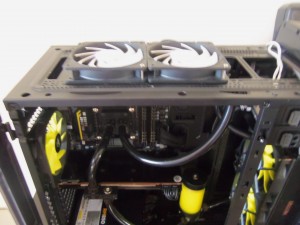
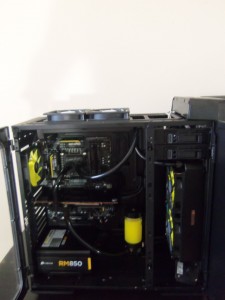
Placing all the components inside the Urban T81 was a smooth process. The only occasional hindrance was the non-windowed sliding door getting in the way. All the radiators fit perfectly within Thermaltake’s screw holes and there was more than enough clearance to fit a 60mm thick radiator on the front panel holder. I have nothing but good things to say in regards to placing a full custom loop inside the Urban T81. Do not expect to have everything needed, however, the included screws and mounting hardware that come with the Urban T81 are very straightforwards. Moving on, I did some basic temperature testing utilizing the same pump, fan speed, and room temperature as my previous build and concluded that the fluid temperature was 2C higher than on my mid tower. All air bubbles were sorted out and the fluid was completely filtered, I found out that the cause of the higher temperatures were the Urban T81’s fan filters limiting air flow to my radiators since removing the front panel returned my temperatures back to normal.
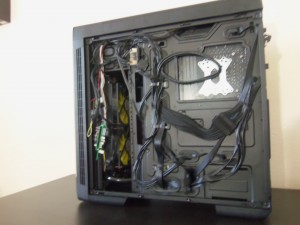
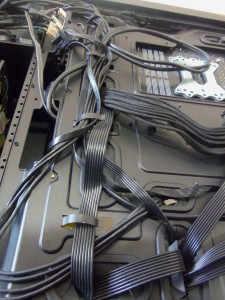
The most frustrating part of the Urban T81 has been cable management. I spent over two hours tying up cables and moving them around to be able to close the back panel. I eventually gave up on trying to keep it neat and spread everything out as much as I could to allow the panel to close. At the end of the day, cable management was not pretty. The RM 850’s stiff power cables and the Urban T81’s lack of cables ties was a recipe for disaster. I would also like to point out that the exact components and water-cooling setup have been tested on a MID TOWER and all cables were properly and neatly tied up in that case. Regardless, whether you are water-cooling or air-cooling, I cannot recommend the Urban T81 if you are hoping to have clean cable management.
Conclusion
With the Urban T81, thermaltake has once again proven their dedication and knowledge about the enthusiast market. Especially when it comes to water cooling, manufactures often time make many silly mistakes on their hardware as they don’t fully understand the market and its needs. The Urban T81 hits a home run in terms of size, modularity, and style. At $169.99 you will be getting a full tower chassis that dwarfs many other cases in terms of overall quality, although you will be paying a slight premium compared to other full towers available. Whether you are looking to expand your system or install a watercooling kit the Urban T81 will be able to accommodate any large system with room to spare. The shortfalls of the Urban T81 are few but occurring nuisances that may plague your build in the future such as the lack of cable management or the inability to save the fan speed setting on the fan controller. If the minor flaws in the Urban T81 is something you can overlook t and the price is in your budget I wholeheartedly recommend this case.
Pros
- Elegant and Sturdy Design
- Large Clear Sliding Window
- Support for large Fans and Radiators
- Extreme Modularity
Cons
- Lack of adequate Rear Cable Management
- Questionable Fan Controller

You must be logged in to post a comment.