Battery Eater Pro 2.7:
“Battery Eater Pro 2.7 is a testing tool intended to reveal the potential of a notebook battery pack. Battery Eater can measure the minimum operation time of a notebook (when all power-saving options are disabled) under conditions close to the maximum workload (Classic mode). You should be aware, though, that such conditions rarely occur during an ordinary use of a notebook and should be regarded as reflecting the minimum time the notebook can work on its battery. Battery Eater will show a result closest to the maximum possible in the “Idle” and in the “Reader’s Test” mode (when all power-saving options are fully enabled).”
The Viewbook Pro comes with a battery pack that snaps into place on the one side of the laptop to complete the shape of the laptop. The standard battery pack did pretty well when we ran the Battery Eater Pro 2.7 on the Viewbook Pro 2.7 of two hours and thirty-nine minutes. The settings while on battery were to not go into sleep mode, or turn off the display or shut off the hard drive. These settings are obviously not ideal for everyday use, but it gives you an idea of the length of time one would have if you ran the system under a normal mode. The unique feature about the Viewsonic Viewbook Pro is the additional battery pack which replaces the DVD Rom drive. The additional battery pack gives the Viewbook Pro an impressive additional battery life. The second benchmark with battery eater pro 2.7 was with both batteries installed and charged to their max and the power settings of the Viewbook Pro set to same as before. The dual battery benchmark resulted with four hours and twenty minutes. Keep in mind, the benchmark is done with all the conservative settings turned off. Changing the power settings of the Viewbook Pro’s Operating System to “laptop mode” the Viewbook Pro would go into sleep mode and shut off due to inactivity more often which would make the Viewbook Pro’s charge seem to last forever. Modifying the settings to not let the Viewbook Pro go into sleep mode, but to leave the rest of the settings at default laptop settings would result in a battery life of roughly (depending on use) of a third longer then the benchmarks times previously described.
Additional Features:
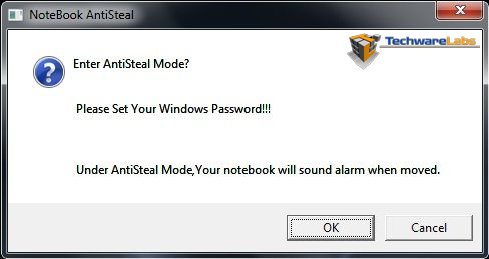
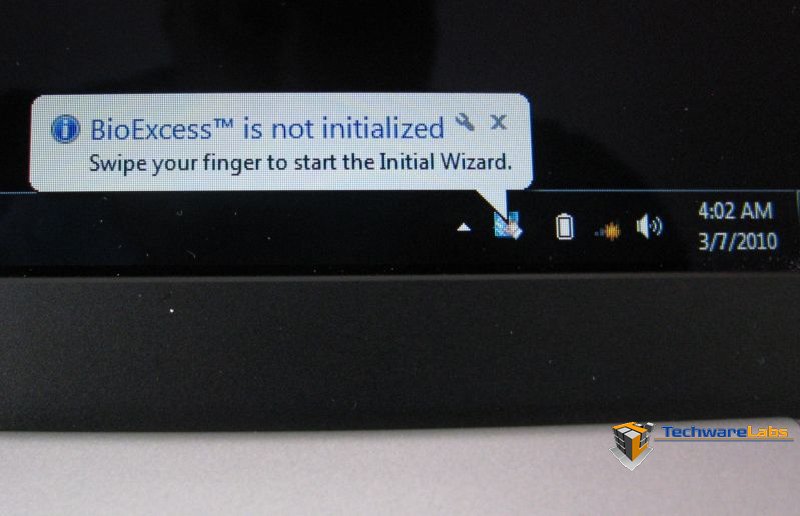
The Viewbook Pro comes with a few features which will make the Viewbook Pro stand out to other laptops besides the awesome battery life which include the biometrics finger print scanner to assist with locking the laptop with your finger print, and to go along with that is the multi-finger touchpad to assist with navigation of your photo systems. See the video below for a better explanation of the multi-finger touch pad.
| Short video describing the multi-finger touch |
|
|
|
|
Anti-Steal mode. |
Biometrics prompt to setup security. |
Conclusion:
The Viewbook Pro from Viewsonic with its light weight, large amount of disk storage space, a processor with dual cores makes it a real competitor in the light laptop market today. Though the features that set it apart from the competition include the included second battery for an incredible battery life, a multi-finger touch pad that allows you to scroll through page pages with ease and navigate, zoom and rotate your photos at the slide of a finger or two. Finally the added security of a bio metric finger scanner to lock your system to your finger print.

[…] ViewSonic -Viewbook Pro @ TechwareLabs […]
[…] TechwareLabs has a review of the ViewSonic -Viewbook Pro […]
[…] PortableAT&T Motorola Backflip @ TestFreaksViewSonic Viewbook Pro @ TechwareLabs […]
[…] This post was mentioned on Twitter by ChrisTWL, Cory Blomenkamp, Tom Gowing, willhalsteadTWL, mattandroTWL and others. mattandroTWL said: Review: ViewSonic -Viewbook Pro – http://www.techwarelabs.com/viewsonic-viewbook-pro/ […]