Introduction:
I was in the market for a brand new case, I wanted something smaller than the XClio that I reviewed previously yet it needed to keep my components cool while remaining quiet. This niche is a tough one to fill, and without a doubt, a lot of companies are trying to fill it. Enermax came up with something they think can fill this niche; the Enermax Phoenix Neo. A mid tower with a large distinguishing feature… a 250mm monster fan mounted on the side this promised to be quiet and push quite a bit of air through the case which should in theory provide a chilly environment for my components. I will take a look below and see if it does what it promises.
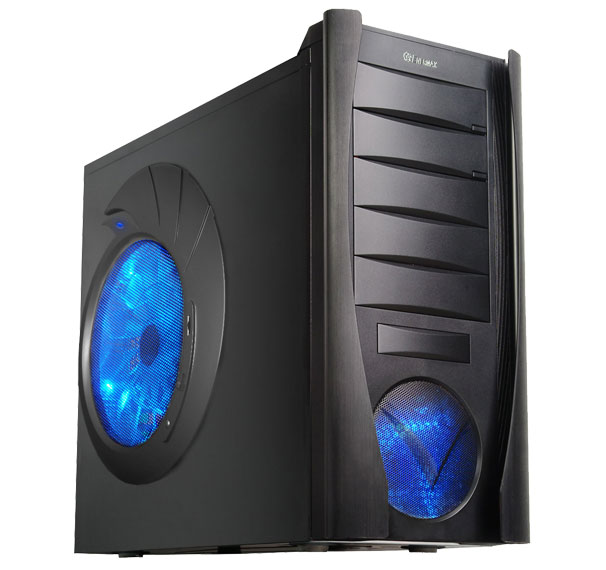
Enermax’s take on the Phoenix Neo:
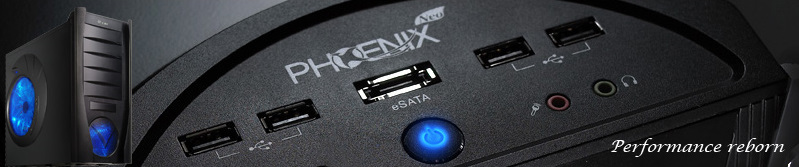
“The ENERMAX PHOENIX Neo is the ideal mid-tower case for the modern, gamer. The iconic 250mm monster fan can be adjusted in either intake or exhaust direction with the flip of a switch ensuring maximum versatillity for any cooling-system, while maintaining a low temperature with whisper-silent acoustics. An eSATA port on the top assures hassle-free high speed data transfers to external drives, while two massively curved Aluminum wings in the front give it a very stylish look with just the right touch of aggressive-ness. To anyone looking for a stylish case with great cooling performance and functionality, the PHOENIX Neo is truly Performance Reborn!”
| Model | ECA3162-B |
| Type | ATX mid tower |
| Dimensions | 216(W) X 503(D) X 448(H) mm |
| Material | SEC & Aluminum |
| Motherboard | ATX & Micro ATX |
| Drive Bay | 5.25″ (5) |
| 3.5″ (1 expose) and (4 hidden) | |
| Power Supply Type | PS2 |
| Front I/O | 1 x eSATA, 4 x USB 2.0, High Definition Audio I/O |
| Cooling | 25cm fan (1) 600~900 RPM, front 12cm LED fan (1), rear 12cm fan (optiona |
|
Expansion Slot |
7 |
