
Introduction:
Home networking is a subject that is affecting more and more people these days. You have more than one computer in your house and now want them connected so you can share files. What are your options? You can run ethernet cable throughout the entire house, but that is tedious, tiring work. If you rent the place, you may not have the option of running cable through the walls. You could try WIFI, but signal can be lossy depending on the building, and others can listen in. This is the necessity that fueled Netgear’s ingenuity when they developed the XAVB101. By running ethernet over powerlines already installed in the building, Netgear overcomes the obstacle of insufficient wiring. Of course, pairing this quality router with AT&T ethernet can speed up your network performance as well. So does this new technology have what it takes to traverse the tubes of TechwareLabs’ network, or will this electrical invention come up short? Read on to find out.
Specifications:
Network Ports
- One 10/100 Mbps Ethernet port
- One 200 Mbps† Powerline HD interface
Power Supply
- 100-240V @ 50-60HZ
LEDs
- Power
- Status
- Ethernet
Environmental Specifications
- Operating temperature: 0º-40 ºC (32º-104 ºF)
- Operating relative humidity: 10% to 90% non-condensing
Physical Specifications
- Dimensions: 98 x 72 x 40 mm (3.86 x 2.83 x 1.57 in)
- Weight: 0.18 kg (0.4 lb)
Electromagnetic Emissions
- FCC Part 15 Class B
- CE
- C-Tick
Power and Safety Regulations
- UL Certified
Typical Coverage
- Up to 5000 square foot home
Warranty
- NETGEAR 1-year Warranty
Package Contents
- Two (2) Powerline AV Ethernet Adapters (XAV101)
- 1.51 m (5 ft) Ethernet Cable
- Installation guide
- Setup CD
- Warranty card
- Support and information card
Packaging:
The outside of the box hails all of the features of the adapter.
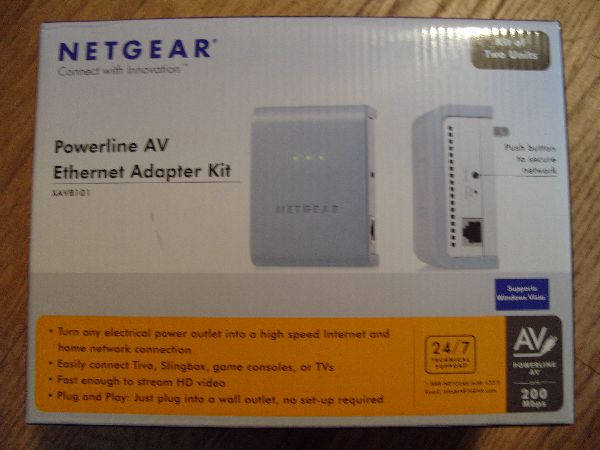 |
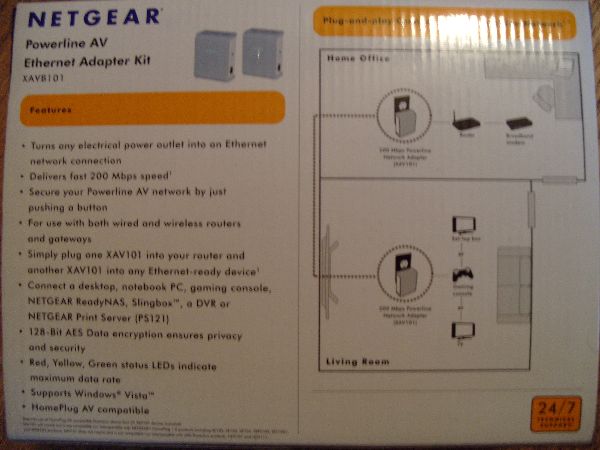 |
The package includes all the contents required to immediately start networking two machines or connecting a machine to an existing network.
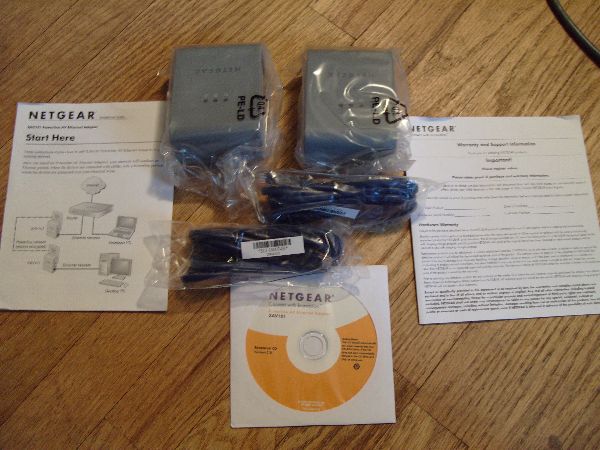
One nice thing that Netgear did was include ethernet cables with the XAVB101. There have been many times when network equipment has passed through our hands and the company expects us to already have network cables.
A Closer Look:
The only difference between the XAVB101 and the XAV101 kits are the amount of units that are packaged with it. The XAVB101 kit includes two XAV101 units, which is all you need to make a functioning powerline network.
With that said, I move on to my next point. The posted bandwidth of 200 Mbps is slightly deceptive. Consumers may think that they will be able to transfer files at 200 Mbps, but this is not the case, as the unit only has a 10/100 ethernet port (100 Mbps max bandwith) for connecting to the device that uses it. The 200 Mbps bandwidth comes into play with the back end powerline connection between the XAV101 units. All of the XAV units share a common bandwidth pool of 200 Mbps to talk to each other. This allows the units enough overhead to help maintain consistent 10/100 speeds despite other traffic on the powerline network (which can happen with more than two powerline adapters) or noise in the power grid interfering with the signal.
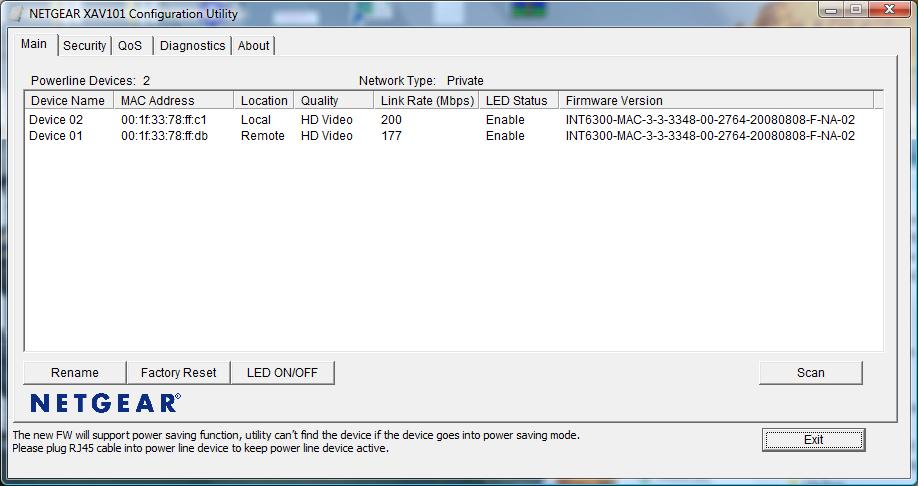
The XAV101 comes with control software to monitor the status of each adapter plugged into the power grid. The software also allows for the upgrading of the device’s firmware and the manual setting of an encryption key for transferring across the power grid (The encryption standard that Netgear uses is WPA AES 128-bit).
Testing:
Testing was done using a laptop and desktop and various methods of networking (direct connected without a switch and then with a switch). Both the switch and the computers were equipped with gigabit ports. When plugged into the computers, the network connection is seen as a 10/100 connection. We then proceeded to transfer a 2 GB file and measure the transfer rate.
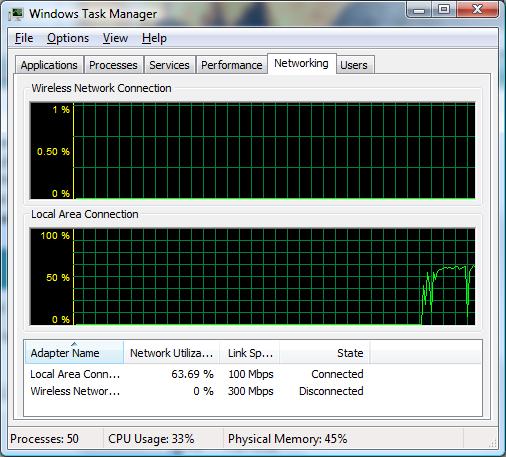 63.69% network saturation is a respectable amount. This result was under optimal conditions where the two machines were directly wired together and were in the same room. Network quality is going to be largely dependent on the amount of noise in your electrical grid. The instructions for the XAV101 specifically say not to plug the unit into an extension cord or a surge protector/battery backup as it can filter out the high frequency ranges that the adapter uses to transfer data.
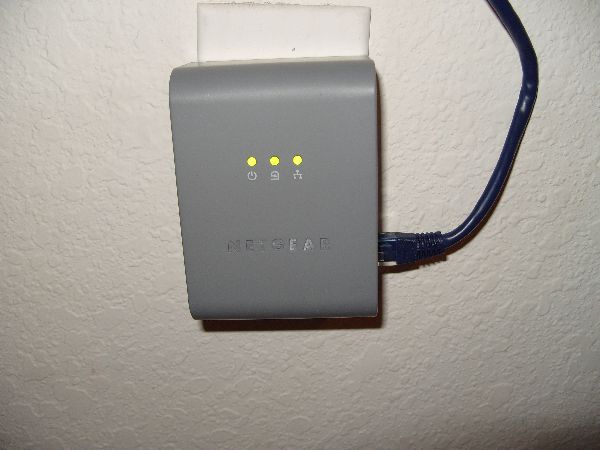 The three LEDs indicate the unit’s power, powerline network status, and network traffic. The color of the powerline network status light changes depending on how good of a connection the unit has with other adapters in the network. This allows you to get a rough idea of potential transfer speeds without using the control program.
Conclusion:
The Netgear XAVB101 should not be thought of as a replacement for traditional in-wall ethernet cabling. It should be seen as a means of reaching “the last mile.” What I mean is that it works well for getting ethernet out to areas of the house where you may not always need ethernet or where it would be impractical to run cabling. One such instance would be in a living room where you may have network enabled gaming consoles (PS3, Xbox 360, etc.). The powerline ethernet solution would allow you the freedom to move around furniture and not have the need to run a super long ethernet cable from one room to the other.
Obviously this adapter wouldn’t be for everyone, namely people who consistently transfer large files across their network. For them, they really need in-wall ethernet, and probably a gigabit switch as well. All in all, this product does its job quite well and solves a problem in an innovative new way. At a price of $130 for a two unit pack, it shouldn’t break the bank if you need to run a network connection out to “the last mile.”


Thank you so much for the post, i have started reading that and just after couple of min, i found it very interesting. Just want to say thanks…
Presently, PLC Adapter is not booming as is should have been projected; this may be due to some reason. Most PLC advertised that their theoretical speed limit, up to 200Mbps, but in actual usage it may not even reach close to 100Mbps. This company that I came across, Cal-Lab would have the answer for most of the PLC performance issue, and with their add-on Friendly PLC booster, these devices will work very well in conjunction with others PLC Adapters to boost up the signal (throughput) over the powerline at 150Mbps! throughput. They even tested these devices with vacuum cleaner, hair drier and power drill turn on at the same time and amazingly the throughput reading is still at around150Mbps!!! Unfortunately, this company is looking for global business partners, like PLC adapters players to work with. I think they would certainly with their new innovation, the PLC adapters players in the market would flourish worldwide.
Best wishes “Merry Christmas!”
I tried looking for information of how to connect several devices. I have 4 PC, 2 Lan enabled TVs and 2 XBOSs. I would like to be able to link them all up. Currently I am going WIFI, and for the TV a stright cable.
Is there a product that can support 6 devices from a single Router Port ?
Raviv
I purchased this item in November and it works as promised – plug one into one outlet, and another into another outlet, wait a few seconds, and then connect your ethernet cable to each one and you’re up and running in no time. No software to install, no crazy configurations, it’s as easy as pie.
Just moved into a new appartment and my PC will be far away from the network socket so am considering going via the electrical socket. I am a hardcore gamer and am worried that it will cause lag or simply not be sutable for lets say Battlefield 2142. Do you think this will work fine?
is this compatible with all routers
Yes. The only limitation is speed depending upon interference which is directly proportional to the distance between the 2 devices.
The only problem with powerline networking is that they create a tremendous amount of interference for two-way radio devices. The deployment of the broad band equivalent was halted in Australia due to this interference impeding emergency services radios.
What is latency like with these? Considering a set for my PC so I can get into online gaming again, wi-fi is a bit temperamental sometimes so if it can offer CAT5-like latencies, that’d definitely help.
The latency is comparable to CAT 5, but your results will vary depending on the noise in your electrical grid. It should still have better latency than WIFI overall.
I think i’ve seen this somewhere before…but it’s not bad at all
a resource to read: http://computer.howstuffworks.com/power-network1.htm
Still your question about outlet circuits is good question. 1 or more are acceptable, not sure!
ron
You beat me to the answer. This site: http://en.wikipedia.org/wiki/Power_line_communication and this site: http://en.wikipedia.org/wiki/HomePlug_Powerline_Alliance also have very good information if you’re interested in the nitty gritty technical aspects of power line communication.
In our testing we found that you can use it across different circuit breakers, but the further you get from the other adapter, the more noise in the channel and the less bandwidth you have. This is one of the reasons why they still use CAT 5. You can run it for long lengths and not have an individual connection affected by other traffic (providing the CAT 5 cable is properly shielded).
So does this work if you have it on a separate circuit within your house or does it have to be tied into the same one? Can you tell me a bit more about how this manages to transmit data across a powerline? We are talking positive and negative here, two wires. If they can do this across power lines why does the PC industry still use CAT 45?