Closer Look:
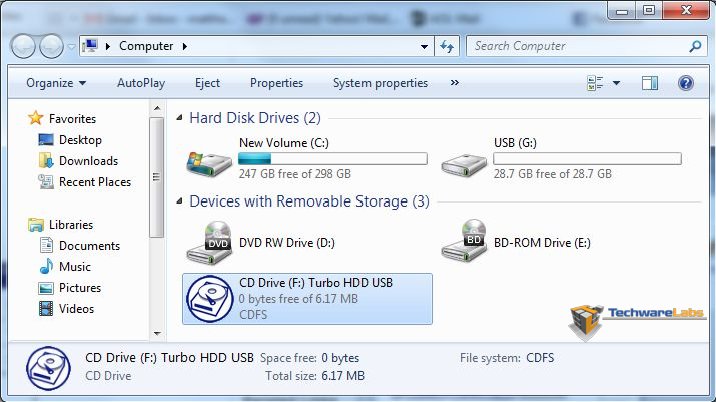
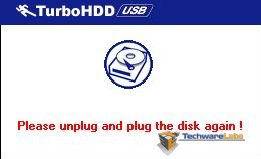
The first thing you notice about the Express Drive is that it is the same relative physical size as any USB 2.0 thumb drive on the market today. So for the concerned few out there who think USB 3.0 must mean bigger in physical size, well you would be incorrect. The Express Drive has a very smooth semi gloss finish and has a cap to protect the port. After plugging the Express Drive into our USB 3.0 port, we were immediately prompted with an auto run question to install a Turbo HDD USB utility. If you want to reap the benefits of USB 3.0, you will want to install this utility. After the first time install of the utility, you will need to remove the Express Drive and then reseat it. From this point on anytime you connect the express drive to your machine, you will want to install/run the utility, but you will not need to reseat the Express Drive each time.
|
|
| Shown here with the Express Drive plugged in (G:), you also have a F: drive which is the TurboHDD Utility |
 |
 |
| After the initial install of the Turbo HDD utility you are prompted to re-seat the Express Drive |
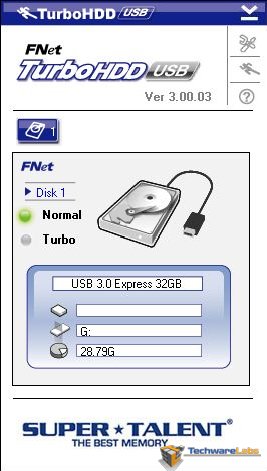
TurboHDD Utility |
The utility may be the only draw back that I have noticed thus far of using the Express Drive. The software prompts to install the utility every time the drive is connected to the PC. Several times I left the Express Drive connected to the PC after shutting down the PC and boot up the next morning, since the drive was connected during boot up, I was not prompted to install the utility. Although it takes just seconds to run the install, it is still annoying that in order to get the benefits of USB 3.0 speeds the utility must be installed each time.
Benchmarks:
The first benchmark we setup was a transfer of one gigabyte of MP3s, the files range in size represent a common use of USB thumb drives which is copying many files about this size. We ran the benchmark twice to show the difference between installing/running the TurboHDD utility and not.
|
|
|
| TurboHDD Installed | TurboHDD Not Installed |

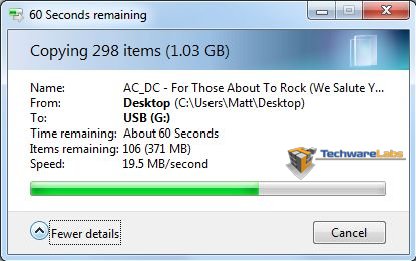
Though the difference shown here between USB3.0 with the TurboHDD utility install and not installed isn’t too different, but remember this is just 1GB of MP3s on a 32GB drive. If we go out to 30GB of MP3s, the difference in the speeds will mean the turbo copy finishing minutes if not more before the other.

[…] TechwareLabs plays with the Super Talent Express Drive USB 3.0 […]
[…] Super Talent Express Drive USB 3.0 @ TechwareLabs Vantec NexStar SuperSpeed USB 3.0 HDD Dock @ techPowerUp Corsair Nova Series V128 […]
[…] This post was mentioned on Twitter by ChrisTWL, Cory Blomenkamp, tcpflorida, Tom Gowing, mattandroTWL and others. mattandroTWL said: Review: Super Talent Express Drive USB 3.0 – http://www.techwarelabs.com/super-talent-express-drive-usb-3-0/ […]