Specifications:
| Enclosure Interface | eSATA USB 2.0 |
| Transfer Rate | eSATA: up to 3Gbps USB 2.0: up to 480Mbps |
| HDD Compatible | SATA I SATA II |
| HDD Capacity | All 2.5” or 3.5” SATA HDD up to 2TB (per slot) |
| OS Compatible | Windows 7 / Vista / XP / 2003 / 2000 Mac 10.3 and later |
| Material | ABS Plastic |
| Power | Input: 100-240V / 50-60Hz ; Output: 12V / 2A |
| Dimension | 140 (W) 120.82 (D) x 69.49 (H) mm 5.51 (W) x 4.76 (D) x 2.74 (H) in |
| Accessory | eSATA Cable USB 2.0 Cable Power Adaptor |
| Fan | N/A |
| Weight | 3 lbs |
| Special Features |
|
A Closer Look:
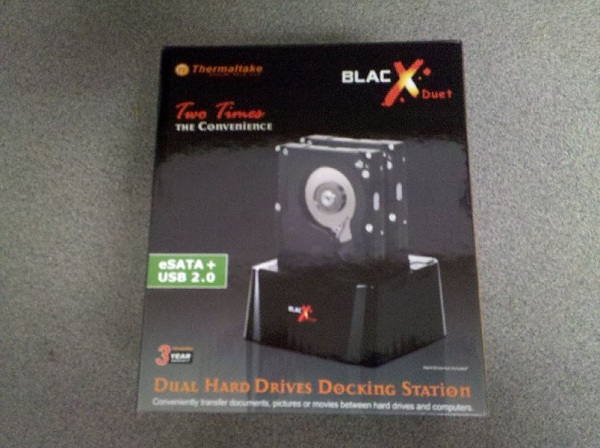
The front of box has a nice mock up of the docking station in action while the back lists the features and specifications.
 |
 |
The BlacX Duet comes with everything you need to start hooking up drives. The eSATA cable that’s included is a rather heavy gauge cable. I was impressed by this. It means they’re not cheaping out on their cables. The two LED’s on the power button double as a power light and activity lights.
 |
 |
While many new enclosures feature both eSATA and USB, not many feature two hard drive slots. The BlacX Duet has all of this and one caveat for using two drives with eSATA. The caveat is that in order to be able to use two drives at the same time over eSATA, your controller card needs to be able to support the port multiplier function. This isn’t a problem with USB as it just natively supports it. One thing we noticed in our testing is that in regards to communication between the two drives, they have to have all data routed through the computer. Basically it means that the drives are limited in speed by whatever connection they have whenever they communicate amongst themselves. When using the eSATA connection it shouldn’t have any significant impact for most drives, however the USB interface will limit the drives to a total of 480 Mbps communication amongst themselves, which can get saturated pretty easily.

[…] Read & Write 2 Hard Drives simultaneously; Supports All 2.5” & 3.5” SATA Hard Drives up to 2TB (per slot); Hot-Swap Capability for Rapid Multi HDDs Access & Exchange* When utilizing eSATA interface, Port Multiplier feature is required on the host system’s eSATA … Thermaltake Muse eSATA 3.5? Aluminum Hard Drive Enclosure @ Bona Fide Reviews Thermaltake BlacX Duet Hard Drive Docking Station Review @ TechwareLabs G.Skill Falcon II 128GB SSD Review @ […] …Read more… […]
[…] Click the icon, or enter email address to receive reviews via email! We will not share your info! IT staff and computer repair shop technicians are always having to perform recovery tasks on their…Read more… […]
[…] TechwareLabs hooks up with the Thermaltake BlacX Duet Hard Drive Docking Station […]
[…] – QNAP TS-219P Turbo NAS @ X-bit labs – Tyme Machines Darth Vader 4GB USB Flash Drive @ ThinkComputers – Thermaltake BlacX Duet Hard Drive Docking Station @ Techware Labs […]
[…] Thermaltake Muse eSATA 3.5″ Aluminum Hard Drive Enclosure @ Bona Fide Reviews Thermaltake BlacX Duet Hard Drive Docking Station Review @ TechwareLabs G.Skill Falcon II 128GB SSD Review @ […]
[…] Thermaltake BlacX Duet Hard Drive Docking Station Review @ TechwareLabs […]
[…] Thermaltake BlacX Duet Hard Drive Docking Station Review @ TechwareLabs […]
[…] Thermaltake BlacX Duet Hard Drive Docking Station Review @ TechwareLabs […]
[…] This post was mentioned on Twitter by ChrisTWL, TWLDotCom, willhalsteadTWL, Dan Shannon, Michael Lynch and others. Michael Lynch said: Review: Thermaltake BlacX Duet Docking Station – http://www.techwarelabs.com/thermaltake-blacx-duet-docking-station/ […]