| When it comes to hard drives, the basic design has remained unchanged for the most part, and until recently that formula has been very successful. However, with the prices of SSD’s falling and the growing demands for mobile storage, Western Digital is trying to teach an old dog some new tricks. |  |
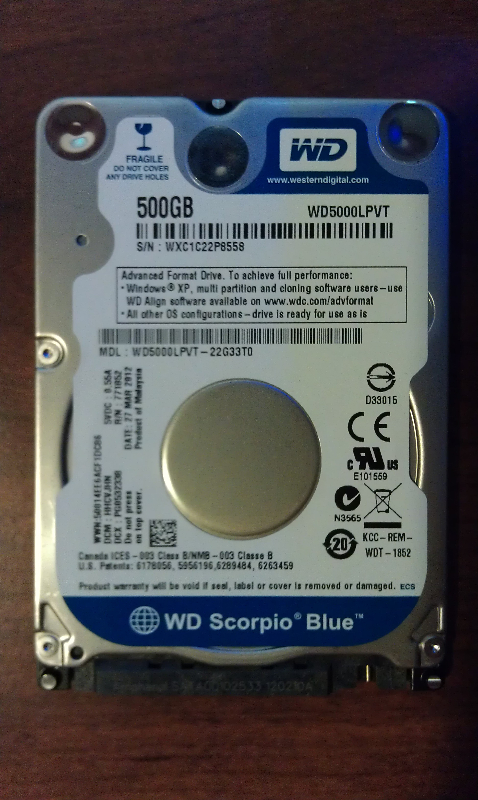
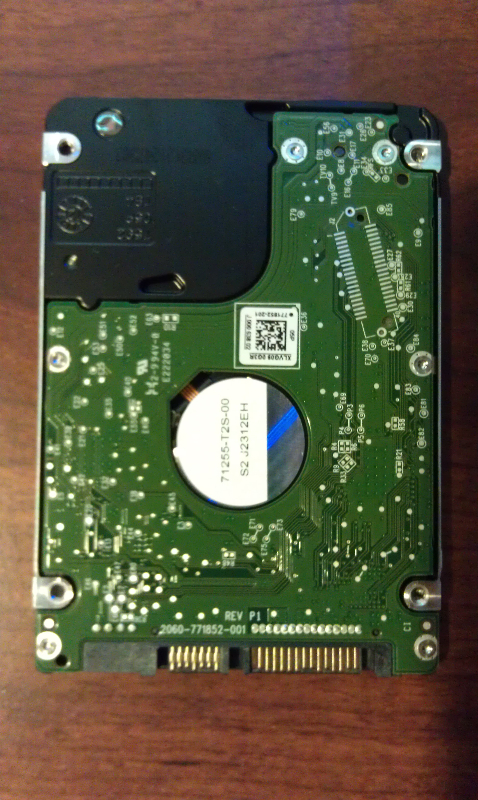
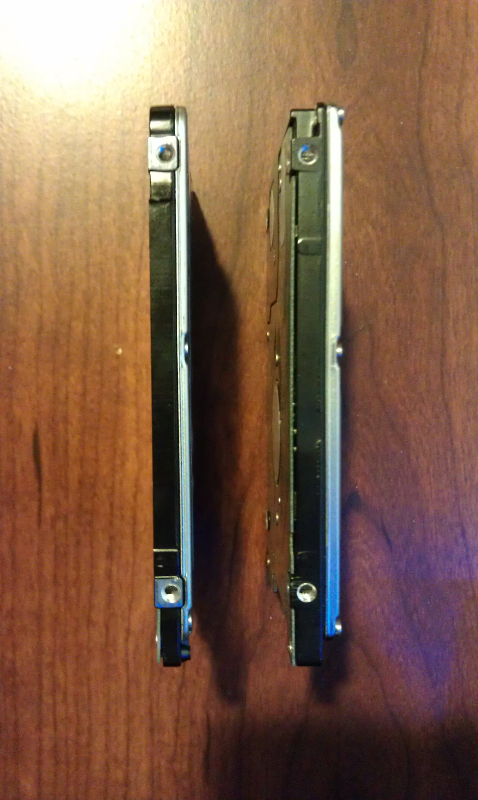
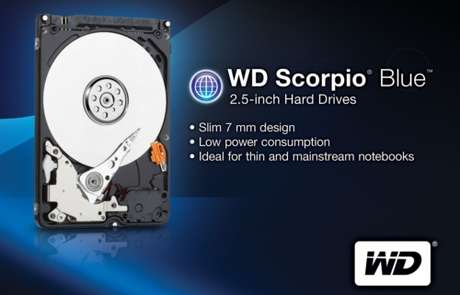
With the introduction of the Western Digital Scorpio Blue (WD5000LPVT) drive, Western Digital is taking the traditional spinning drive model and adding some SSD reminiscent enhancements. With its new single platter design, WD is able to offer 250GB, 320GB, and 500GB capacities while reducing the drive size down to 7mm allowing them to play in the Ultrabook arena. Take that and some improvements in the energy efficiency department…and the WD5000LPVT is ready to compete with SSD’s head on in a price vs. performance backyard brawl. So…how do things shake out? Let’s compare the WD5000LPVT to an Intel branded SSD and find out.
 |
 |
 |
Before we get started, let’s take a closer look at the specs for the WD5000LPVT:
- Performance Specifications:
- Hardware
- Rotational Speed 5,400 RPM (nominal)
- Buffer Size 8 MB
- Transfer Rates
- Buffer To Host (Serial ATA) 3 Gb/s (Max)
- Physical Specifications
- Formatted Capacity 500,107 MB
- Capacity 500 GB
- Interface SATA 3 Gb/s
- User Sectors Per Drive 976,773,168
- Physical Dimensions
- Height 0.27 Inches / 6.8 mm
- Depth 3.94 Inches / 100.2 mm
- Width 2.75 Inches / 69.85 mm
- Weight 0.20 Pounds / 0.09 kg
- Environmental Specifications:
- Shock
- Operating Shock (Read) 400G, 2ms
- Non-operating Shock 1000G, 2 ms
- Acoustics
- Idle Mode 17 dBA (average)
- Seek Mode 0 22 dBA (average)
- Temperature
- Operating 32° F to 140° F / -0° C to 60° C
- Non-operating -40° F to 149° F / -40° C to 65° C
- Electrical Specifications:
- Power Dissipation
- Read/Write 1.4 Watts
- Idle 0.55 Watts
- Standby 0.13 Watts
- Sleep 0.13 Watts
- Warranty:
- Two-year limited
Testing and Benchmarks:
Test System:
- Gateway P-7811FX
- P8400 2.26GHz Processor
- 4GB DDR2 RAM
- 1 x Western Digital WD5000LPVT 500GB
- 1 x Intel 32GB SLC SSD
Test Plan:
Essentially, the plan is to install each drive (WD and Intel) into the test laptop and run them through the various benchmark suites to see how the stack up with everything else being equal. It may not be fair to compare a spinning 5400RPM drive and an SLC SSD drive, but I believe this is where the fork in the road will be for most folks….price versus performance. So it will be good to see how much you have to give up one way or another depending on where your particular emphasis is.
ATTO:
 |
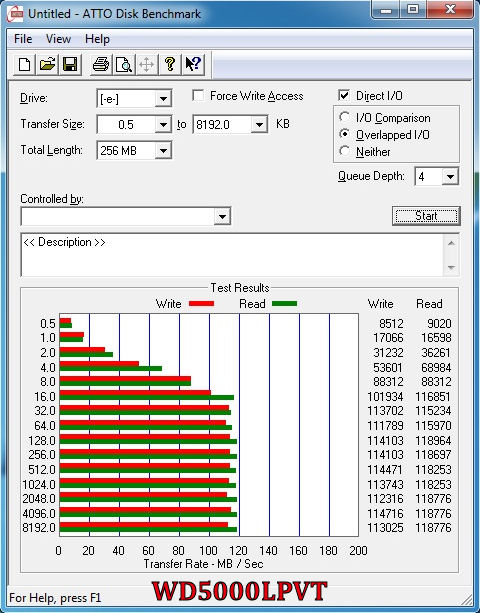 |
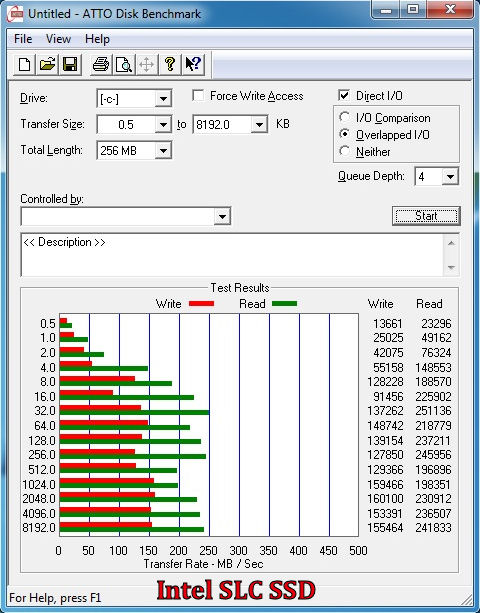
With this benchmark, the results are pretty much what anyone would have guessed by comparing a spinning drive and an SSD. The WD5000LPVT write speed is about 100MB slower and read speed is about 50MB slower. However, when deciding between performance, capacity, and price, knowing the delta is an important variable to consider.
Crystal Disk Mark:
 |
 |
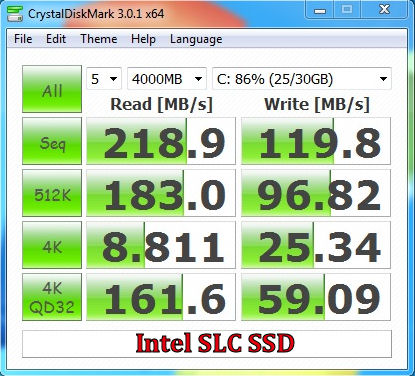
Here we see the strength of spinning drives versus the weakness of SSD drives even the playing field….sequential I/O. The sequential I/O results are almost interchangeable between the two drives and so depending on your particular data usage requirements, either drive could be a viable candidate.
HDtune:
 |
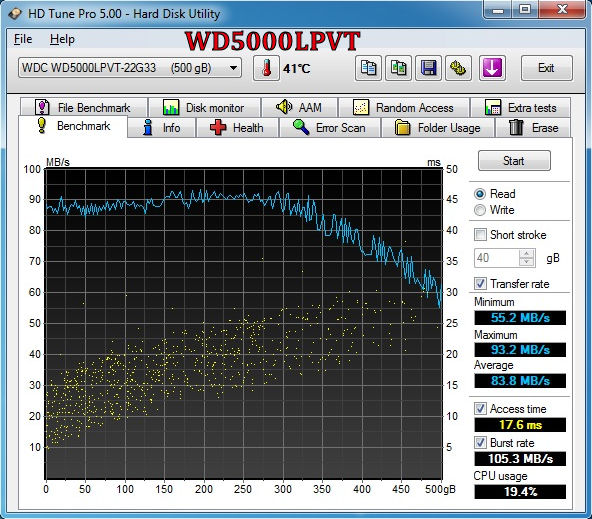 |
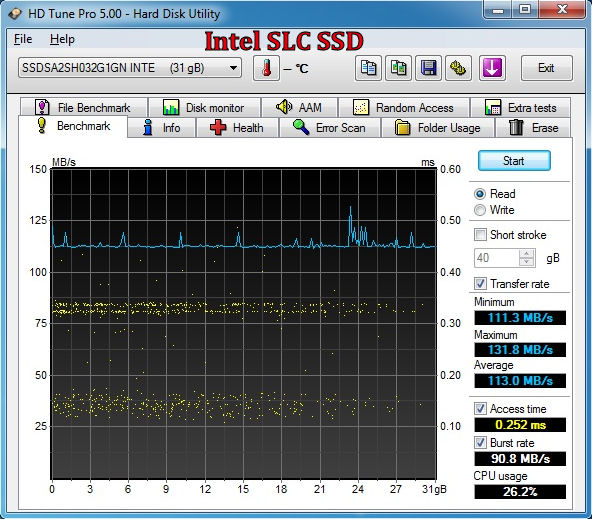
With HDtune the results were the closest across the board as we have seen so far. With average and burst rates being so close, the discussion of price versus capacity comes to the forefront.
Synthetic Benchmark Suites:
PCMark Vantage:
 |
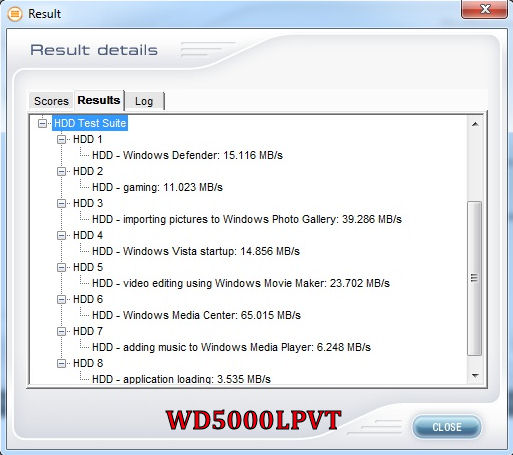 |
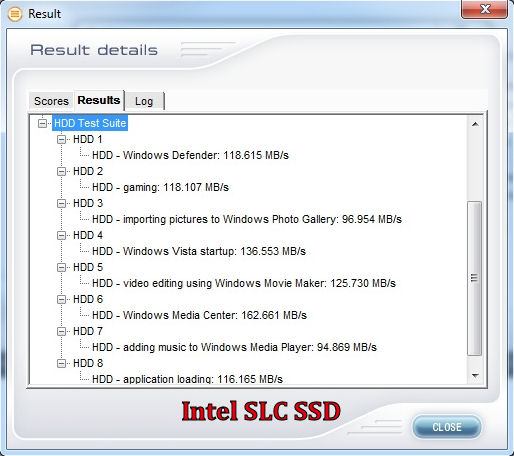
In this benchmark, several real world scenarios are synthetically reproduced in an attempt to give a good representation on how a drive would perform versus raw benchmarks. Unfortunately, the WD5000LPVT didn’t fend well against the Intel SSD here. There wasn’t a single category where the WD5000LPVT was even close, which was a little disappointing…but that was the expectation going in.
PCMark 7:
 |
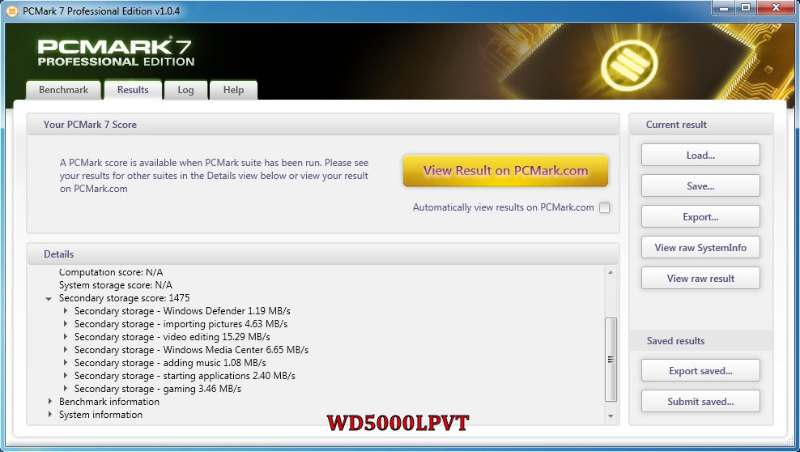 |
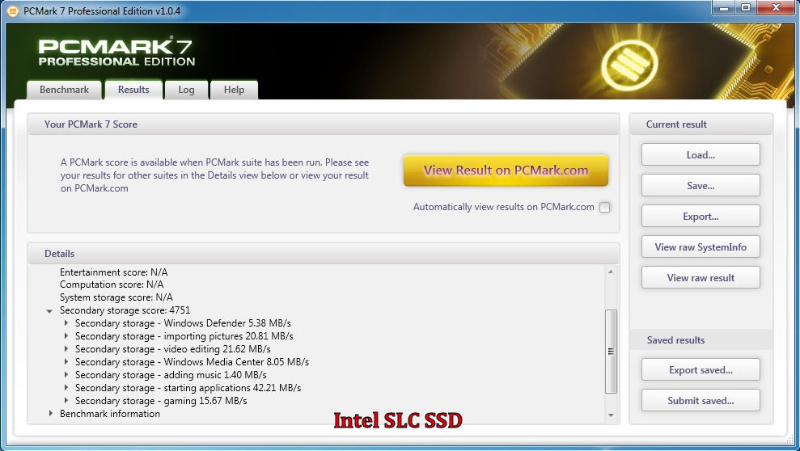
This benchmark suite is similar to PCMark Vantage in regards to its synthetic tests; however that’s where the similarities end as we see the WD5000LPVT put up a much better fight. This is especially true with the video editing test, which would play into the sequential strength seen earlier with Crystal Disk Mark.
Conclusion:
Whenever spinning drives are compared to SSDs, pricing is always a factor, and that’s certainly true here. At the time of this article, the WD5000LPVT can be readily purchased off the web for $75-$80 dollars, which is roughly 15 cents per gigabyte. The cheapest SSDs with similar capacities are currently ~$450 dollars, which is roughly $1 dollar per gigabyte. If capacity pricing is your lone concern, then the WD5000LPVT is the obvious choice. However, if performance pricing is more your primary concern, then the decision is less clear. In cases where your ultrathin device only supports one drive, the WD5000LPVT makes enough of a compelling argument weighing all the variables (price, capacity, performance, and energy usage) to supplant an SSD in my opinion, and that’s exactly what WD is betting on.
All and all, Western Digital isn’t trying to compete with SSDs in performance, but they are trying to compete with SSDs for your dollars, and I think they may have a winner with their new 7mm Scorpio Blue.
Pros:
- New ultraslim 7mm design
- Low cost
- High capacity offerings
- Low energy consumption/Excellent Energy Efficiency
Cons:
- Slower 5400 RPM spindle speed
- Lower performance when compared to SSD counterparts this drive will compete with in Ultraslim configurations
 |
TechwareLabs Gold Award
 |
