
Introduction:
Many of the computer cases these days include an array of features that typically make it a bit more difficult to pick the “better” of the bunch from the very large choice. The choice for many comes down to the external aesthetics because the bigger and better cases tend to all have superb cooling, removable motherboard trays and tool less designs. However, do you want to aim at a classic design or something a bit more out of the box? If a classic looking brushed aluminum design and three whopping 230mm fans sounds like a good combination of the two, then you should have a look at Cooler Master’s ATCS 840.
Cooler Master‘s Take:
“ATCS 840 constitutes a classic all-aluminum design that builds on the legacy of the original ATCS design. The aluminum construction not only allows for a lighter weight but complements the thermal design seamlessly with three 230mm fans, dedicated air duct for graphics card cooling and HDD cooling module for superb cooling.”
–~~~~~~~~~~~~–
Features:
- Removable motherboard tray.
- Anti-vibration pads.
- Removable HDD racks.
- PSU can be mounted on top or bottom/ multiple PSU support.
- PCI-slot meshed brackets for ventilation
The slot mesh PCI brackets allow for that extra bit of ventilation that’s need especially for gamers these days. A PSU can be mounted on either the top of bottom parts of the case. This is a nice option, while the top PSU cover also features grommets for liquid cooling if you wish to go that route. The removable HDD racks allow for simple installation but simply mounting them and sliding the HDD back in.
Specifications:
| Model | RC-840-KKN1-GP (black) RC-840-SSN1-GP (silver) |
| Available Color | Black, Silver |
| Dimension | (W) 9.57 x (H) 22.83 x (D)24.80 inches |
| Weight | Net Weight: 13.25 kg (29.21 lbs); Gross Weight: 15.75 kg ( 34.72 lbs) |
| Motherboards | Micro-ATX / ATX / E-ATX |
| 5.25″ Drive Bay | 6 Exposed (without the use of exposed 3.5″ drive bay) |
| 3.5″ Drive Bay | 6 Hidden 1 Exposed (converted from one 5.25″ drive bay) |
| I/O Panel | USB x 4, IEEE 1394a x 1, eSATA x 1, Mic x 1, Audio x 1 |
| Expansion Slots | 7 |
| Cooling System | Front: 230 x 30 mm standard fan x 1, 700 RPM, 19 dBA (included) Top: 230 x 30mm standard fan x 2, 700 RPM, 19dBA (included) (can be swapped for three 120mm fans) Rear: 120 x 25mm standard fan x 1, 1200 RPM, 17 dBA (included) Bottom: 120mm (optional) HDD Module: 120mm fan x 2 (optional) External Air Duct: 120mm fan x 1 (optional) |
| Power Supply | Dual Standard ATX PS2 / EPS 12V (optional) |
| UPC Code | 884102002458 (black) 884102002441 (silver) |
So lets take a look at bit further at the features of the ATCS 840:
 |
As you can see the motherboard tray is removable, there is plenty of cooling, and Cooler Master has made installation of heat sinks requiring access to the back of the motherboard easy. The mesh PCI slot brackets are nice and will assist in airflow. It even appears that Cooler Master has included plenty of cut outs in the back plane to assist with cable routing.
Packaging:
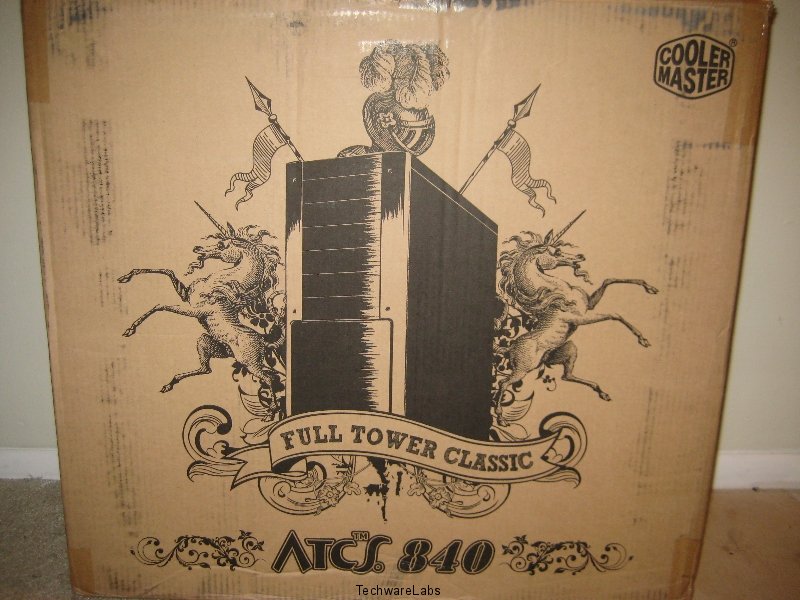
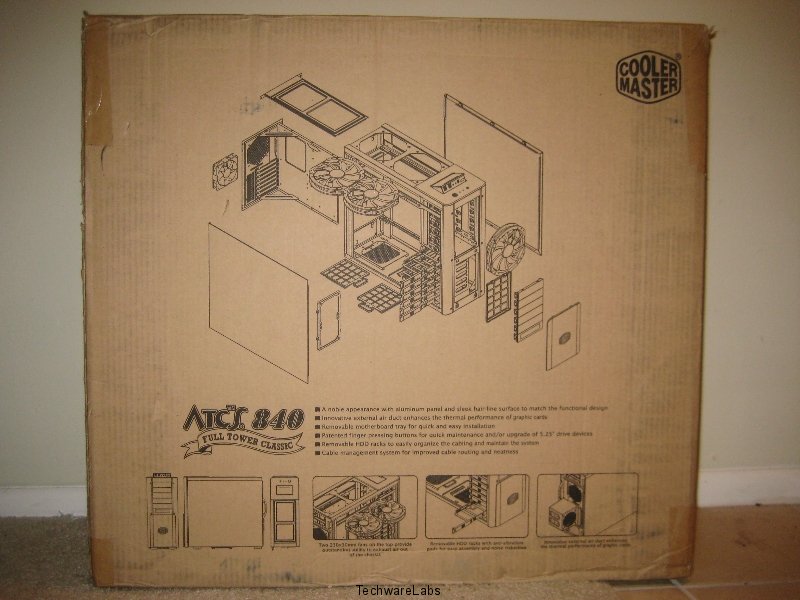
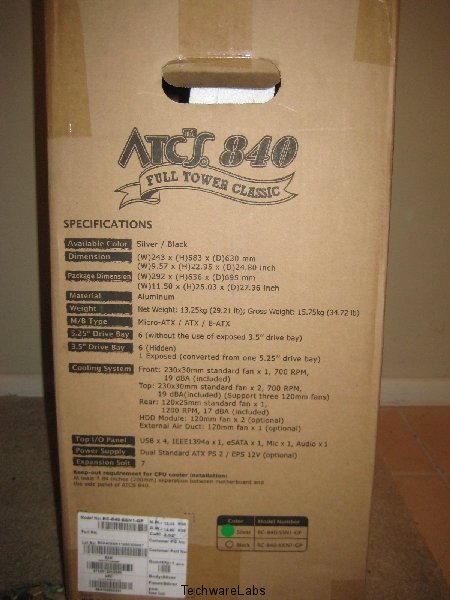
The packaging of the Cooler Master ATCS 840 is a bit boring. The only thing to really point out is the two unicorns tossed randomly onto the image on the front of the box. Aside from the hilarity of the random unicorns, the box contains the features on the side and back of the box. The rear of the box also has an image of the entire case taken apart. The case itself of course came wrapped in plastic and neatly fit into the box using two pieces of large Styrofoam.
 |
 |
| Front view | Rear view |
 |
|
| Side view |
–~~~~~~~~~~~~–
A Closer Look (Exterior):
The actual case itself is amazing, and very very large. It comes in two colors: black and the silver that is used in the review. The case itself has a brushed aluminum finish that looks quite amazing. However, when moving the case itself be very careful. The slightest knock into an object seems to create small scratches and touching the case itself creates odd looking smudges.
The front of the case itself has a removable shield with a Cooler Master logo print on it nice and bold. Under the shield lies one of the (3) 230mm fans. The other two of course are placed on top. The only other fan included is a rear 120mm fan. The top of the case also contains the pop out I/O panel. The I/O panel is a nice touch as when it is not needed it sits neatly flush with the rest of the case. The I/O panel contains (4) USB ports, speaker and microphone jacks, a firewire port and e-SATA. There are also two places for power supplies (top or bottom mounted). The grommets for water cooling are found at the top where an optional second power supply can be installed.
|
|
|
| Side view | Front view |
|
|
|
| 3/4 view | Rear view |
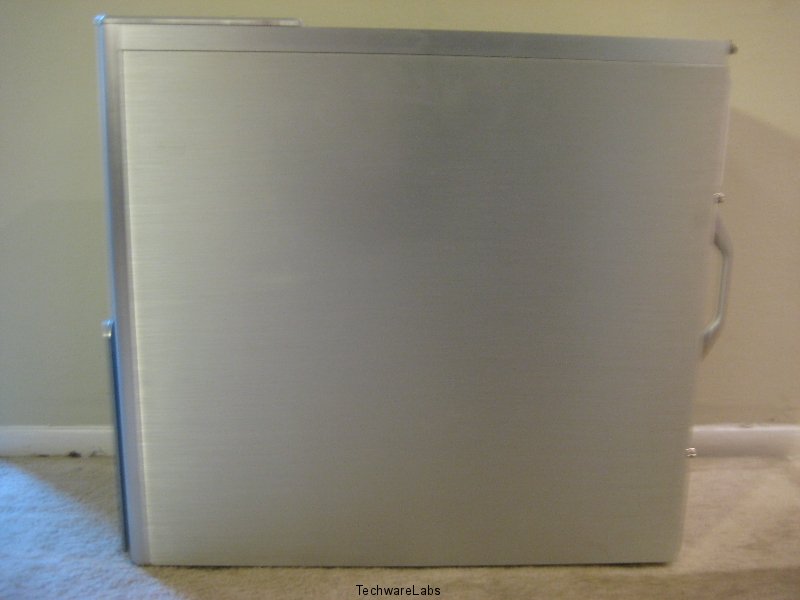
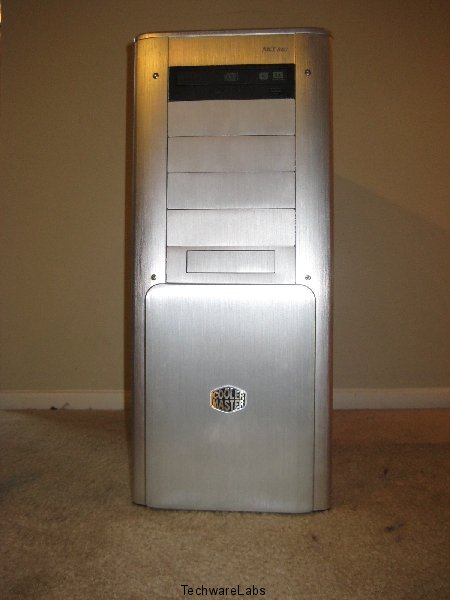
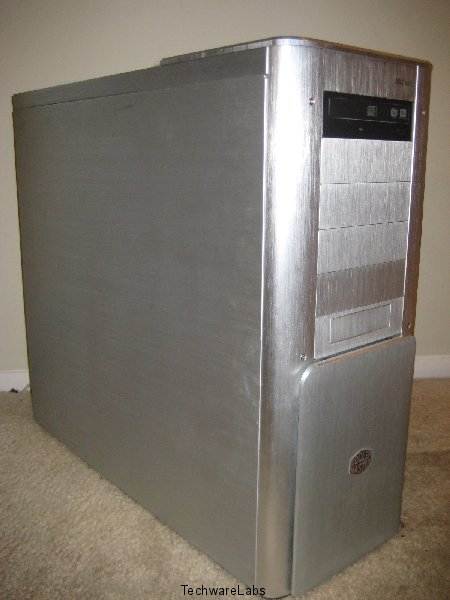
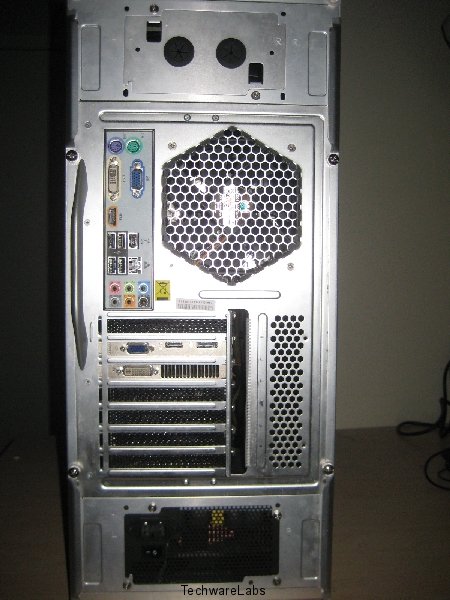
The exterior has a very nice clean look to it with rounded edges all around making working on and carrying this case much more safe for fingers. A quick glance at the rear of the case shows us that Cooler Master has engineered in two spots for you to place power supplies. This not only gives you the option of mounting your power supply in a top or bottom position, but also further gives you the option to run dual power supplies if your hardware requirements should need it. As we mentioned earlier the top position optionally includes holes for water cooling if that is your preference.
A Closer Look (Interior):
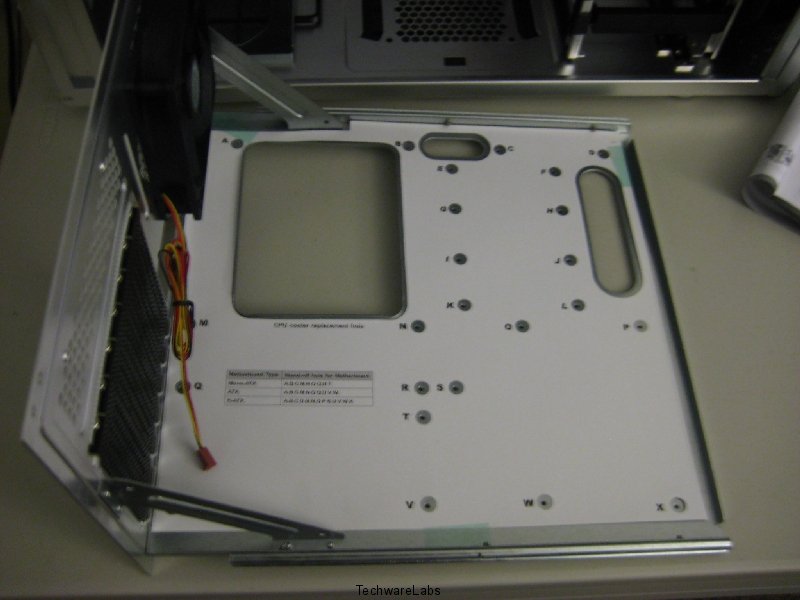
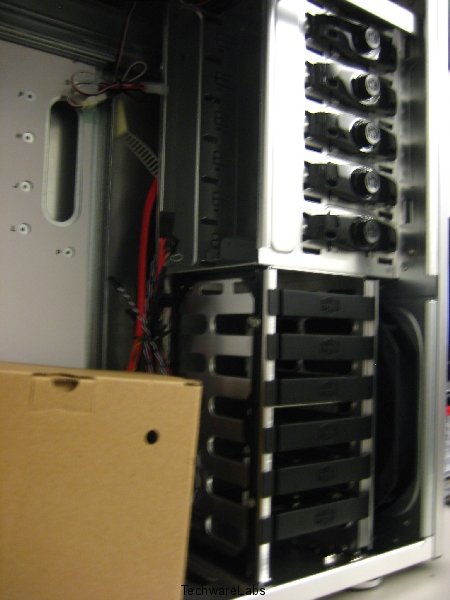
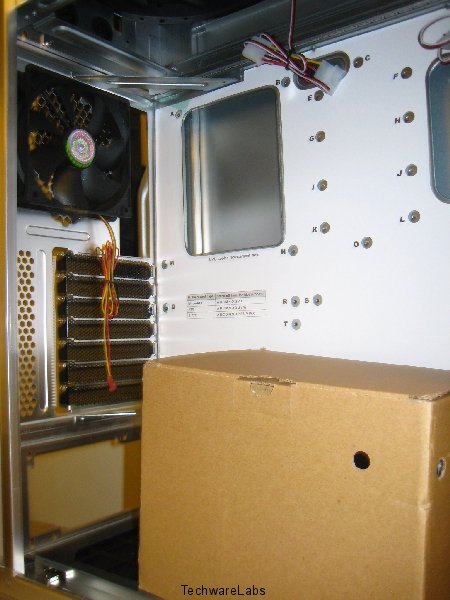
The interior of the Cooler Master ATCS 840 is absurdly spacious. All the needed hardware was provided in a box neatly placed within the case itself. There are (6) hidden 3.5″ drive bays all with a screw-less design. There is (1) exposed 3.5″ drive bay that can also be used as a 5.25″ drive bay if needed. There are of course (6) exposed 5.25″ drive bays, minus the exposed 3.5″ drive bay. The removable motherboard tray slides in and out easily on its own interior tracking. Looking underneath the rear 120mm fan you will notice the very nice vented PCI slots.
|
|
|
| View upon opening package | Removable motherboard tray |
|
|
|
| View of drive bays | View of rear 120mm fan and vents |
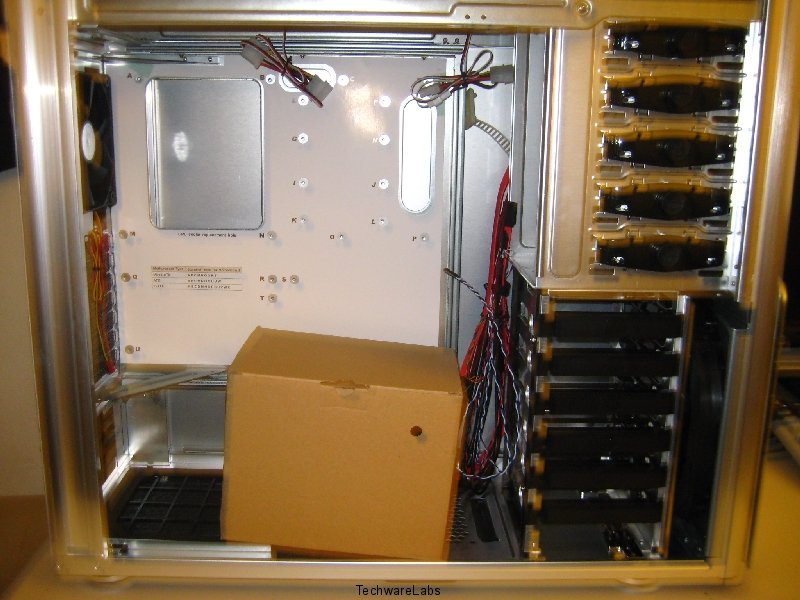
So lets discuss installation of a system into this chassis and see what issues, if any, we encountered.

Installation:
Installation of all components was very, very simple with the use of the removable motherboard tray. All of the motherboard standoff locations are easily specified on the removable motherboard tray itself. Because of the spacious design cable management was very neat, just need a few more zip ties in order to make everything a bit more aesthetically pleasing (cable management wise).
Conclusion:
CoolerMaster’s ATCS 840 is an amazing case. I would highly recommend this case as long as you have the floor/desk space for it. Once all the internals are inside you wont enjoy toting it around as it is quite literally an armful (or in my case a giant bear hug). The spacious interior allows for ample room for you to work inside and have the new latest and greatest pieces of hardware. The case itself blows out mostly cold air unless we were attempting to overclock and push a processor to its limits. However the hot air was quite literally only blowing out towards the top in the spot where the CPU was. At a price of $179.99 at Newegg this may be one of those cases you want to shell out some extra cash for, you wont regret it.


Honestly I prefer my cases with a window, but I also agree the side fan would not add anything. I actually find them more of a hassle due to having to find ways to plug them in.
The CoolerMaster ATCS is a fine case but it lacks two things to make it stand out from the crowd. For one thing there is no tranparent side window by default. This is an optional item you must buy if you want it. Most of the people buying this type of case would probably prefer a transparent window because they want to show off their rig. Secondly there is no side panel fan to assist with cooling. This should be an option.
So in other words, it lacks nothing. Side Fan does not improve or lower tempe. at all. And the windows thing, well not everyone wants to see there s…… components.