
Stability Testing
Stability testing is an essential part of overclocking. It ensures that a machine that has been overclocked to run at faster than stock speeds will not have errors such as random crashes or memory loss. Stability testing can be easily performed with three simple programs that are completely free and user friendly.
For CPU testing, Prime95 is the go-to program, and can be found here. After installing the application, go to the advanced tab and insert the password 9876, then set the priority to level 10. This gives Prime95 access to all the CPU’s resources and prevents any background programs from interfering. To begin the stability test, go to the Options menu, and select Torture Test. Be sure to run one instance of Prime95 per processor core/Hyperthreaded core (i.e. a Core 2 Duo with hyperthreading on both cores would require 4 instances of Prime95 to be running simultaneously). To do so, simple install the program multiple times in separate folders. Run the application in Torture Test mode for 24 hours to ensure that the CPU is completely stable, but note that Prime95 can fail due to other issues such as the RAM, thus the other two programs are also necessary.
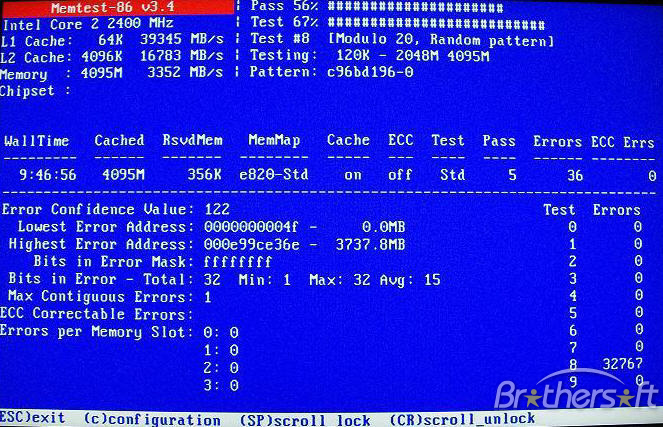
To ensure memory stability, memtest86 is an excellent choice. Keep in mind that it must first be burned to a bootable CD or made into a USB key image (there are individual downloads to suit your personal preference). Once booted into memtest86, tests 1 though 7 will run endlessly, so once the program starts it can simply be left alone. Just like Prime95, memtest86 is best run for 24 consecutive hours to ensure complete stability.
Finally, the most overlooked form of stability testing, 3D applications can cause errors or reveal instabilities that the other two tests will miss. This makes it essential to run some form of 3D stress test, and 3DMark provides the perfect resource to do so. Simply download your program of choice (preferably 3D Mark 11) and run the program in whichever settings you would like. Unlike testing the memory or CPU, 24 hours of consecutive testing is not necessary, and 2-5 hours is more than enough to ensure system stability, as well as seeing just how much of a performance increase the overclock has provided.

[…] I-NAU320U Plus USB 3.0 HDD Docking Station and I-NC05 HDD Protection Box Review @ Hi Tech Legion How to Overclock Your Computer 101 @ TechwareLabs ADATA Classic Series CH11 1 TB USB 3.0 @ techPowerUp NZXT Sentry Mesh Fan Controller Review @ Hi […]
[…] tweetmeme_style = 'compact'; Author: ThinkComputers News Articles How to Overclock Your Computer 101 @ […]