 |
 |
Interior Motherboard Tray and Cable Management
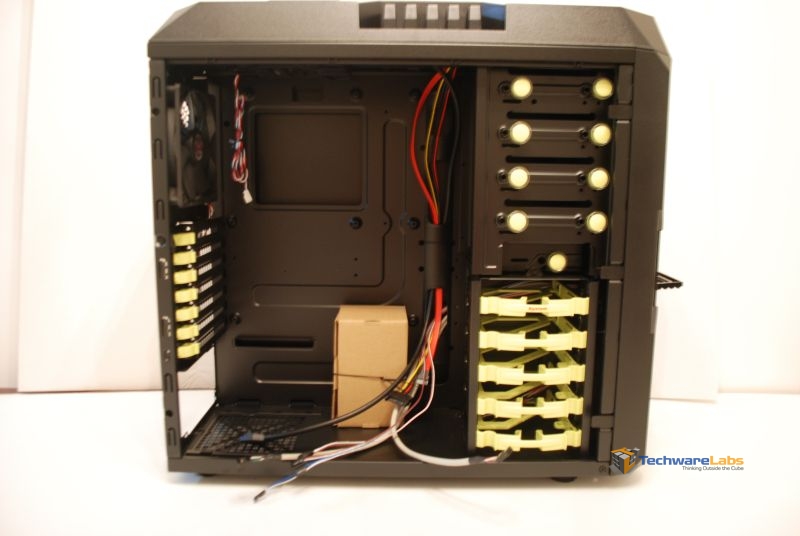
Moving to the interior of the case our first impression is the flat black interior. While looking very sleek and sexy the flat black does take away from how large interior of the case looks. Don’t be fooled, this case can fit a full ATX motherboard and a GPU of up to 300mm. Also, unlike most other cases we’ve seen, InWin has added a cable routing pipe between the motherboard and front cages. This cable routing option has large enough ports for all plugs including 24pin motherboard plug. However, InWin has only partly run case cables for you. We see this evidence on both sides of the case. InWin has provided you with enough cable to properly manage these cables yourself but has not done the work for you.
 |
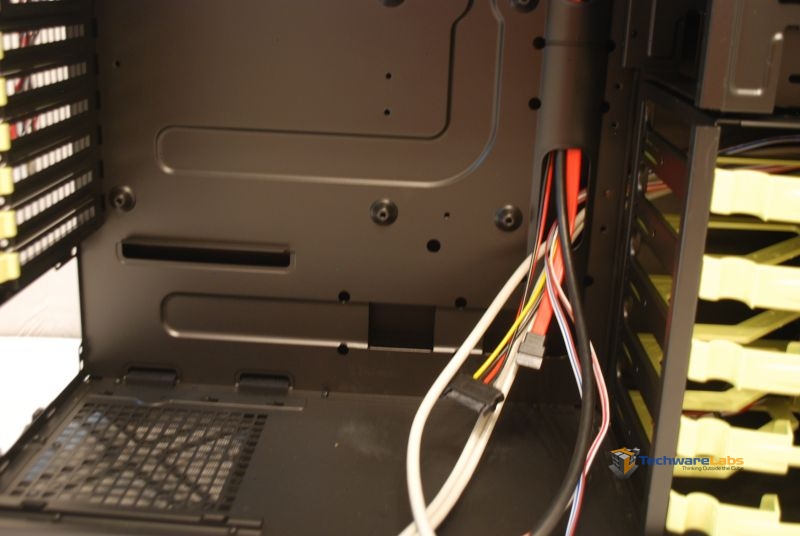 |
| Awesome flat black interior with cable routing pipe | InWin has provided you with plenty of cable to properly cable manage. |
 |
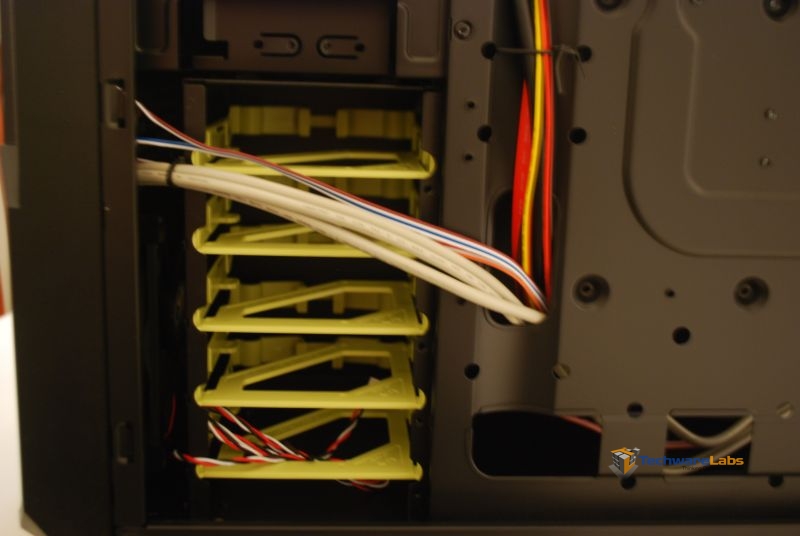 |
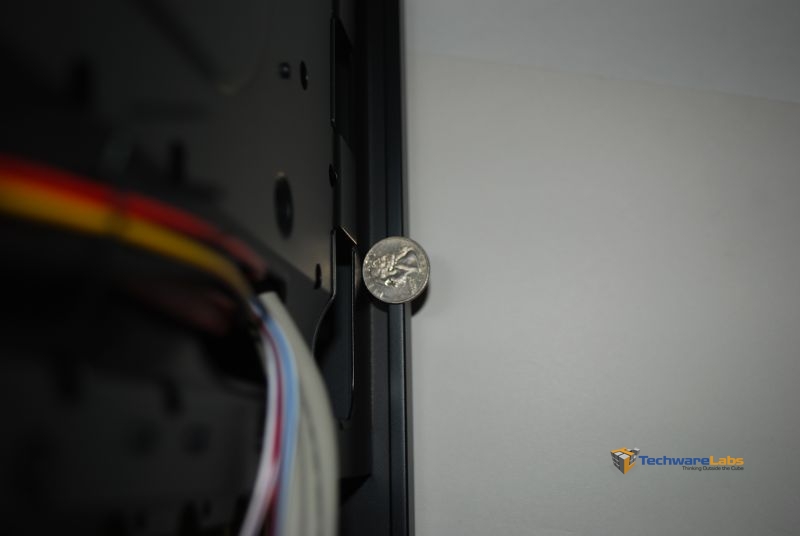
| The back panel of the case gives you some room to cable manage. Don’t expect to hide an octopus back here though | Cable snake directly in front of our Hard Drive bays. This will take some work to properly cable route, but not impossible. |
PCI Ports
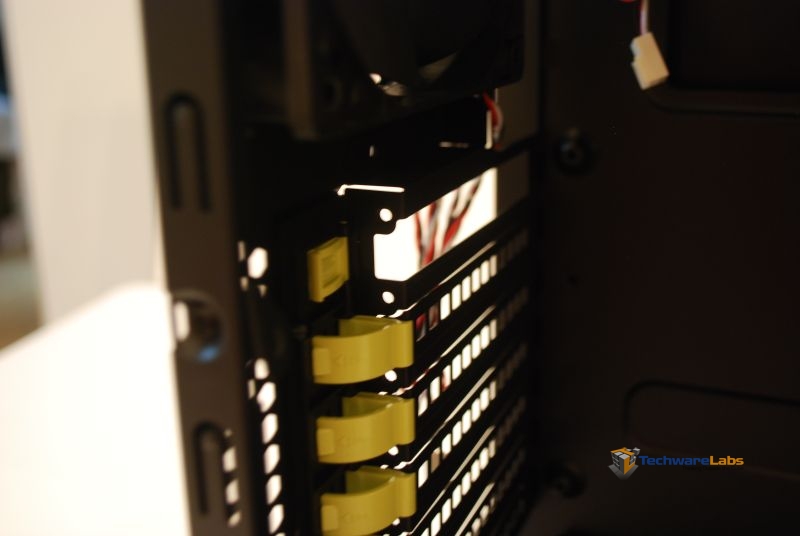
The PCI ports InWin has chosen for the Buc 101 are definitely different than the standard thumb screws and cage plate design. This design mirrors that which we have seen in Dell Servers. The clip design boasts the bonus of not having parts to lose. Instead of fumbling with thumb screws or standard screws this is just a simple clip.
 |
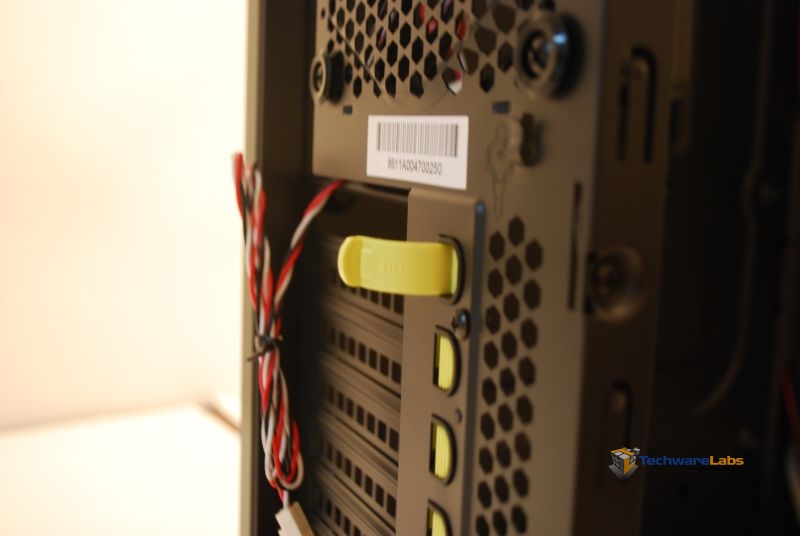 |
| Engaged and disengaged Clips |
The clip pushes through to the other |
Interior Final Thoughts
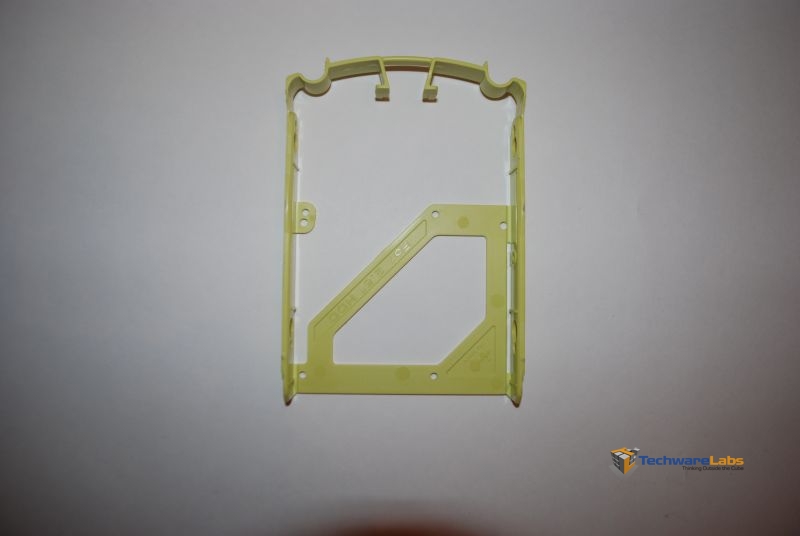
A final point to make before we move to our conclusion. Touching again on the ‘Tool Less” Design of this case: Installing a hard drive to the cage (Both 3.5″ and 2.5″ drives) requires screws and a screwdriver. So while installing a 5.25 drive and PCI card is tool less, installing a drive via the cages is not. Other cases we’ve seen include a bendable cage that is formed around a 3.5″ drive (or a 2.5″ to a 3.5″ cage) making the install completely tool less.
 |

[…] InWin Buc 101 Mid Tower Computer Chassis @ TechwareLabs […]
[…] InWin Buc 101 Mid Tower Computer Chassis @ TechwareLabs […]
[…] InWin Buc 101 Mid Tower Computer Chassis @ TechwareLabs […]
[…] InWin Buc 101 Mid Tower Computer Chassis @ TechwareLabs […]
[…] ARIAXtremeComputing goes inside the Cougar Evolution Mid CaseTechwareLabs comes back with the InWin Buc 101 Mid Tower Computer ChassisTech-Reviews focuses on the Samsung ST96 CameraDragonSteelMods examines the NZXT HALE82 850W Power […]