A Closer Look, part 3
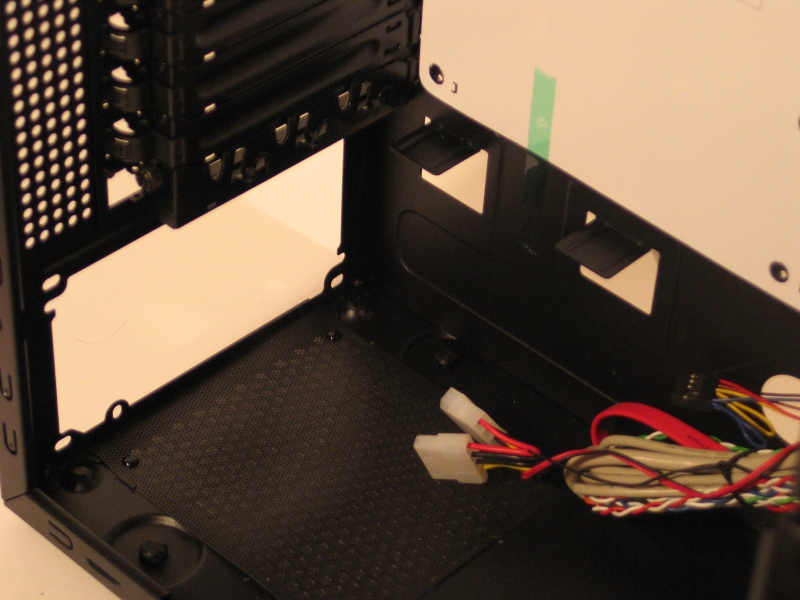
The power supply mount is fairly standard, with the usual provisions for mounting it right side up or upside down. There’s no way to mount an oversize power supply, but in a case this size you probably wouldn’t want to. Given that the bottom of the motherboard and the top of the power supply are separated by less than a centimeter of distance, installing a triple-SLI rig–or even a dual-SLI rig, on some motherboards–is not recommended.
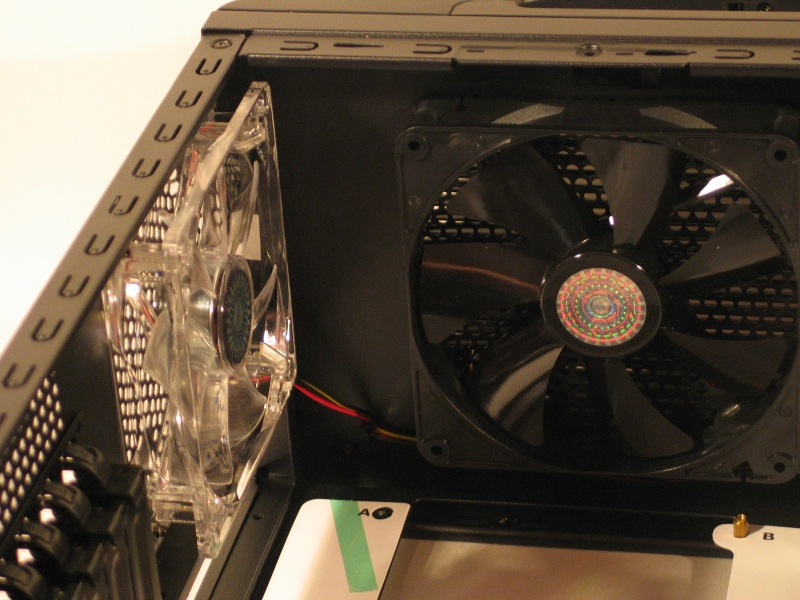
In the top rear, you are given the choice of top exhaust or rear exhaust. Running both simultaneously is possible, but pointless, as they are close enough together to interfere with each other’s airflow. Top is usually more efficient, as it aids hot air’s natural tendency to rise, but your setup may call for rear instead. By including both fans, Cooler Master has made the choice easy and quick; just plug in the one you want to use.
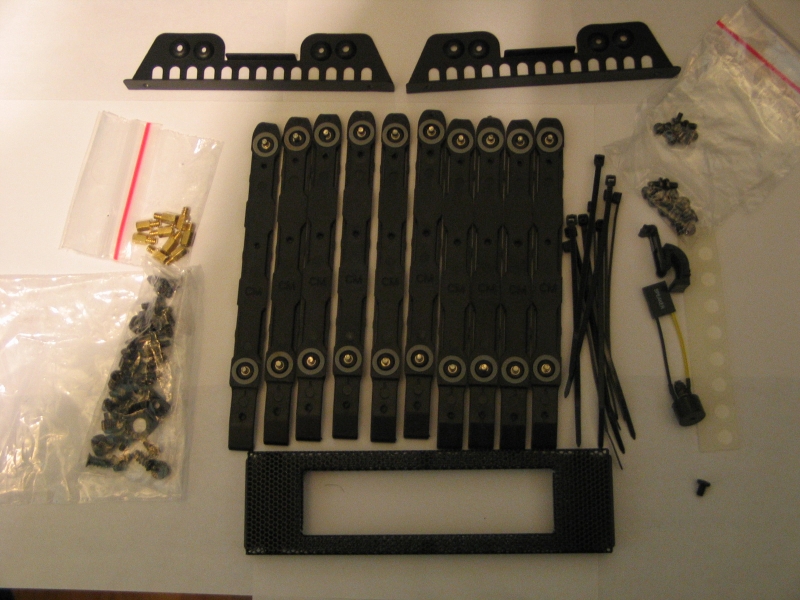
Of course, no case is complete without all the little fiddly bits that help you put everything together. The accessory box included with the Scout includes screws, silicone washers, extra motherboard stands, zip ties, drive rails, a spare expansion card latch, a motherboard speaker, accessory rails for mounting a 2.5″ drive in the 3.5″ to 5.25″ mounting bracket, and a faceplate for mounting a floppy drive or other 3.5″ external drive in a 5.25″ bay. Sturdier zip ties would have been nice, but aside from that everything you’ll need is here.
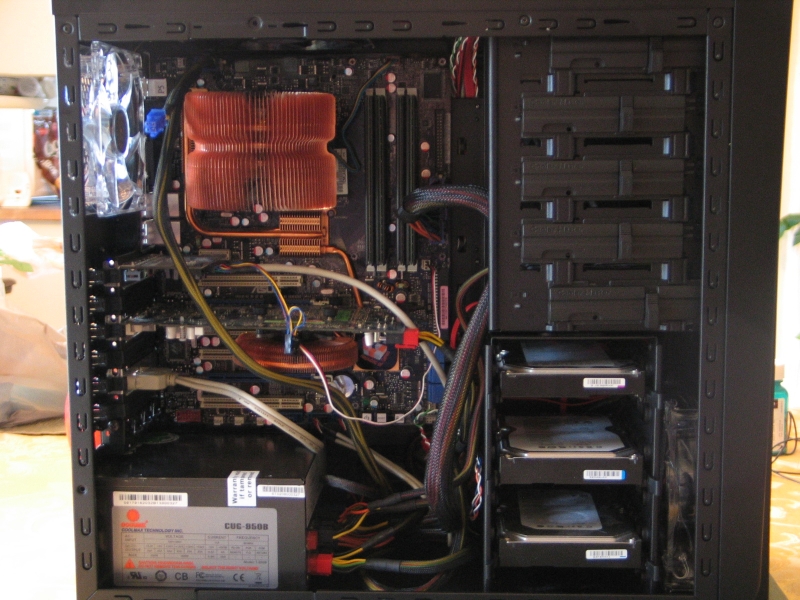
Here’s a shot of the case with everything installed. The black anodized interior certainly looks nice, but the lack of cable management features makes the end result somewhat less than pleasing. I was able to move the SATA cables out of the way by routing them behind the hard drive cage, but there was no way to run the power cables behind the motherboard tray, where they would have been out of sight. Clearing up cable clutter in this case is certainly possible, but it will take some careful planning and diligent effort to succeed.
The arrangement of the hard drive cage also deserves some mention. While there’s certainly space to mount five drives, the design of the cage walls will severely restrict air flow to the drives. Additionally, the front intake fan is not correctly aligned with the drive cage. As a result, the drive mounted in the uppermost slot receives barely any airflow. This could cause issues with overheating, which would negatively impact the drive’s health and long-term performance. Most 7200 RPM drives can tolerate being mounted in the lower slots; but if you’re planning to use a hot, high performance drive such as a Velociraptor, you will absolutely want to avoid using this cage.

[…] Techware Labs (+) […]
[…] Cooler Master Storm Scout Case @ Techware Labs – Thermaltake Evo Blue 750W PSU @ DriverHeaven – XFX 850 W Black Edition Power Supply @ Hardware […]
[…] techwarelabs reviews the Cooler Master Storm Scout Case […]