 |
 |
Functionality and testing:
For this portion, I chose to separate the functions and features that do not rely on Grooveshark vs. those that do.
- FM Transmitter:
- Per the user guide I followed the steps for having the device automatically scan for an unused FM frequency. Where this seemed to work ok, I was immediately disappointed in the amount of static that I could hear while listening to the streaming music. I repeated this step several times, and things just didn’t seem to be getting better. I continually got some level of static that made listening to my streaming music a very unpleasant experience. Just as I started to lose hope, I eventually found an unused FM frequency that was static free. My streaming music sounded wonderful, overall sound quality was clear and there was no discernible difference between standard radio and my streaming music. This is what I was hoping for and Livio Radio’s product didn’t disappoint. I do however think that the trouble initially locating a clear frequency illustrates an important point, that available FM frequencies will vary based on geographical location, and this may impact this product’s performance (which is not a problem unique to this product, but shared by all products that leverage FM transmitters).
- Hands-Free calling:
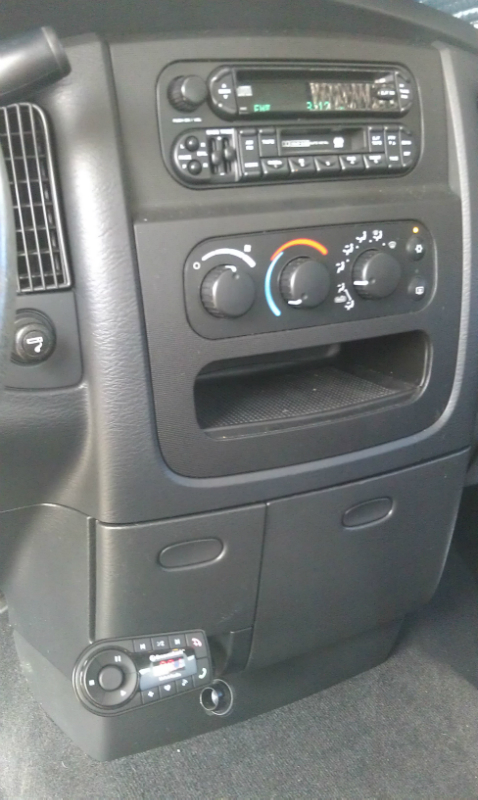
- Once paired with my smart phone, I was able to use the built in support for hands free calling. My particular vehicle does not have this functionality so it was a refreshing feature to have, and one I enjoy using when I drive my wife’s car that has this feature built in. Initiating, receiving, and ending calls is as easy as a click of a button, and the sound quality was acceptable and clear enough to have a conversation without anyone needing to repeat themselves. The microphone is located on the product itself, so its location in the vehicle may impact how clearly you are heard by the person you are speaking too. In my vehicle it is low on the center console, so not exactly close to me, and my voice was clearly received.
 |
- USB Charging port:
- Nothing exciting to really report here, as this works as expected. However, I think this just speaks to the level of attention that Livio Radio took in designing the product.
- MP3 player support:
- Using the provided 3.5mm auxiliary cable, I attached my phone as a stand-alone MP3 player. I was able to play, pause, etc… the songs on my phone using the applicable buttons on the Livio Radio Bluetooth Internet Radio device. Everything worked as advertised, and met my expectations. However, when I tried to attach my iPod Nano, this combination did not work. Where I could hear the audio, none of the controls seemed to work in conjunction with the iPod Nano. Doing more research on this, it appears the fault lies on the iPod side as the Nano doesn’t natively support AVRCP, which is required for the control functions on the Livio Radio device to work with an attached device.
- Sound level:
- While using the product I noticed that there didn’t seem to be any sound leveling built in. I would be listening to streaming music and out of nowhere a song would be harder to hear, or when taking a call I would have to adjust the volume knob to hear the caller clearly. I am sure this is a by-product of the sound ultimately coming from different sources (or quality), but it would be nice if the product could normalize the sound levels in some way to avoid the user from having to manually adjust.
- Additional note:
- Although not a listed feature, a welcomed by-product of all audio from my phone being sent to the vehicle’s radio (via FM transmitter or Auxiliary cable), is that while using the GPS on my phone, the turn by turn voice prompts were easily heard over my vehicle’s radio.
- Grooveshark:
- The Grooveshark integration and support is very impressive on this product. After hitting the power switch on the product, the Grooveshark app on my phone automatically starts. All Grooveshark applicable buttons work as expected and I didn’t find myself missing anything, so I think Livio Radio covered all the bases. The integration was so well done, that the product made it extremely easy for me to enjoy Grooveshark’s full offerings (streaming music, playlists, radio stations, etc..) while in my vehicle. Which, if you are already a Grooveshark user are aware, adds a level of on demand music that most of us are not accustomed to having on the road.
- I do feel it’s important to mention, that without the Grooveshark Anywhere service (which this product comes with 3 months free), the Grooveshark features are noticeably limited. You will essentially only be able to listen to Radio stations (you can still create your own custom stations) and can skip up to 6 songs an hour.
- Data usage was one of my concerns going into this, as many cellular providers are imposing caps on data usage and I could see myself not even thinking about that cruising down the street. To measure the Grooveshark’s data usage, I used a free application called Traffic Monitor. In a 20 minute period, the Grooveshark application showed a data usage of 38.64MB. This at least gives a ballpark of what to expect and I think even with today’s data caps, this shouldn’t pose an issue. Additionally, there is a setting within the Grooveshark app to default to lower bit rate songs if available, that can further reduce the data usage.

[…] Grooveshark Bluetooth Kit by Livio Radio @ TechwareLabs […]
[…] USB gets its hands on the Logitech Wireless TouchpadTechwareLabs spends some time with the Grooveshark Bluetooth Kit by Livio RadioLegit Reviews weighs in on the Intel Xeon E5-2600 Sany Bridge-EP Server ProcessorsTechReviewSource […]
[…] Grooveshark Bluetooth Kit by Livio Radio @ TechwareLabs […]
[…] Grooveshark Bluetooth Kit by Livio Radio @ TechwareLabs […]
[…] Grooveshark Bluetooth Kit by Livio Radio @ TechwareLabs […]