Introduction
One of the best way to save money and still get a kick ass home theater set up has always been three words, “build it yourself”. Now the company Saybas is changing that and hopefully for the better with the Popcorn Hour C200. The Popcorn Hour C200 is a Network Media Tank that promises to pack a wallop when it comes to home theater set up’s. Thanks to Saybas you now have the option to purchase one of their sleek looking Popcorn Hour C200 units and still have enough in your budget to purchase a few of the latest blockbusters. Ladies and gentleman follow me as I review Saybas’s Network Media Tank, the Popcorn Hour C200.

Your first question is probably “what is a Network Media Tank?”
A Networked Media Tank is essentially a network attached storage device that handles your media files. The Popcorn Hour C200 does this very well but it can also do so much more than that.
Take a look at what the company has to say:
“With Popcorn Hour you can stream or playback digital media content from a variety of sources, such as your PC, network-attached storage, digital camera or USB storage (Flash drive, HDD, DVD drive). Popcorn Hour also makes it easy to download and stream content directly from popular Internet sites like YouTube, Blip.tv, Revision 3 and dozens of other online content sources*. Popcorn Hour even has a built-in download utility, eliminating the need to rely on your PC to download files from the Internet.”
Pretty impressive ideas but can the company live up its promises…
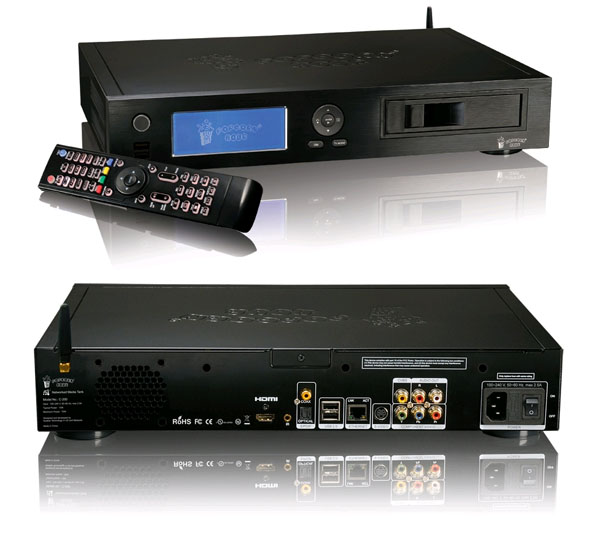
First things first, the Spec’s.
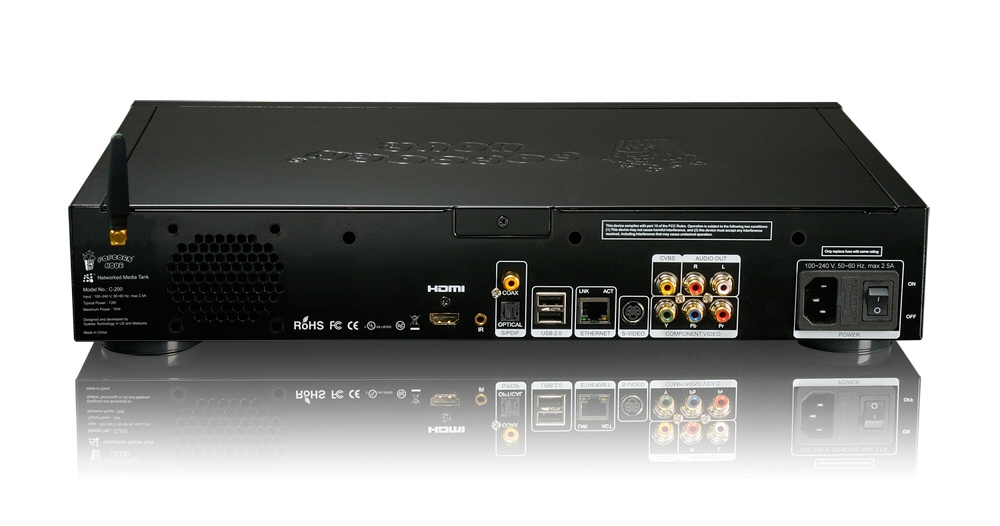
Connectivity:
- Bonjour
- UPnP SSDP
- UPnP AV
- Windows Media Connect
- Windows Media Player NSS
- Samba
- NFS
- Media Servers: myiHome, myiHomeLite, myiHomeMS (UPnP), MSP Portal
- Third-party media servers: WizD, SwissCenter, Llink, GB-PVR
- BitTorrent P2P
- Usenet downloader
- NAS Access : SMB, NFS, FTP
- Casgle iDVR RSS feed downloader
Web Services*
Video :
- YouTube, Vuze, Revision 3, Videocast, CNET TV, Mediafly, Veoh, Mevio, Bliptv, Break Podcast, CBS Evening News, CNN Anderson Cooper 360 Daily, CNN The Larry King Podcast, NBC Today Show, The CNN Daily, CNN In Case You Missed It, NBC Nightly News, NBC Meet The Press, CBS Face the Nation, Podfinder UK, Motorz
Audio:
- Jamendo, iPodcast, BBC Podcast, Indiefeed, CNN News, ABC News
Photos :
- Flickr, Picasaweb, Pikeo, 23, Photobucket, SmugMug
RSS feed :
- Yahoo! Weather, NMT Forum, Bloglines, Cinecast, MSNBC News, Traffice Condition, Yahoo! Traffic Alerts, Yahoo! News, Weather Bug
Peer-to-peer TV :
- SayaTV
Internet Radio :
- Radiobox, Live365 Radio
Supported Media File Formats
Video containers:
- MPEG1/2/4 Elementary (M1V, M2V, M4V)
- MPEG1/2 PS (M2P, MPG, DAT, VOB)
- MPEG2 Transport Stream (TS, TP, TRP, M2T, M2TS, MTS)
- AVI, ASF, WMV
- Matroska (MKV)
- MOV (H.264), MP4, RMP4
Video Decoders:
- XVID SD/HD
- MPEG-1
- MPEG-2 MP@HL
- MPEG-4.2 ASP@L5, 720p, 1-point GMC
- MPEG-4.10 (H.264) : BP@L3, MP@L4.0, HP@L4.0, HP@L4.1
- WMV9 : MP@HL
- SMPTE 421M (VC-1) : MP@HL, AP@L3
Audio Containers / Decoders:
- AAC, M4A
- MPEG audio (MP1, MP2, MP3, MPA)
- WAV
- WMA
- FLAC
- OGG
- Dolby Digital
- DTS
- WMA, WMA Pro
- MPEG-1 Layer 1, 2, 3
- MPEG-4 AAC-LC
- MPEG-4 HE-AAC
- MPEG-4 BSAC
- LPCM
- FLAC
- Vorbis
Audio Pass-Through:
- DTS, DTS-HD HR, DTS-HD MA
- Dolby Digital, Dolby Digital Plus, Dolby True HD
Other Formats:
- ISO, IFO navigation
- AVCHD navigation
- Blu-ray** ready (requires addition of compatible BD-ROM and at least 2GB USB memory stick)
Photo Formats:
- JPEG, BMP, PNG, GIF, TIFF
Subtitle Formats:
- SRT, MicroDVD SUB, SSA, SUB/IDX
DRM
- Cardea DRM (WMDRM-ND)
- Janus DRM (WMDRM-PD)
Chipset
- Sigma Designs SMP8643, 667MHz CPU with floating point coprocessor.
Memory
- 512MB DDR2 DRAM, 256MB NAND Flash
Other Interface
- 192×64 dots white text on blue background LCD display, with software adjustable brightness
- Power button with standby, reset and full power down
- 2x USB 2.0 host at the front
- 2x USB 2.0 host at the back
- 1x USB 2.0 internal
- 2x SATA (one occupied by HDD tray)
- 3.5″ HDD tray
- Internal mounting for 2.5″ HDD
- 2.4GHz RF Remote Control
- Infra-Red Remote Control port (Infra-Red Remote Control optional)
Network
- Ethernet 10/100/1000
- miniPCI MII interface for 11n WiFi card (optional)
Power
- 100~240V AC, 50~60 Hz, max 2.5A
typical: 13 W (no additional device installed/attached)
maximum: 70 W
Footprint
- Width x Depth x Height : 425mm x 290mm x 80mm (16.73″ x 11.42″ x 3.15″)
Weight
- 3.7kg (8lbs 3oz)
–~~~~~~~~~~~~–
Breakdown:
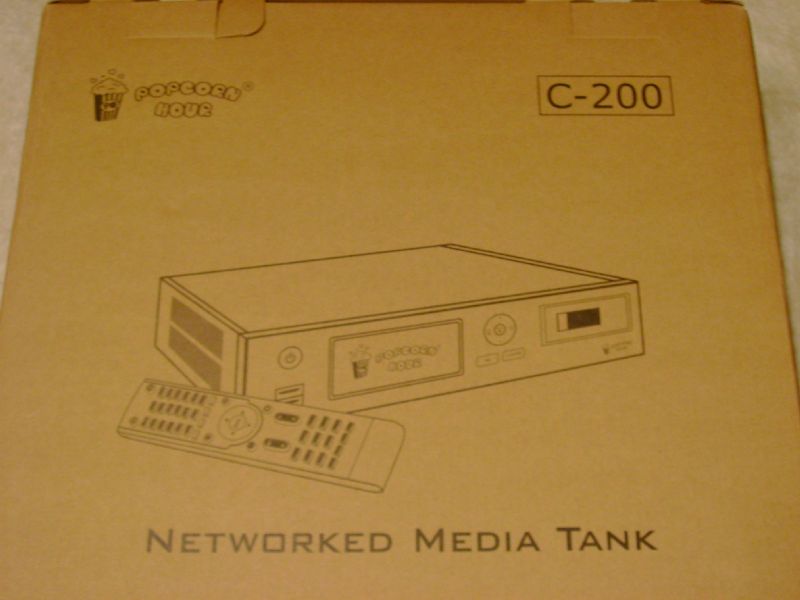
Now that we have all that technical stuff down lets get down to unpacking this little monster.
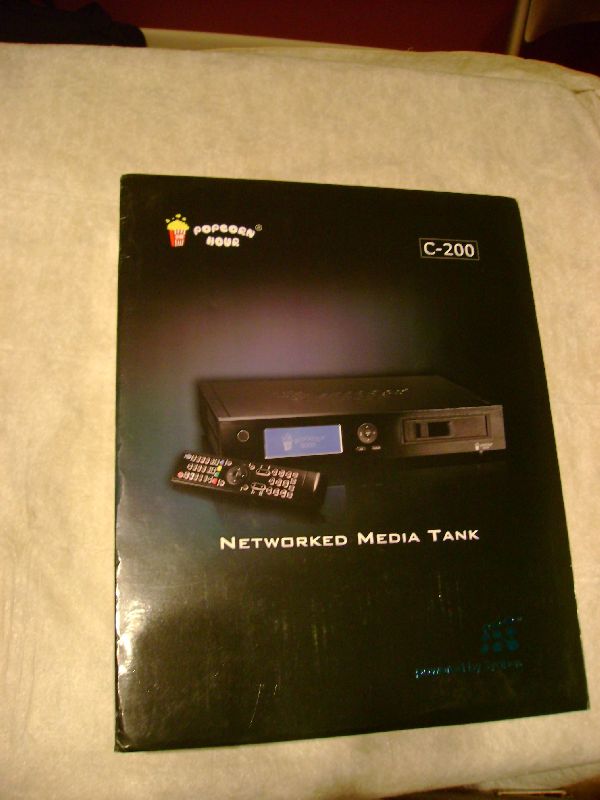
|
Front |
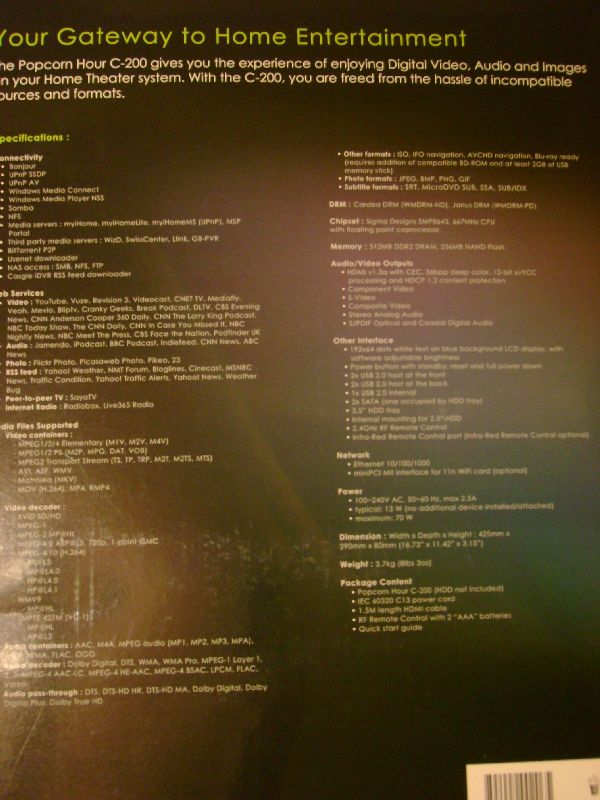
Back with the spec’s |
|
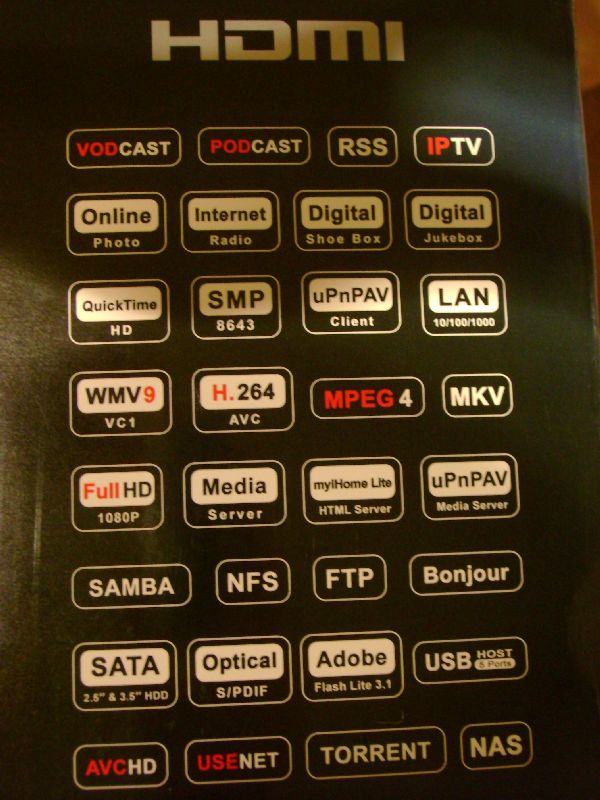
Side panel with supported formats |
Inside that box was… Another box. |

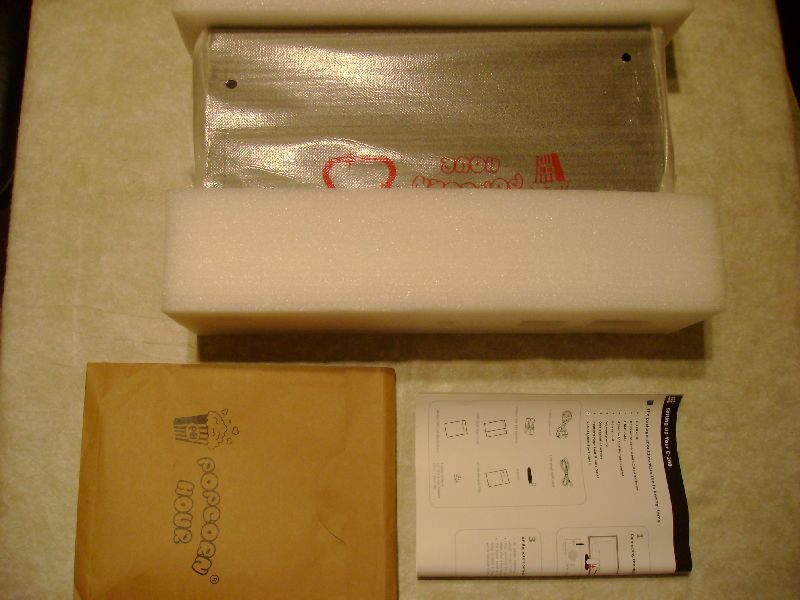
Inside the final box was the product itself, why the decision for 2 boxes I will never know.
-
 Top – Unit, Bottom Left-envelope Bottom Right- Quick Start guide
Below is a break down of whats included inside of all this packaging.
|
Inside the envelope |
remote and limited warranty |
|
short manual and 1.6ft HDMI cable |
Power Cable, RF antenna, Battery’s, Screws for mounting an internal fan |
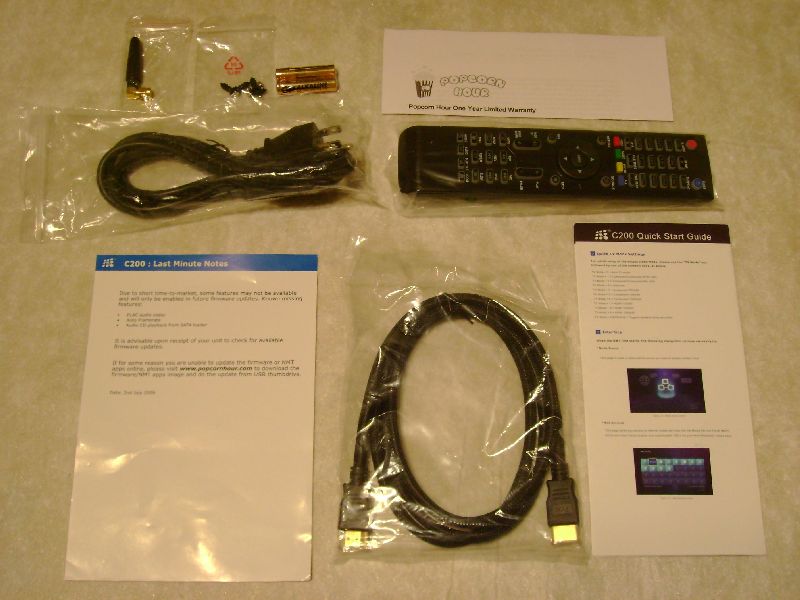
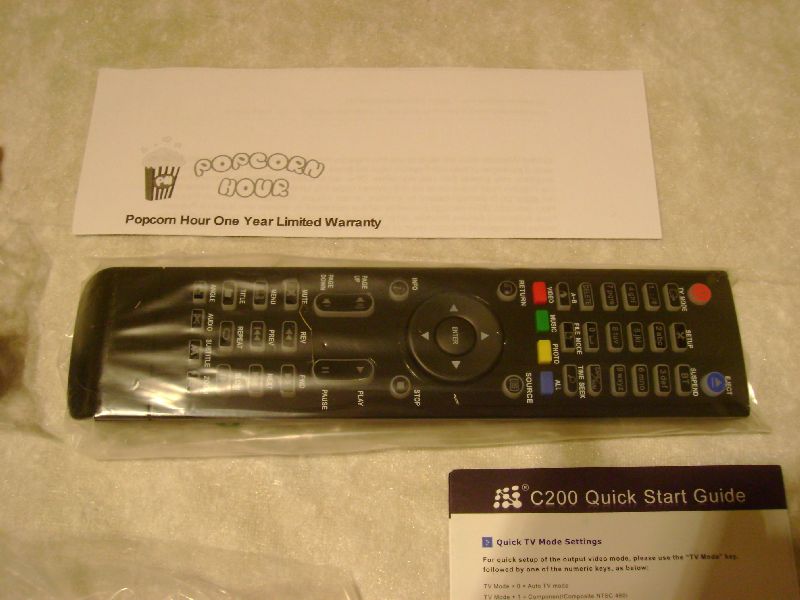
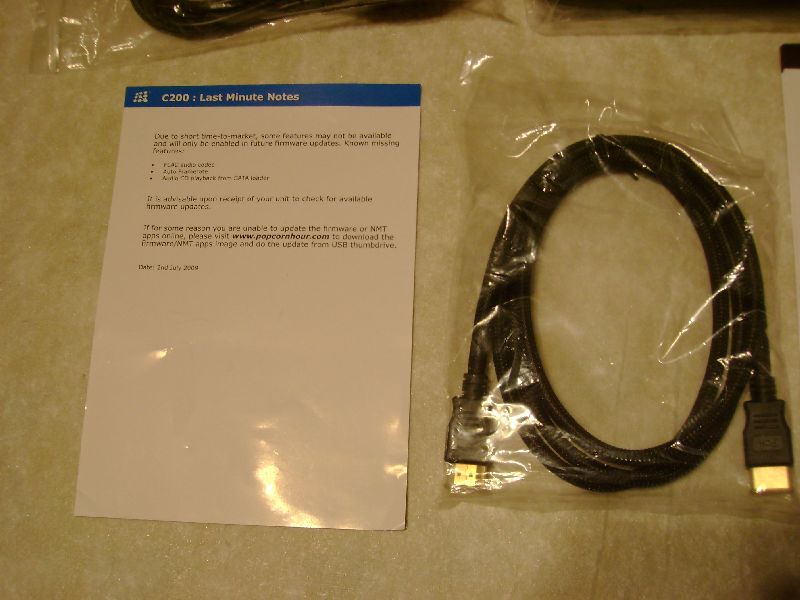

Overall the Popcorn Hour comes with a good assortment of accessories to go with it, the HDMI cable was an unexpected boon that isn’t usually seen with a media player, though something we certainly would have like to have seen with the WDTV. The power cable that comes with the unit is a standard power cable one you would expect to see with any ATX computer power supply. The remote is pretty light weight but jam packed with buttons, my only problem with the accessories comes directly from using the remote…. Personally for someone as ham fisted as myself, the buttons on the remote do not provide adequate feedback. When you have to press a button several times to get a response usually that points to a place where the company decided cut corners. The remote can be with another universal remote so the issue is easily resolved.
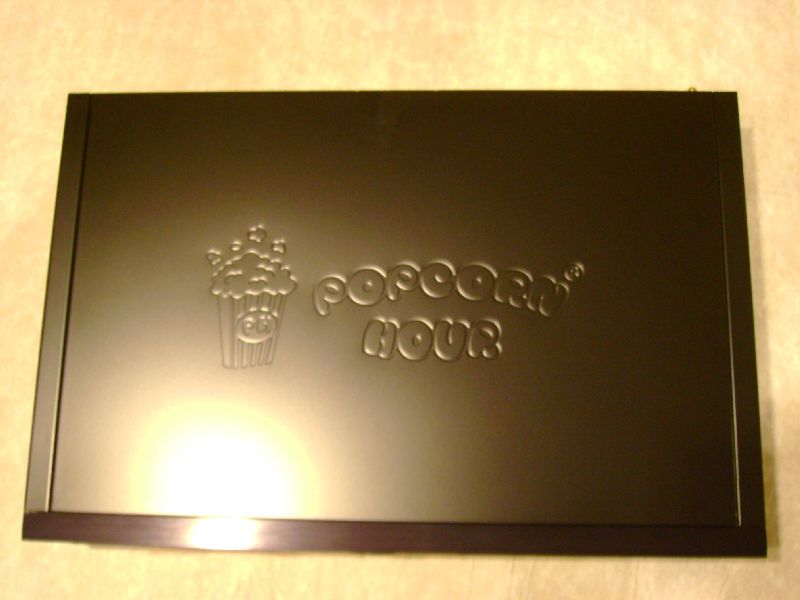
The device itself is a brushed metal box about the size of a VCR on the top you have the removable access cover emblazoned with the Popcorn Hour logo. The overall feeling of the device is one of a store bought entertainment device much like you would get if you bought a high end BluRay player. When looking at the front of the device you can’t help but notice both the decent sized LCD display on the left and the access door on the right. The access door leads to a mounted SATA + Power connector so you can slide a 3.5 inch drive into the device with ease.
|
|
|
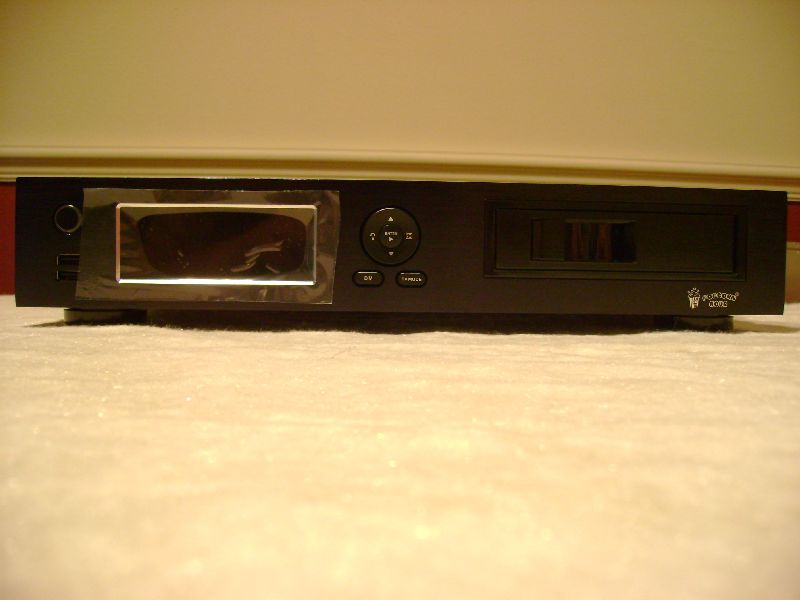
In order to fully use all the features you really need to add both a hard drive of the 2.5″ variety and a BluRay drive neither of which is included, this is unfortunate but not truly unexpected. Fortunately you can pick up both in the upcoming Black Friday extravaganza for pretty cheap. For the purposes of this review I installed a simple Seagate 120GB 5400RPM laptop drive and a LG BH08 BluRay drive. The small 2.5″ laptop drive fits in its mountings which are located underneath the 5.25″ drive bay that is visible as an access door on the front right side of the unit. The 5.25″ drive bay has a rather simple mounting bracket for your standard hard drives if you were to forgo the use of a DVD or BluRay drive, this mounting bracket is easily removed and installing a drive is very easy.
–~~~~~~~~~~~~–
Sounds to good to be true…
Now that we have moved from the hardware its time to take a look at what will inevitably be used the most, the user interface. Below is a short video overview of the user interface.
Popcorn Hour C200 Interface run through
I have heard a lot of complaints over the design of the user interface, saying that it was confusing and outdated. My personal thoughts on the user interface are that the interface is very easy to use, it flows very well and can be quite snappy when it wants to be…. which brings me to my biggest grief, the firmware behind the user interface is very buggy….
Let me elaborate on why I say this. In my experience with the general UI, I have found that it will hang from time to time and you may as well walk away and get a sandwich during some of the wait times. The lengthy delay appears random, there are times when it is very slow to load and other times the transition would be instantaneous even while reading from the internal drive that I installed. The cause of these random pauses is baffling and unfortunately not the worst issues I ran into… Rarer than the pauses but no less baffling are the sudden hard locks that will grip the device and that will last up to a half hour (30 minutes) during the past week. With both the original firmware and the latest one I have had no less than 6 hard locks, after 30mins I would shut the device down using the switch located on the back of the power supply. Hard locks much like the random pauses appear to be random in nature and my best guess are a product of beta firmware these issues should be fixed as the firmware for the C200 matures.
When the Popcorn hour C200 worked, it would work amazingly well. The interface would be snappy, files would load with gusto and the device would behave the way a production product should; For the most part the c200 behaved just the way it should, it was the times that the device didn’t cooperate that made my overall enjoyment of its abundant features diminish.

Final Thoughts:
The ideas and execution behind the device are great but for a few glaring flaws that really need to be stamped out. The hardware is perfect and handled all the content I threw at it from web videos to BluRay disks and rips. Unfortunately the excellent hardware is shackled to a beta level firmware. While my overall experience with the Popcorn Hour C200 was a positive one I can’t help but feel if just a bit more time went into that firmware it would turn a good product into an amazing one. I would definitely recommend this to other people but with the caution to wait until it’s been on the market a bit longer and the bugs have been worked out.
For more information on the Popcorn hour C200 check out their website here.



[…] TechwareLabs gets us going with the Popcorn Hour C200 Networked Media Tank/HTPC […]
[…] link Bookmark: […]
[…] http://www.techwarelabs.com/popcorn-hour-c200-networked-media-tank/ […]
[…] Popcorn Hour C200 Networked Media Tank @ Techware Labs – Raidsonic Icybox IB-MP305A-B Mediaplayer @ Rbmods – Seagate FreeAgent DockStar Network Adapter @ […]
[…] TechwareLabs checks out the Popcorn Hour C200 Networked Media Tank/HTPC […]
[…] Via [TechwareLabs] […]
[…] Popcorn Hour C200 Networked Media Tank/HTPC @ TechwareLabs […]
[…] Popcorn Hour C200 Networked Media Tank/HTPC @ TechwareLabs […]