Wireless Settings
Wireless – Basic
Several options are available in the basic menu of the TEW-691GR. Here you are generously given the ability to make a selection between which mode the router operates in. Selection of this mode is mainly dependent on the clients in your network. If the computers on your network are all up to date, the you can chose 802.11 n which would not provide any legacy support for older laptops. 802.11 b/g/n provides the legacy support while giving the newer wireless users the benefits of faster speeds of n. The 802.11 b/g operation mode makes the router work in legacy only mode and will not provide increased speeds of n.
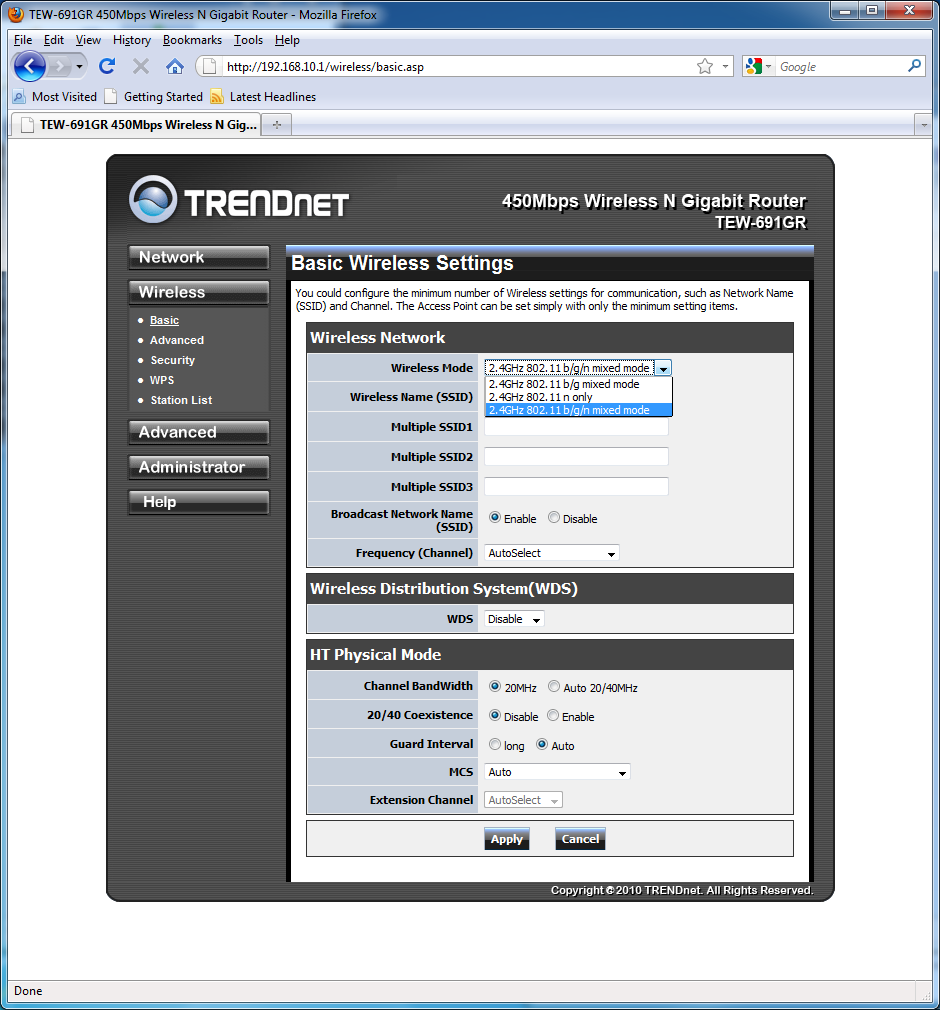
Other neat features of the Wireless – Basic menu, is that you are given the ability to broadcast multiple simultaneous SSIDs, and select to enable WDS (Wireless Distribution System). Wireless Distribution System gives the router the ability to interact with other wireless access points without the need for them to be wired together. This is especially useful if you have a large house and don’t want to crawl through the attic or carve up the walls.
Wireless – Advanced
Under the Advanced sub-menu of the Wireless tab you are given the actual ability to modify the transmission settings of the router. By default, all these values are set to maximum. It is important to note that altering any of these setting will reduce the network range and consequently reduce the throughput speeds.

Wireless – Security
Next up we have the Security sub-menu in the Wireless tab. The most important option inside this menu is the “Security Mode”. Here you are told to select between the WEP, WPA, WPA2. The latest security mode is WPA2. Home users will most likely not have a Radius server for network authentication, and end up selecting WPA2 PSK (Passkey). For those legacy computers that do not support WPA2, you will need to go back to the Network tab Basic sub-menu and create an extra SSID, and then go back to the Wireless – Security tab and select the newly created SSID and configure it accordingly.
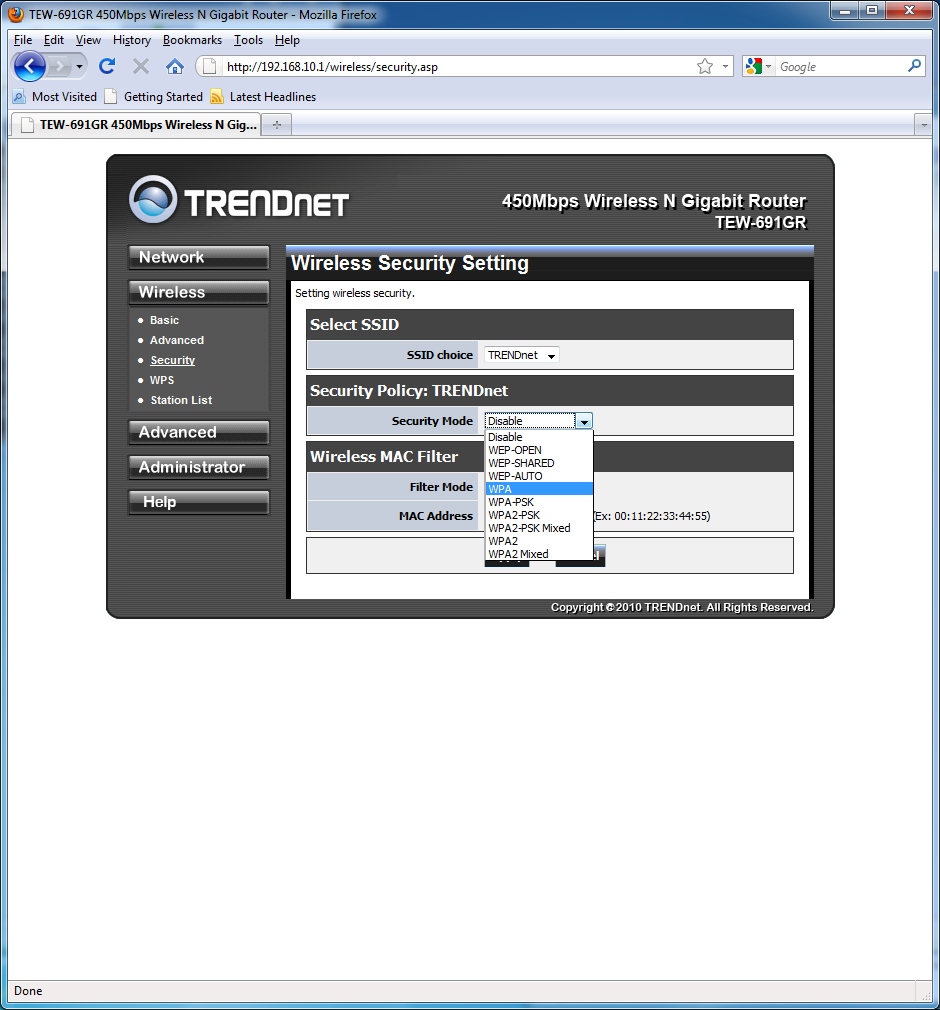
While applying WPA2-PSK security settings, I ran into an interesting message. If you you select WPA/WPA2 modes that use TKIP/AES cipher, you are given a message that you will not be able to attain the high throughput. The options that will generate the warning message are: WPA-PSK, WPA2-PSK, WPA2-Mixed, WPA2-PSK Mixed.

