Advanced Settings
Advanced – DMZ
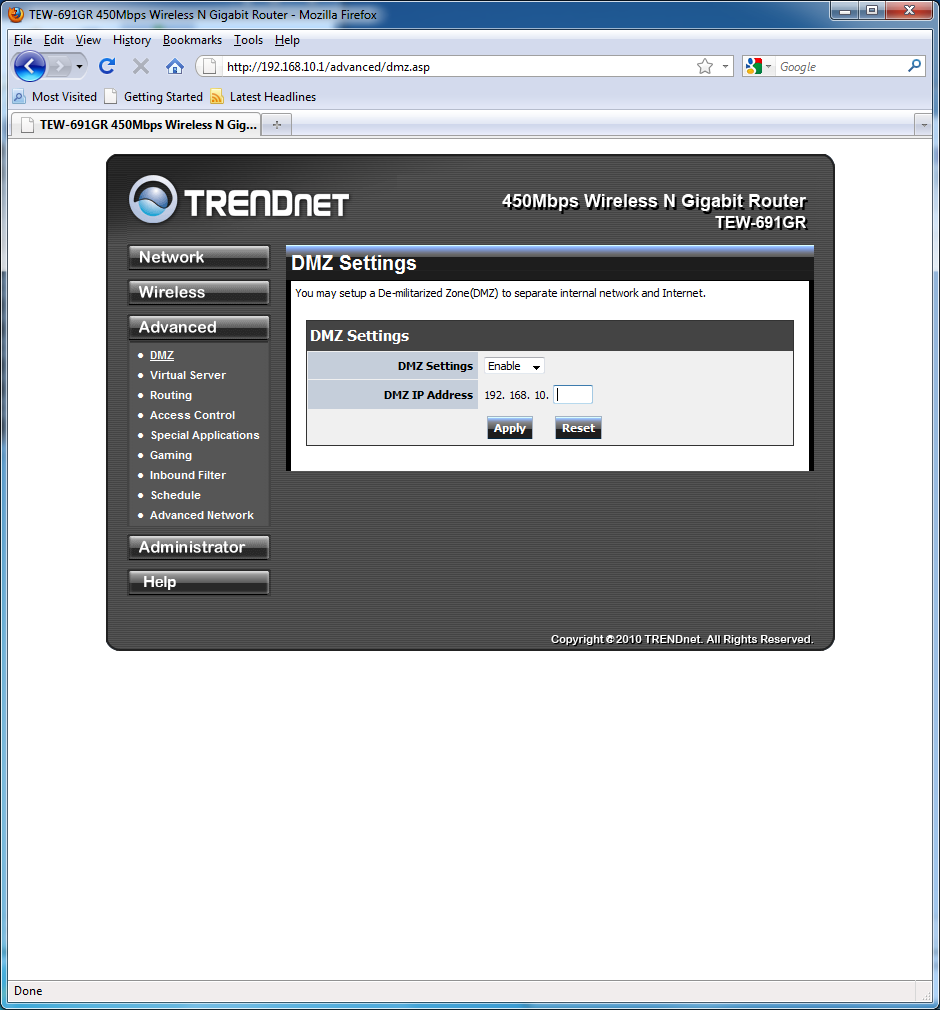
Next up is the Advanced tab. The very first sub-menu of the Advanced tab of the DMZ. DMZ is called the De-militarized Zone is an IP address for which all ports are accessible from the internet. Placing the a computer in the DMZ means that any inbound connection on any port will be automatically forwarded to that IP using NAT (Network Address Translation). It is important to note that while it may sound appealing not to have to manually forward all the ports, it is highly not recommended. Placing a computer in DMZ is like inviting h4xor5 to hack your computer.
Advanced – Virtual Server
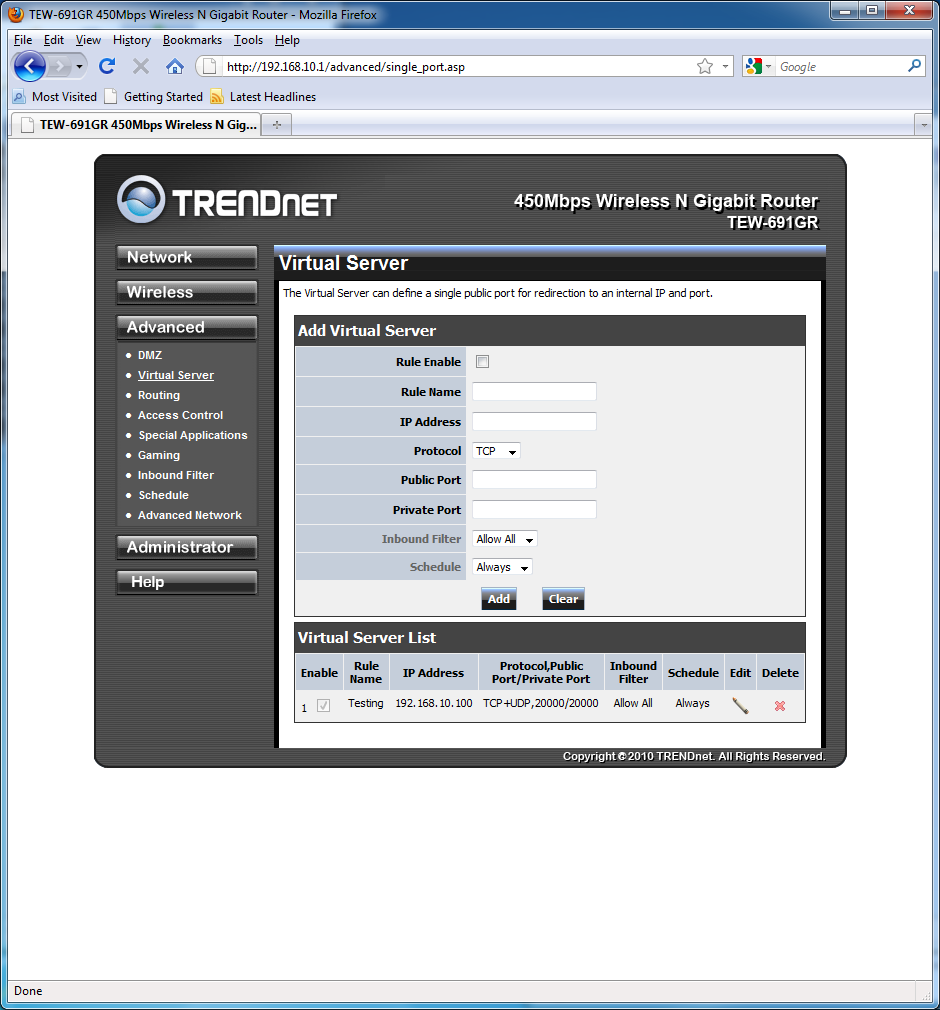
So if placing computers in the DMZ is not a good idea then what is? The TEW-691GR provides port forwarding in the tab. If you need to forward a specific port to a specific IP, all that you need to do is add a “Virtual Server”. This is a straight forward process. After filling out all the corresponding fields and clicking “Next” the port is added to the Virtual Server List as can be seen in the picture below.
Advanced – Access Control
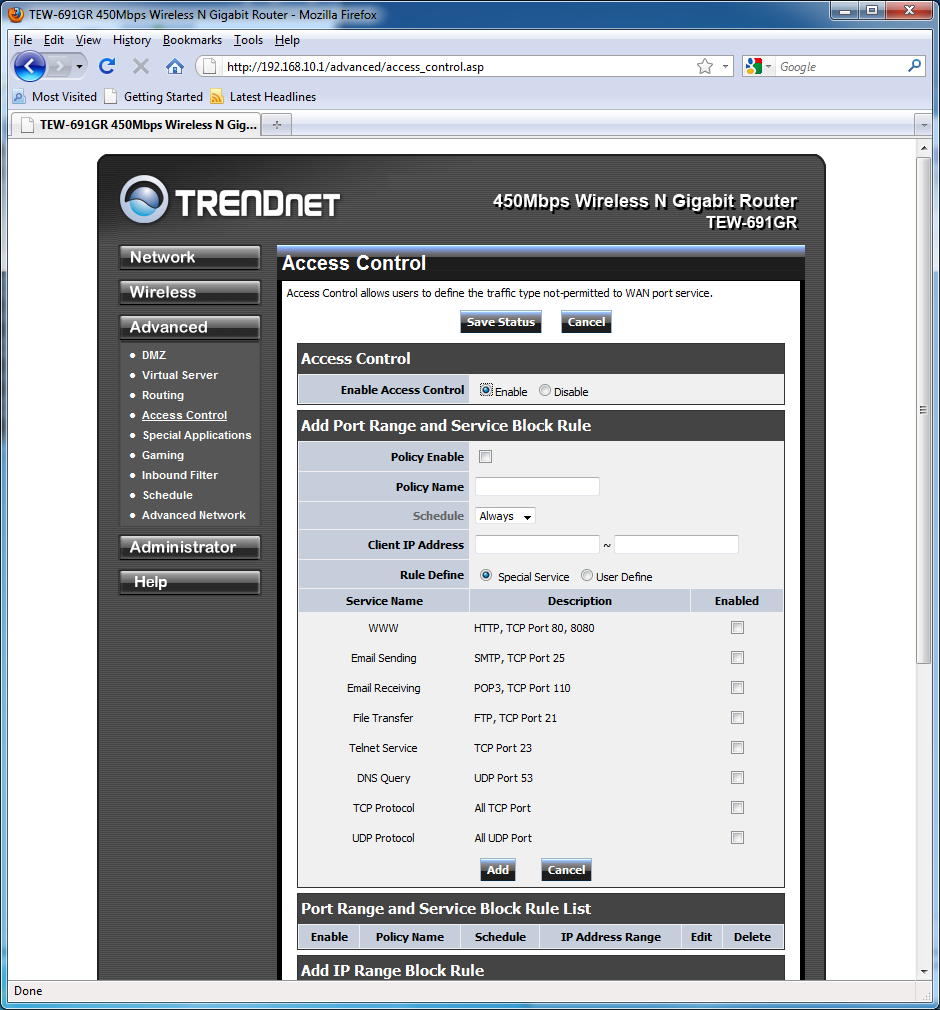
Access control is one of the easily available controls across routers in general. Here you get the ability to limit both specified ports and IPs. You are also given the ability to police the data by type that travels on predefined ports. As you can see in the image below, the user given to create multiple IP ranges and rules.
Advanced – Special Applications
The Special Applications sub-menu is used to address port triggering. Port triggering is extremely useful when you have multiple computers on the network using the same application. Ports such as 21, 25, 80, 110, 8080 are reliant on port triggering. This simply means that the incoming data will be forwarded to the computer on the network which sent the request for data. Port Triggering allows the router to effectively multiplex the port between several computer on the network. A working example of such applications that are user defined could be torrenting.

