
Staying Cool:
Water cooling computers started with mainframes back before what we know today as the home PC. When home users started to water cool their PCs, there weren’t anything in the stores sold as a package deal, so items such as car’s heater coil, fish tank pumps and silicone tubing were used. When put together, these homemade cooling systems were very pretty large and would be the PC was something that could be moved without disassembling the cooling system at the risk of spilling the coolant/water on the computer. Present day, the market has a wide range of choices to pick from to keep your CPU from overheating. These choices range from purchasing each item from different manufactures which are put together to cool the CPU, RAM, North Bridge, hard drives, even power supplies. Putting the parts together, flushing the system, and then running the system for months/years at the risk of something leaking or the coolant running too low is always at the back of your mind. Then when it comes to transporting the PC from your house to another you increase the risk of something coming undone. The other option on the market today is a self contained, preassembled kits, one of these kits is from CoolIT Systems called “Domino A.L.C.” TechwareLabs was first introduced to the Domino while attending CES 2009. Let’s see what the Domino has to offer.
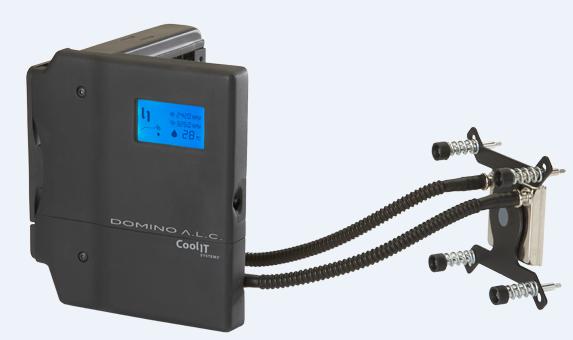
CoolIT take:
Domino A.L.C. offers the technological advantages of liquid cooling by efficiently transporting damaging heat away from the CPU as well as reducing overall chassis temperature levels. The system provides incredible thermal headroom, keeping pace with advances in processor technology and thus supporting the ability to maximize the performance of high performance PCs.Users have the option to switch between three operation modes with the simple push of a button satisfying the need for quiet or the desire for over clocking performance. Domino A.L.C. is the only cooling solution with an integrated display providing system status as well as audible alerts if attention is required. The advanced micro-controller auto-regulates performance to ensure continuous protection for maintaining CPU reliability.The compact Domino A.L.C. is factory sealed ready to be quickly and easily installed into the most crowded chassis. Mounting hardware for Intel 775/1366 and AMD AM2+ processors is included along with a specially engineered retention mechanism which ensures an optimum interface with the CPU and limits the weight on the motherboard to well below the maximum specified by CPU manufacturers.
Specification:
| Operation Modes (Fan Speeds) | Quiet: 1100-2500 RPM
Performance*: 1100-2500 RPM Full: 2900 RPM *System automatically increases cooling performance at an increased rate compared to Quiet Mode. |
| Physical Specifications | Dimensions: 14.0 x 12.5 x 15.5 mm
Weight: 1.03 kg Operating Voltage: 11.6-12.4V Power Consumption: 8W (Max) Life Cycle: 50,000 Hours (MTBF) |
| Fan | Long life, low noise
Dimension: 120 x 120 x 25 mm Noise: 19.2 dBA (Min) |
| Pump | CFF1 long life ceramic bearing
Noise: <21 dBA |
| Radiator | Custom engineered for low noise heat dissipation
Dimension: 157 x 120 x 27 mm |
| CPU FHE (Fluid Heat Exchanger) | Copper Micro-Channel
Surface Dimension: 50 x 50 mm |
| Coolant | Proprietary with anticorrosion/antifungal additives |
| CPU Thermal Grease | Proprietary Pro Advanced Thermal Compound |
| Warranty: | 2 Year Manufacturer |
User Interface
- High contrast backlit LCD
- Single push button control for configuring operation mode and temperature scale
- Audible status alerts
Awards:
The Domino was awarded the “Design & Engineering Showcase Honors” award of International CES of 2009, so with this award embossed on the box, you have the confidence great product is inside and what we have experienced is nothing less than a perfect product.

Closer Look:
|
|
|
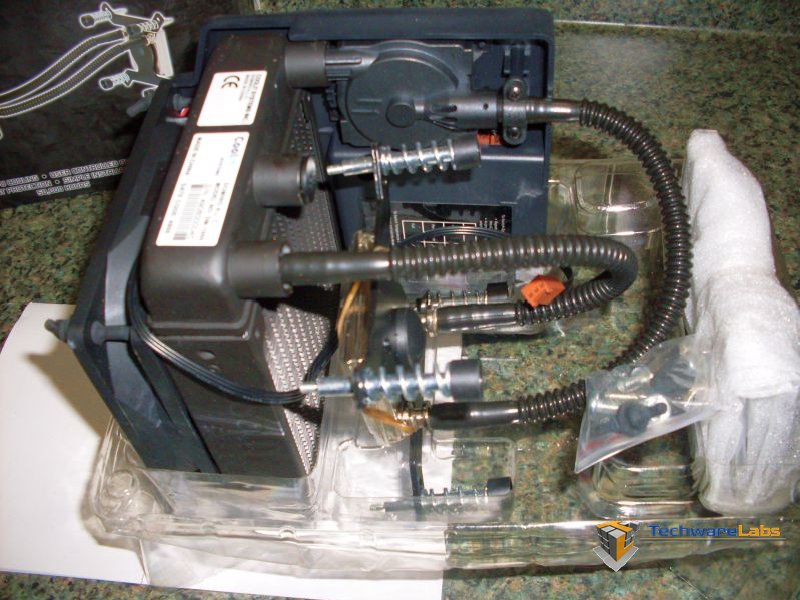
| Packaged very well to prevent damage to the tubing and the rest. | The Domino may look a little intimidating at the moment, but it is very simple to install. |
|
|
|
| Close up of the Domino by itself is slightly bigger than a 120mm fan in height. Take this into consideration when your scoping out what computer case your planning on install the Domino into. | Back of the Domino showing how compact the package is, allowing for the as much as possible air flow through the radiator. |
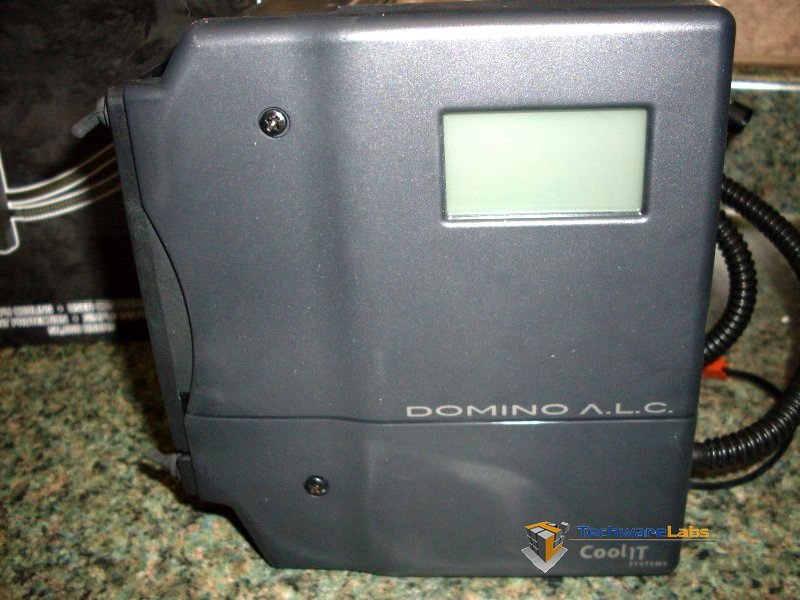
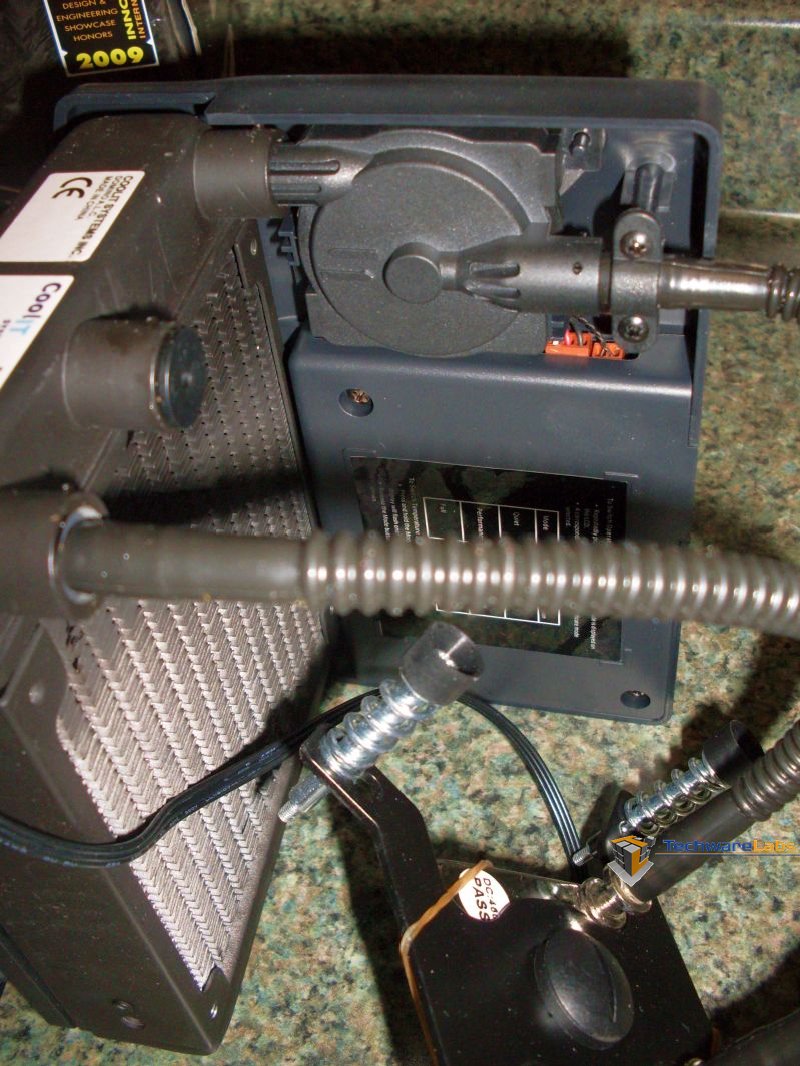
Installation of the CoolIT Domino was pretty easy and I would rate it at about a 6 on a scale of 1 to 10. The Domino Radiator Module is a little bigger than the 120mm fan, so case size will need to be taken into consideration. We installed our Domino in theCoolerMaster HAF 932 case with one minor modification (the removal of the side panel 230x30mm fan. We did try and was kind of successful at keeping the side panel fan, but this put too much stress on the vibration dampening rubber fan mounts which hold the radiator module to the case. The Domino from the factory comes with the LGA 1366 based bracket installed, since are going to be installing the Domino on our AMD Phenom II AM3 x4 810 setup, we had to change out the bracket.
|
|
|
| Pulling the mounting screws off the CPU bracket was pretty easy, though we did end up shooting one C clips across the room. Luckily there are spares. | The install of the cooler on the processor was a little tricky as the motherboard didn’t line up with the access hole on the Cooler Master HAF 932 case. |

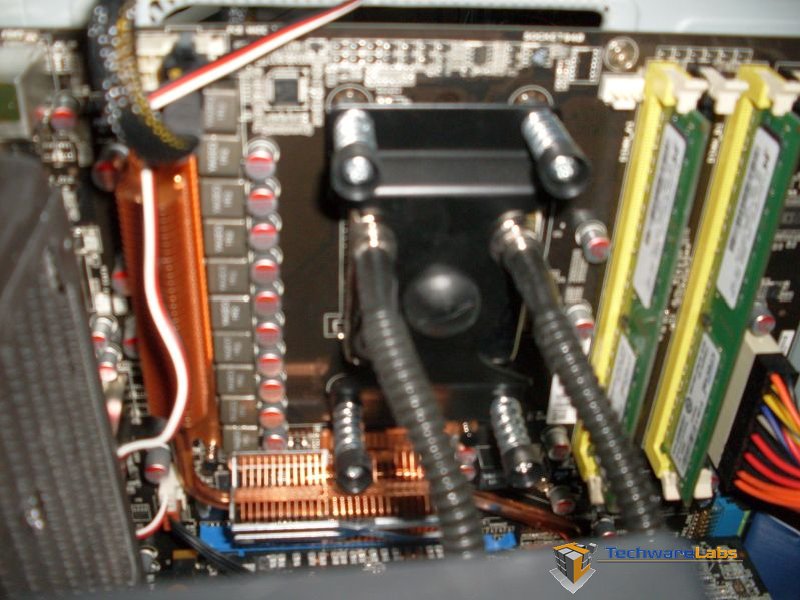
This change over was once again pretty simple with a simple one plastic screw. The challenge with the changeover was with the C clips which hold the mount screws to the retention bracket. During the removal of one C clip, we ended up shooting it across the room. Luckily, the Domino is shipped with a few spares. Installation of the Domino after this wasn’t too bad with the Cooler Master HAF 932 case with access port near the processor. The rest of the install included removing the side panel fan and securing the rubber vibration dampening plugs to the back of the case.
Closer Look Cont.
|
|
|
| Once the back plate was in place, placing the cooler on the CPU and using the mounting hardware to secure it was possible to do with just one person, but a second pair of hands would have been a big help. | Closer look at the back plate and mounting screws. |
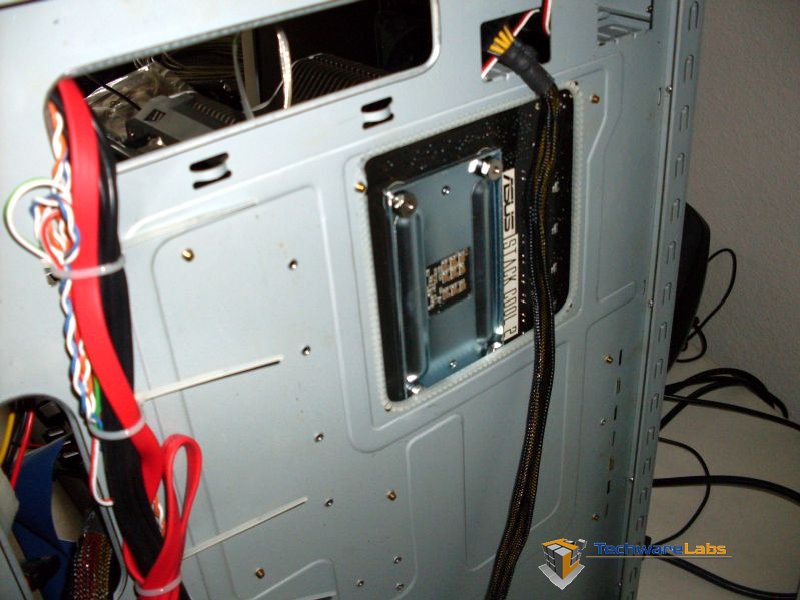
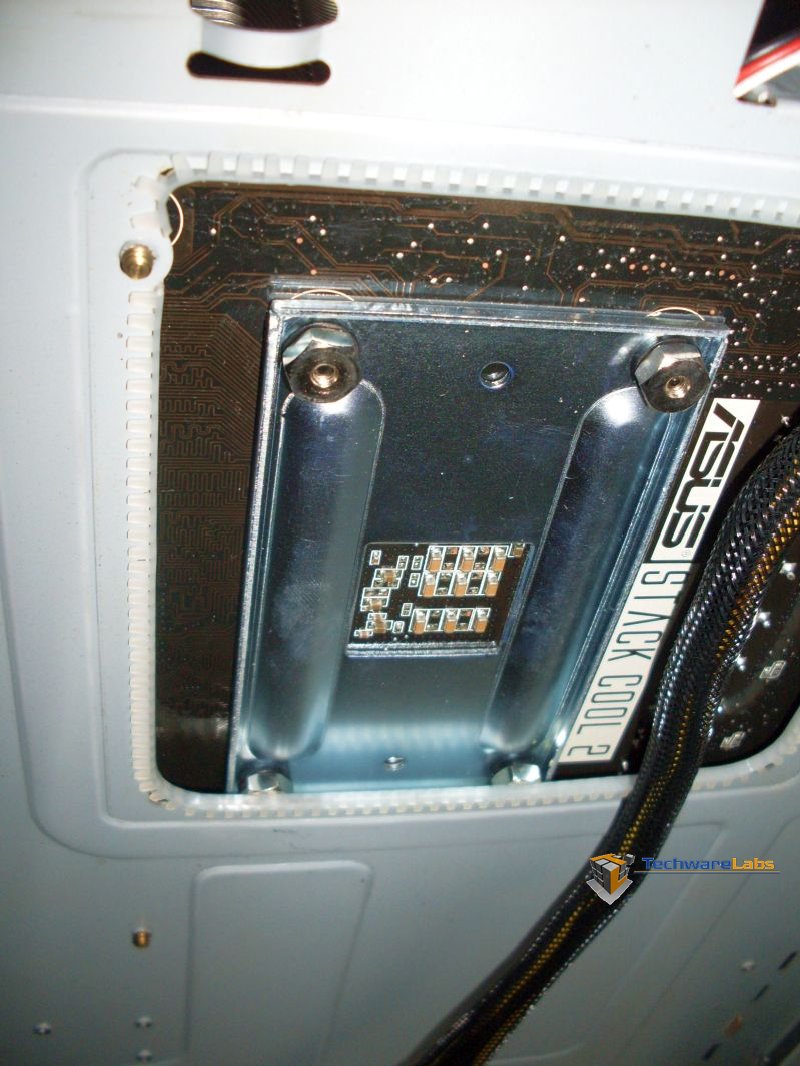
|
|
|
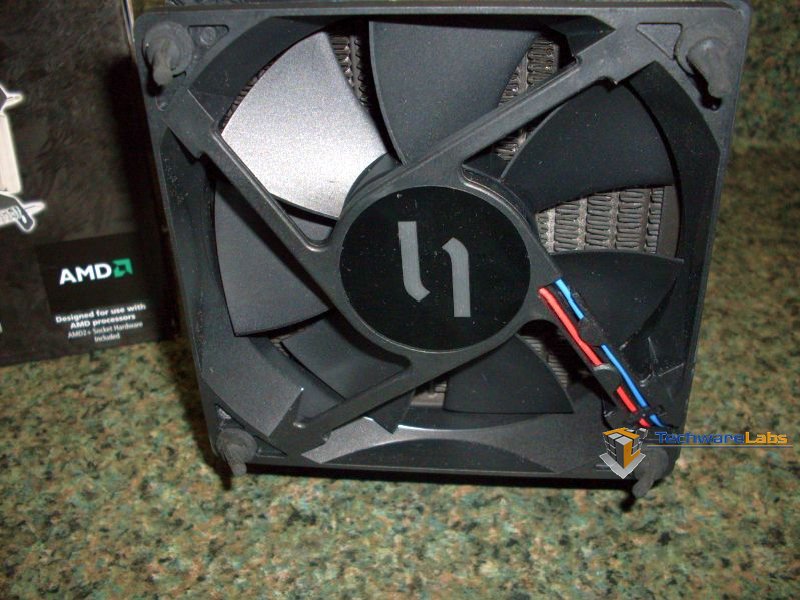
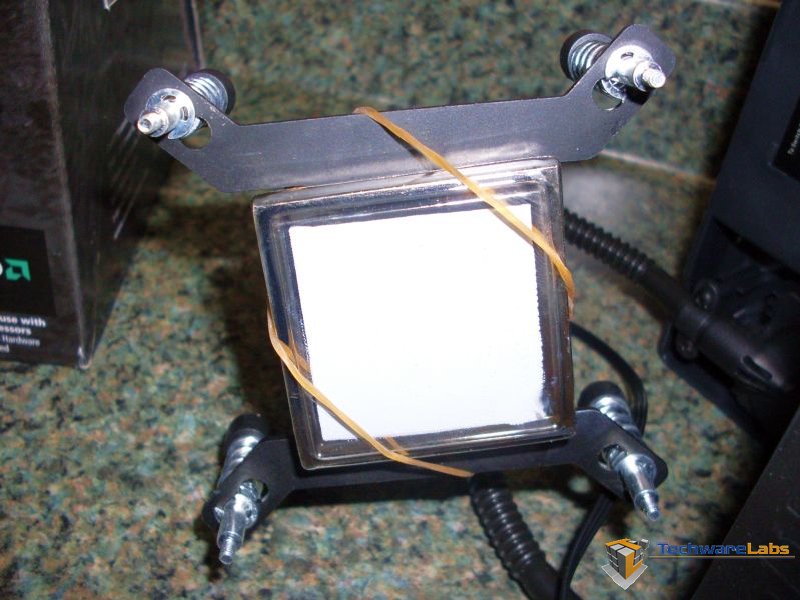
| 120mm radiator fan with the vibration dampening rubber mounting pins. | The water block comes with thermal paste already applied. This thermal paste is enough, but be very careful not to accidently scrape it off during installation. |
|
|
|
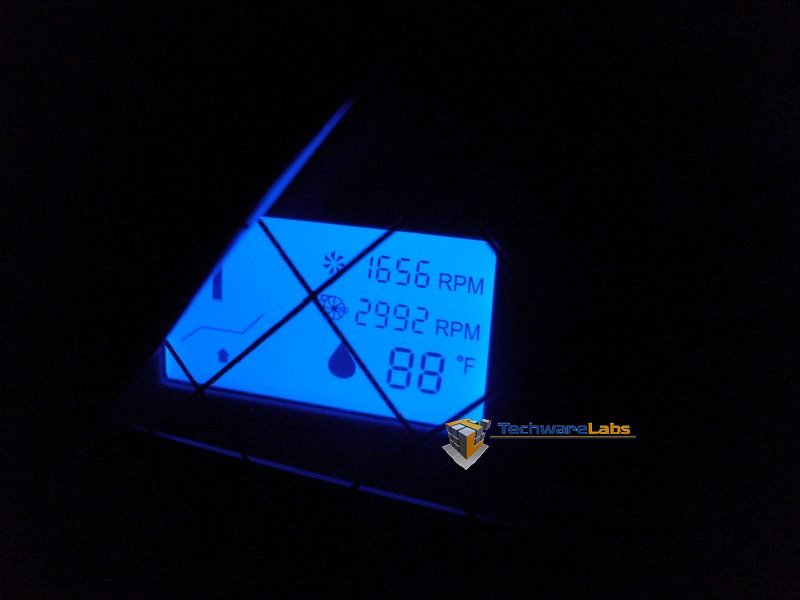
| Shown here, the Domino is powered up and displaying the coolent temp, pump RPM, and radiator fan RPM. | Without a flash, the Domino shown here is lit up pretty well showing through the side panel of the case. |

Domino settings and Benchmarks:
|
|
|
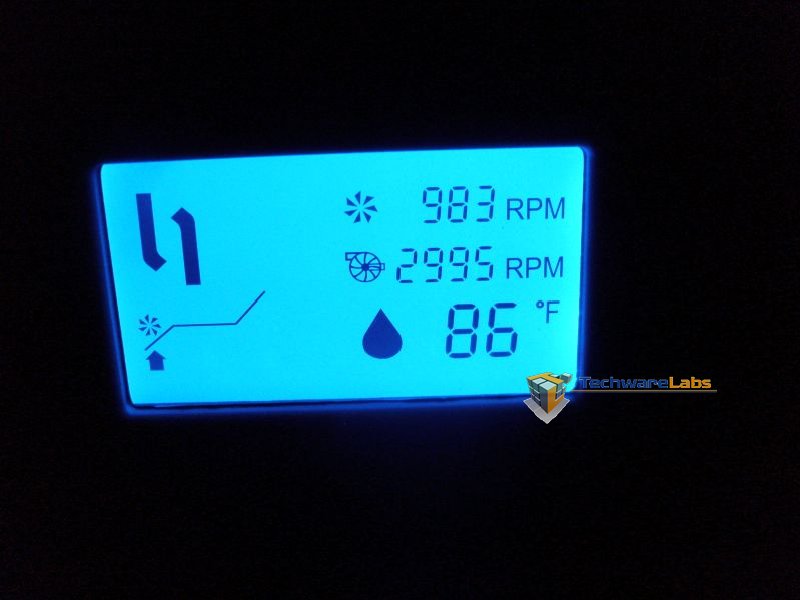
| Shown here the Domino is set to the low setting, noted by the arrow on the left side of the display. | Shown here the Domino is set at the Performance setting which auto adjusts fan and pump speeds for optimum and quite cooling. |
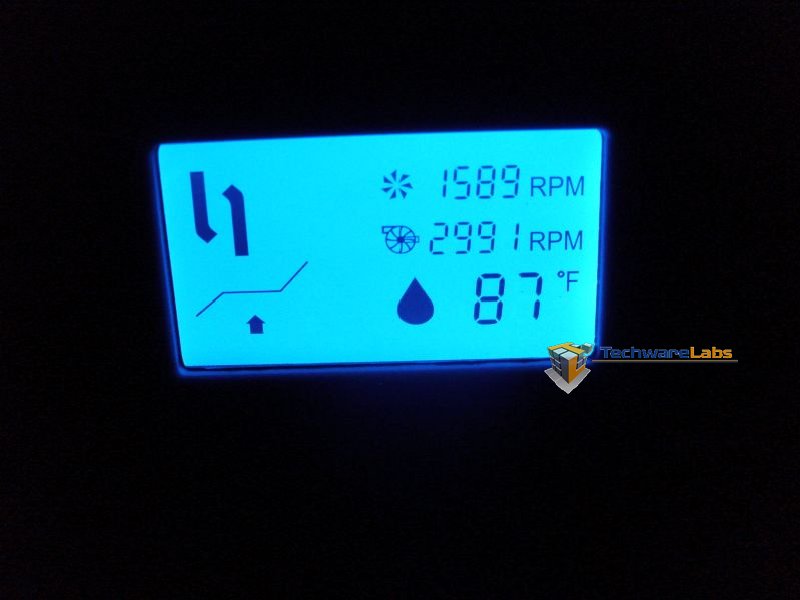
|
|
|
| Domino set at the “Full” setting and CPU at idle, ambient room temp of 78 degrees the Domino kept the reading of 83 degrees. | Here the Domino was set at the “Full” setting and the CPU put under 100% load. The ambient room temperature at 78 degrees, the Domino kept reading 87 degrees. Very impressive. |
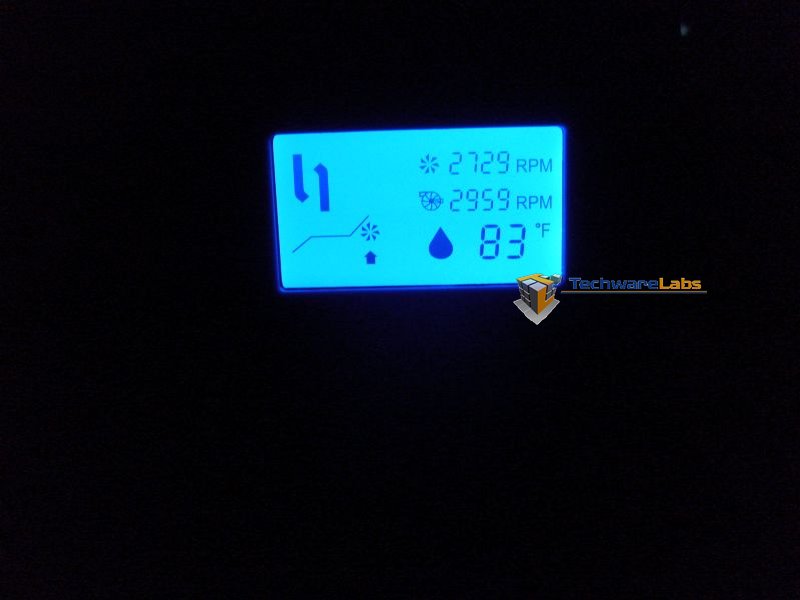
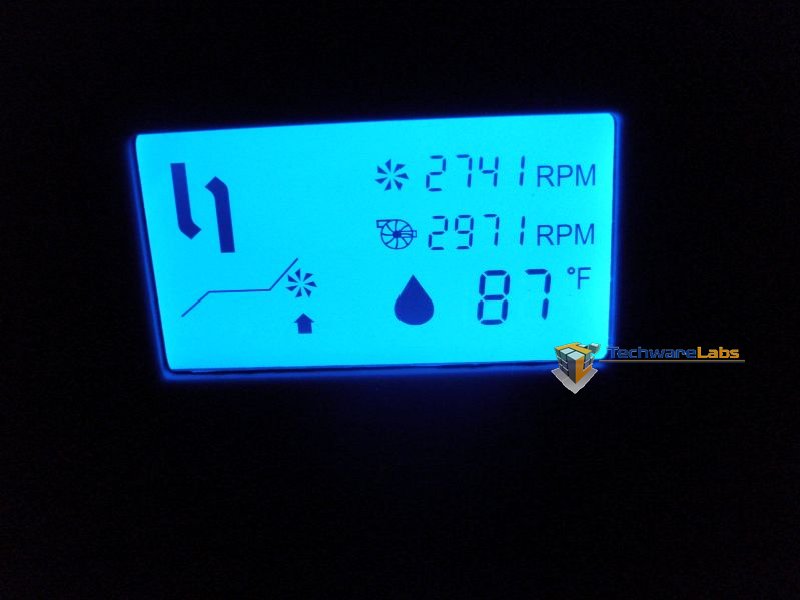
–~~~~~~~~~~~~–
Testing:
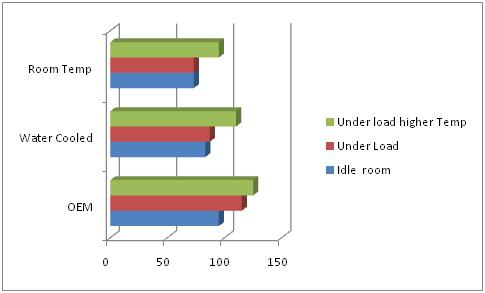
The all-in-one water cooling kits have been a product line which usually consists of putting the pump and water block together and running two tubs to a small radiator which is just big enough for a 60mm fan. The pump and fan run at a constant speed no matter the temp of the processor. Cooling your CPU this way may be affective and potentially better than a stock CPU heat sink, but this type of setup is usually a little noisy while the PC is sitting at idle which is a big negative for most PC users who are looking for a quit PC. The CoolIT Domino is designed to combat this with a larger fan of 120mm and the option of three settings. Choosing to water cool the CPU over a stock heat sink has many advantages such as the ability to keep the CPU temp down and closer to room’s ambient temperature. For example, we ran our AMD Phenom II AM3 x4 810 processor with the standard OEM heat sink in a room which has an ambient temp of 73 degrees. The processor at idle maintained a temperature of 93 degrees and under load the processor climbed to 115 degrees. While the 10’ X 10’ room was closed off, the room temp climbed to just 95 degrees the processor under load climbed to 125 degrees. Game performance degredation was noticed, but nothing catastrophic. With the game performance degraded slightly, the stress on the processor could shorten the life or even CPU over-heat and failure. We installed the CoolIT Domino on the same system and ran the same tests. The Domino was set to the middle setting which turned up the speed of the pump and radiator fan a few RPM, but also the middle setting allows the Domino to automatically speed up the pump and fan to higher RPMs if the CPU temp climbed. The room ambient temperature was once again 73 degrees and the PC was powered up and ran at idle. The CPU temperature at idle displayed by the Domino LCD was 83 degrees Fahrenheit (NOTE: it is possible to display Celsius on the Domino by press and holding the button till the display changes). The CPU was once again put under load and the climbed to 87 degrees and held. The room was then sealed off and the ambient room temperature climbed to 95 degrees once again. This time, the CPU stayed just 10 to 14 degrees higher than the ambient room temperature. Game play didn’t seem to be affected by this temperature change as it was noticed while using the OEM heat sink.
Conclusion:
There are a lot of choices on the market today to cool your CPU, which range from all-in-one kits to modular kits, but by far the Domino from CoolIT is one of the best we have seen. Also the price is a point that only smaller noisier kits come close to (at the time of this review $79.99). The features of adjusting the pump and fan to minimize noise, but keeping the CPU temp down is simply priceless. The only draw back we had come to was the size of the Domino kept it out of a few of out mid-tower cases, some which only had a 80mm fan access port. So if your looking to cool your CPU on a budget and you don’t want to risk spilling coolant on your computer during installation or later, then take a look at the Domino from CoolIT. You won’t be disappointed!

This system of carefully designed and selected components will provide over 50,000 hours or worry free operation backed by an unprecedented 2 year manufacturer warranty.

I just filed a customer complaint. I came home to find my home server shut down due to CPU overtemp. I run SETI in the background so this keeps my dual core system working when the server is not busy and I have seen CPU temps of 115 to 120 with a traditional heatsink/fan. . The pump speed indicates ‘—–‘ and switching back and forth from quiet to performance mode was no help. The Domino ALC unit is less than 60 days old. I will relay here the results of the customer service experience.
Question for anyone who has used this ALC….
I have a Coolmaster Centurion 5 case with 120mm Fan on the back so I’m fairly confident this will fit and mount in my case. But by mounting it I am wondering if I need to install another exhaust fan since I will be replacing the only exhaust fan that exists in the case?
Or does this unit pull enough air out of the chassis to give me proper air flow?
Do not buy this, it supposedly is sealed forever…. well the mount to one of the tubes cracked (the lower tube where it connects to the radiator) and sprayed (apparently water based) conductive coolant into my 350$ graphics card and corroded it. I opened the thing and its all corroded and green. Totally destroyed. It’s like they just used plain antifreeze, smells like water and green toxic glycol.
Don’t buy this, its a piece of crap that ended up costing me more money than I thought i was saving getting an all in one unit.
Supposed to work maintenance free for thousands of hours or whatever, I just build my computer band new, it had been on for probably less than 30 hrs total before this happened. DO NOT BUY
I would like to see a picture of your setup and how you had the coolant lines run. My experience with CoolIT products has been without issue and I have never had any of their stuff break or leak on me. That being said no product is without the occasional problem or breaking. Have you at least contacted CoolIT to see if they will replace and or fix your system and their product? Give them a chance and I think they will please you.