Overclocking
Select 2nd Gen Core family processors delimited with a ‘K’ in the product identification are unlocked meaning the multiplier can be adjusted to change the overall CPU speed. Basically CPU speed = CPU Ratio (or multiplier) times Base clock frequency (or BCLK). Although the BCLK is able to adjust -/+ 10% it is best practice to leave it at the default and specified 100MHz. This is where the Fatal1ty P67 Professional Motherboard shines. Overclocking is so simple and the stability is fantastic. Simply enter the UEFI bios at start up and select from the preset ‘Turbo modes’ to provide a 1 click overclock of the system! I played around with the settings manually and found it almost impossible to beat the performance and stability of the overclock achieved by the ASRock built-in presets. Now the system is overclocked to 4.8Ghz stable using the ‘Turbo 4.8’ settings provided in the UEFI bios.
This was the highest stable and reliably boot-able speed I was able to attain in testing. The CPU averaged about 47C/117F doing basic word processing and web browsing. With further tweaking and adjusting advanced voltages it may be possible to push the CPU further but in order to finish up the overclocking portion of the review and not cause permanent damage to the CPU or motherboard I decided to stop at 4.8GHz or 45% overclock… Not too shabby!
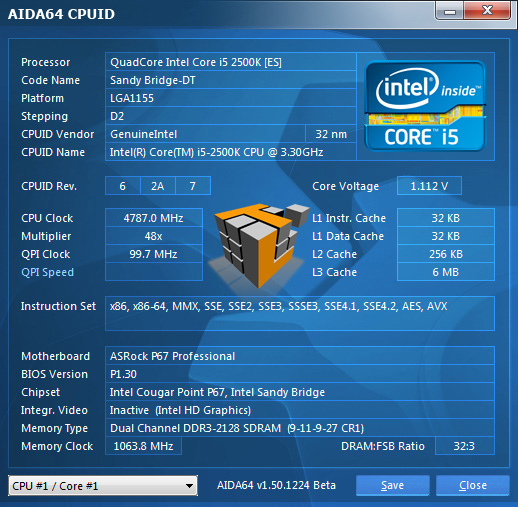
AIDA64 v1.50.1230
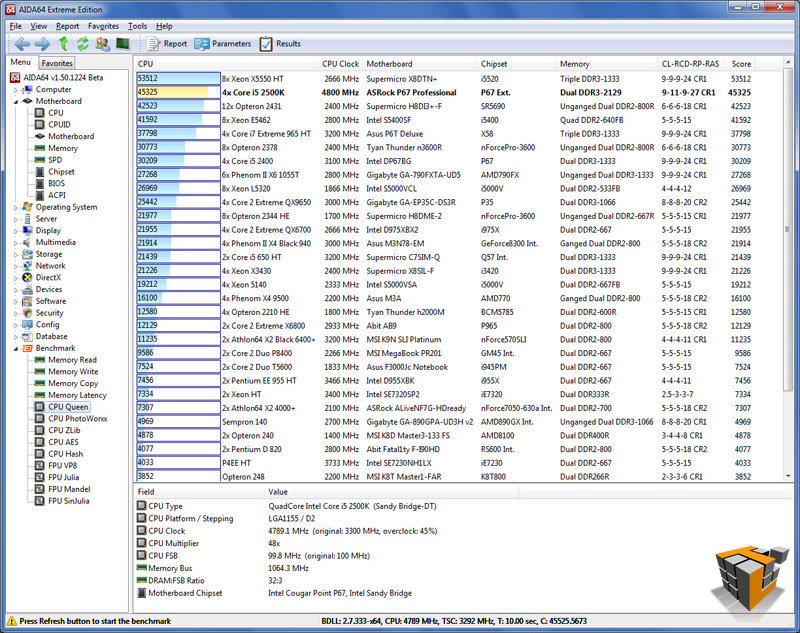
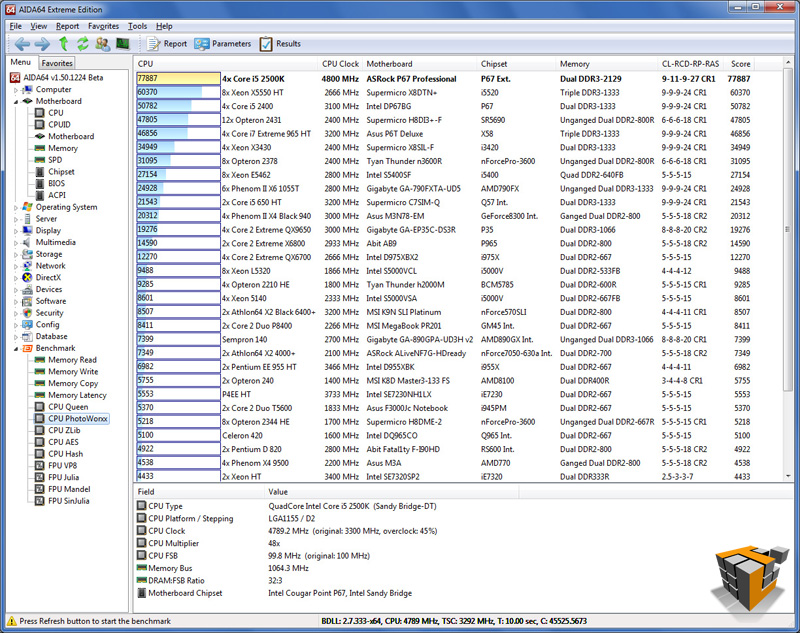
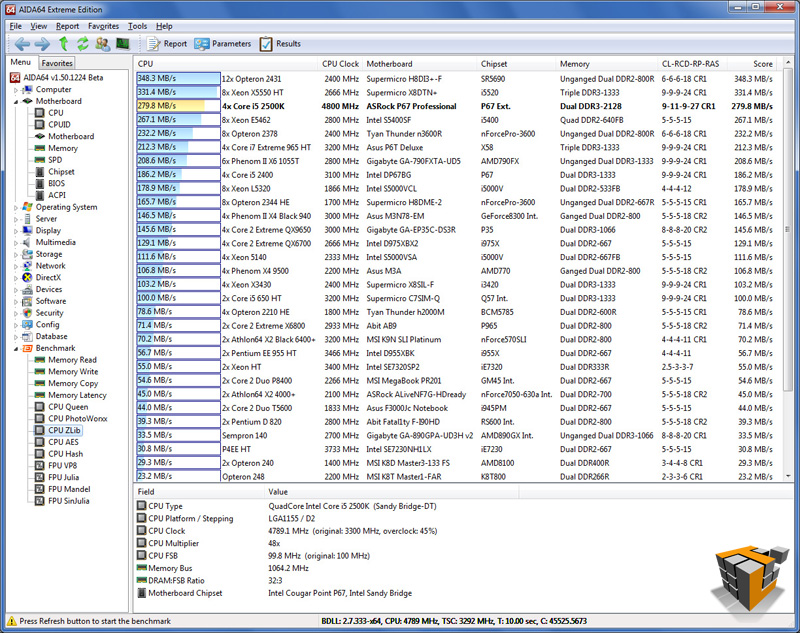
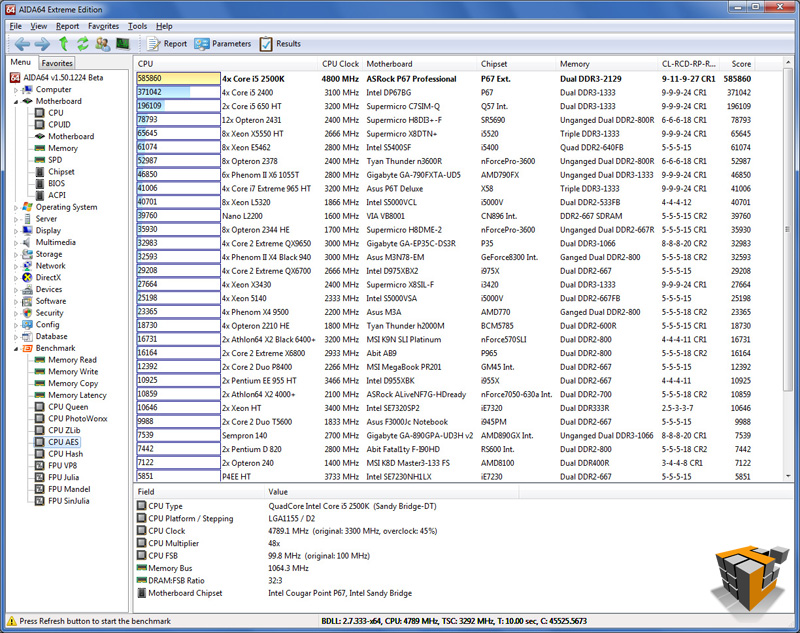
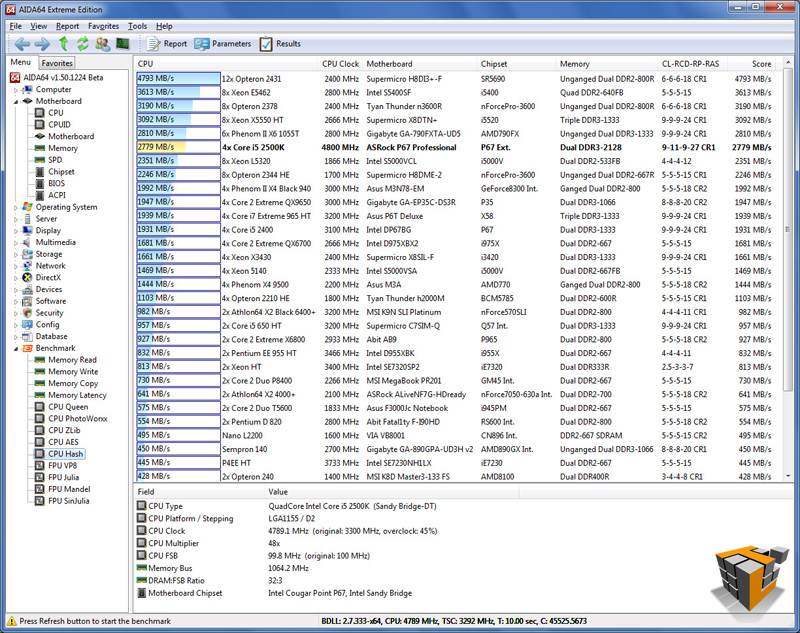
Visual indicators of performance increase mean more than I can tell you, take a look at those numbers! The motherboard is more than capable at these speeds and every application or game I opened ran for well over an hour without any issues.
PCMark Vantage x64
 |
 |
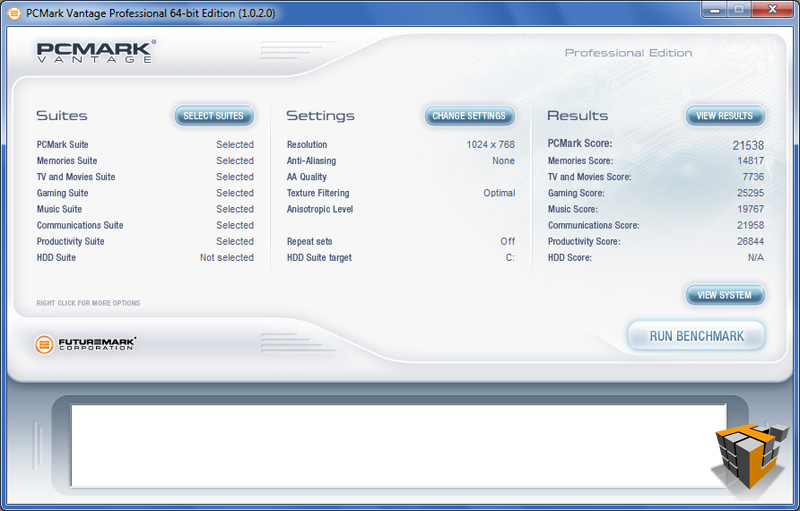
| How the test was setup to run | Results – 21538 Marks |
21% increase overall from 3.3 GHz stock. I didn’t buy a 4.8Ghz CPU, but the unlocked nature of the processor and the rock solid overclocking abilities of this motherboard allow the CPU to happily run at 4.8Ghz
PerformanceTest v7.0
 |
 |
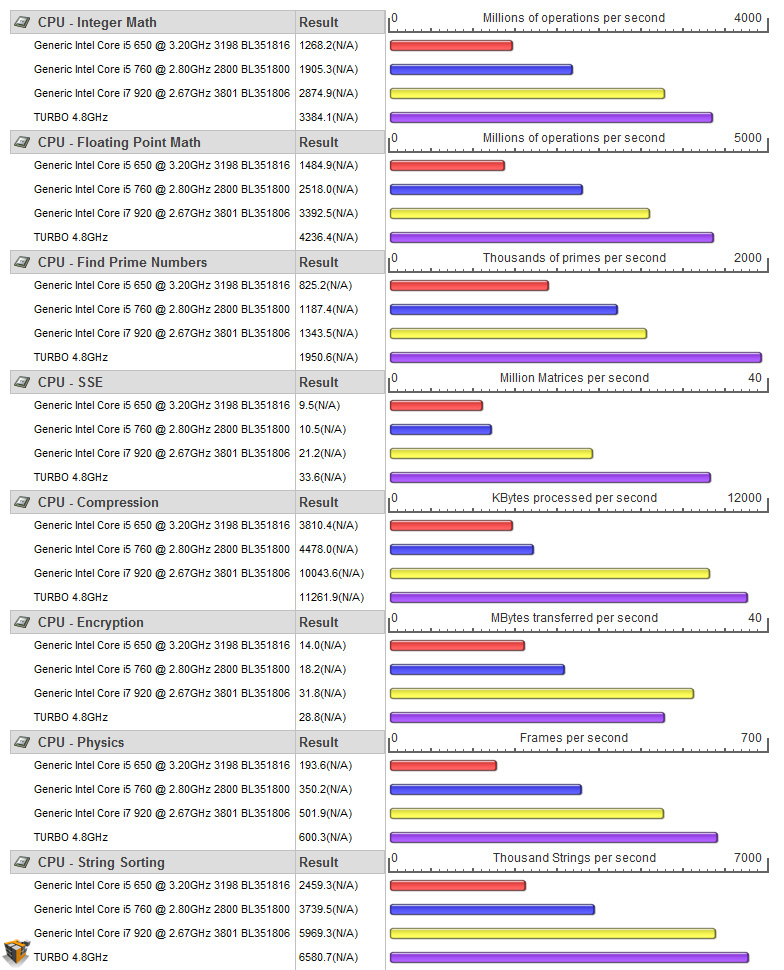
| PassMark Rating- 3468.2
4.0 GHz OC’d = 2988.3 [+16%] |
CPU Rating – 9882.6
4.0 GHz OC’d = 8287.8 [+19%] |
 |
 |
| Comparison Stock 3.3 GHz & Overclock 4.0 Ghz & Overclock 4.8 Ghz |
Further proof of the 2nd Gen unlocked processor potential that can be harvested with a solid P67 chipset and adequate air cooling.
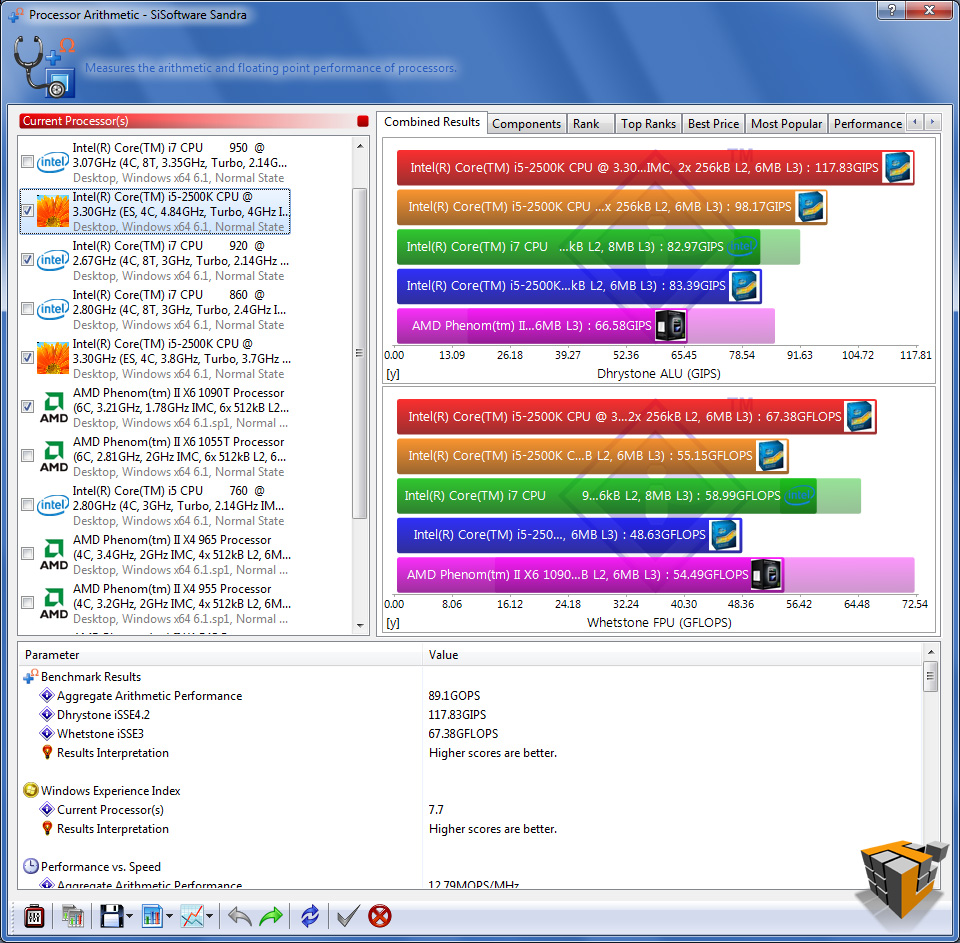
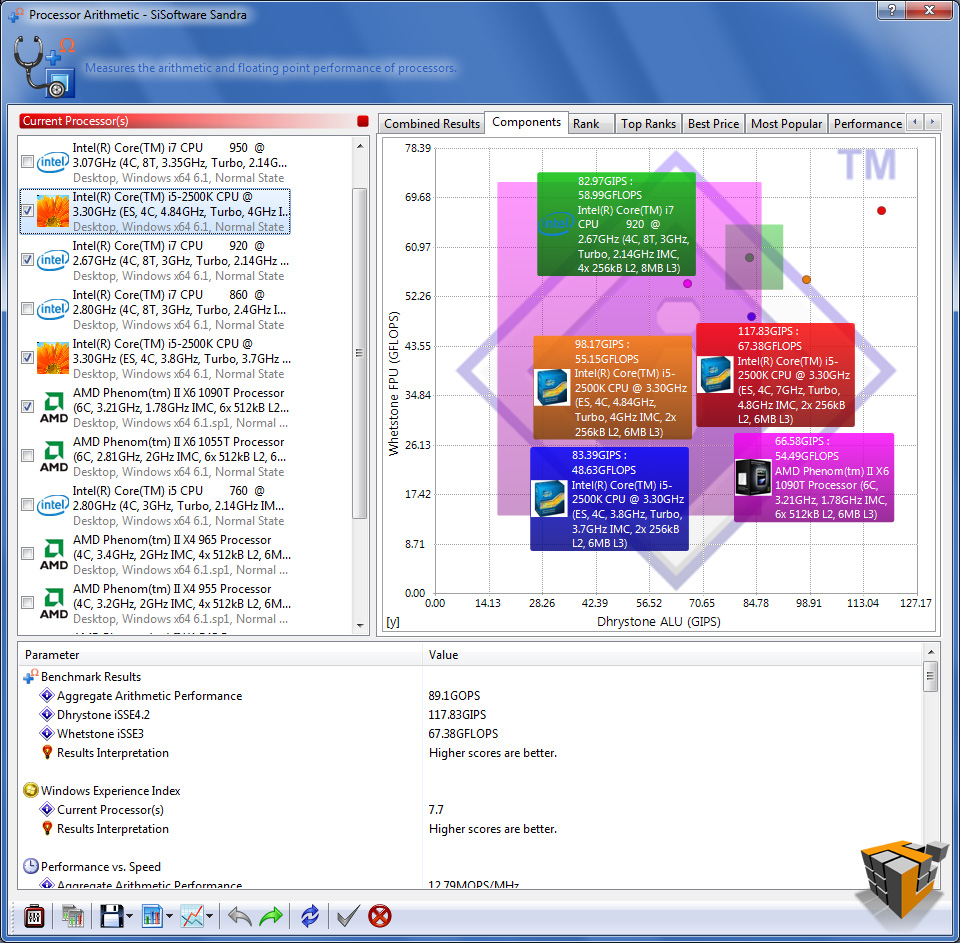
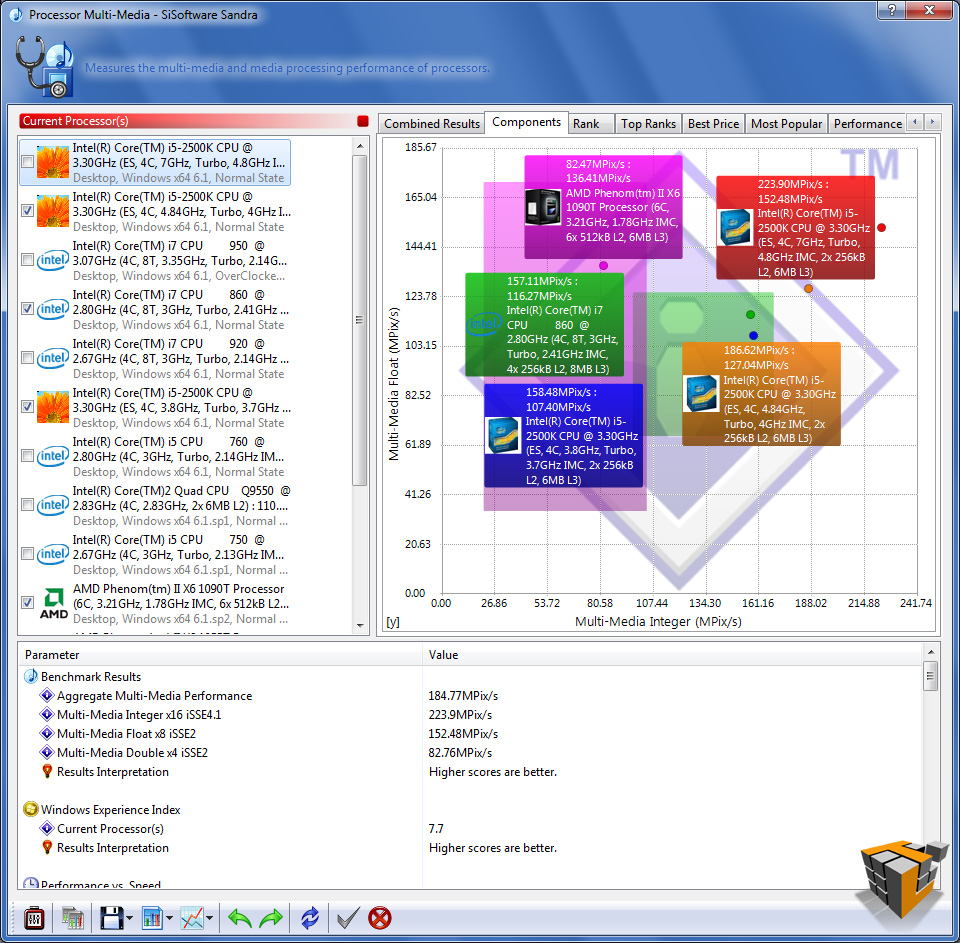
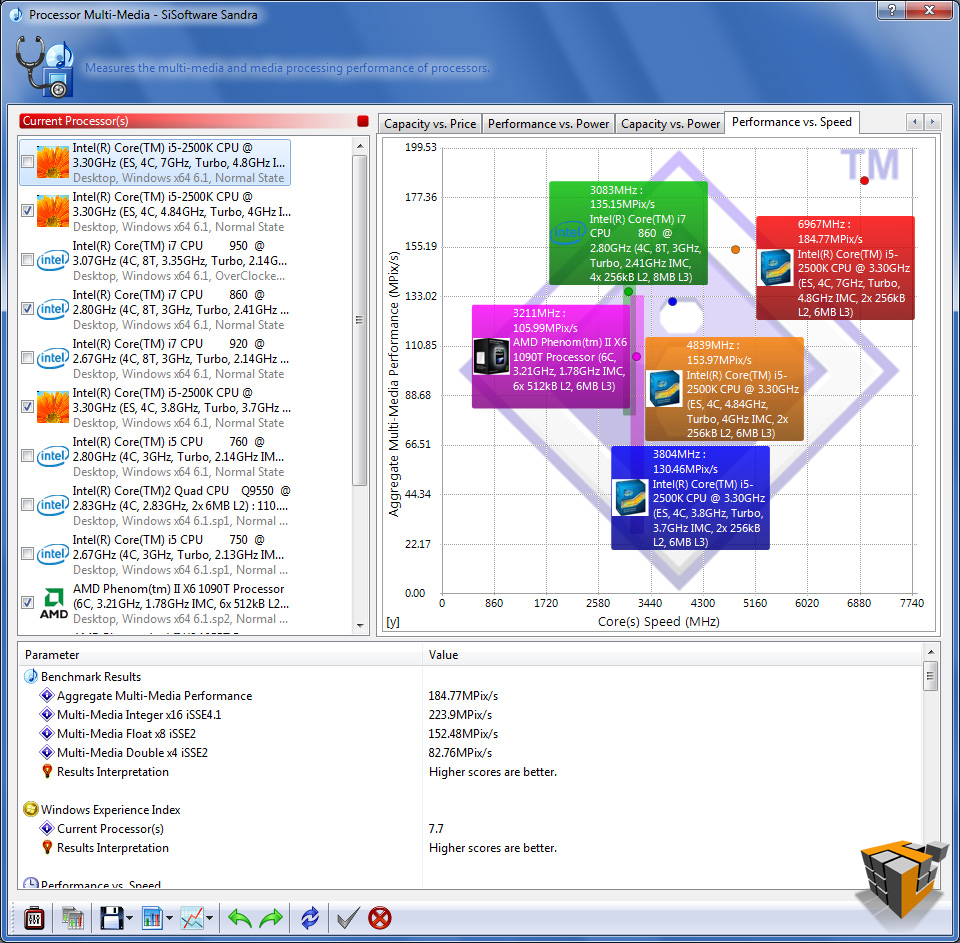
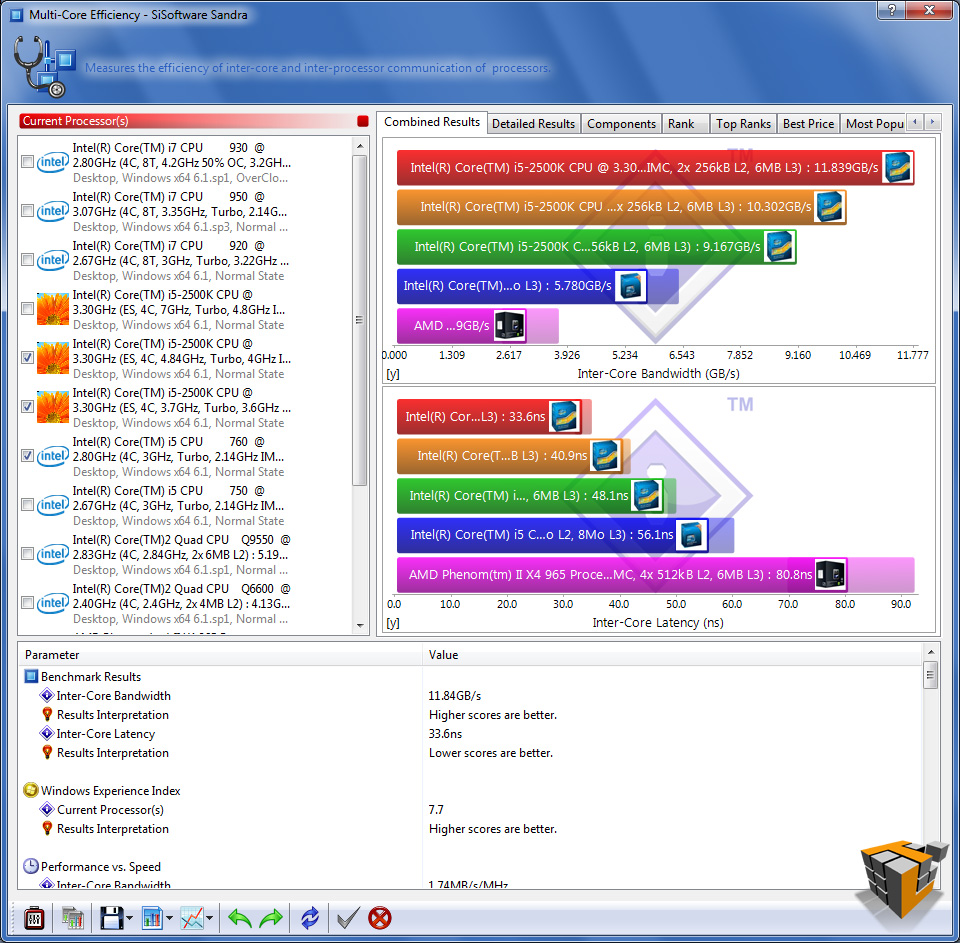
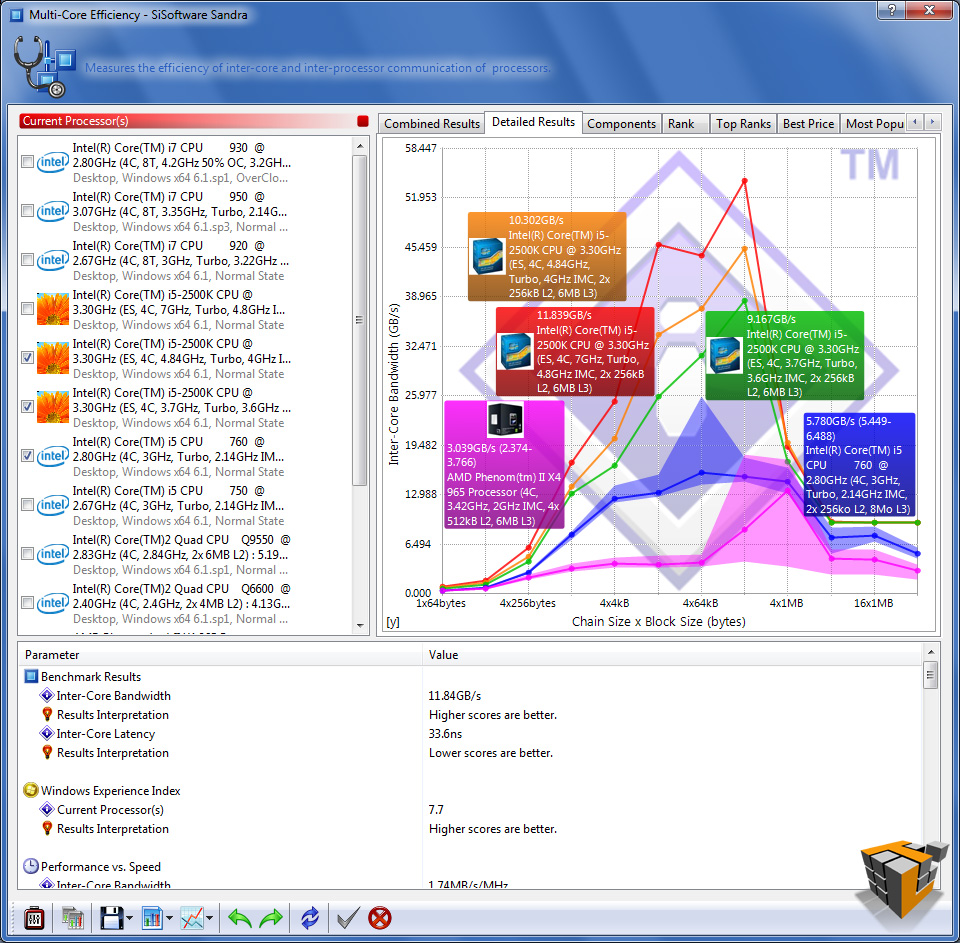
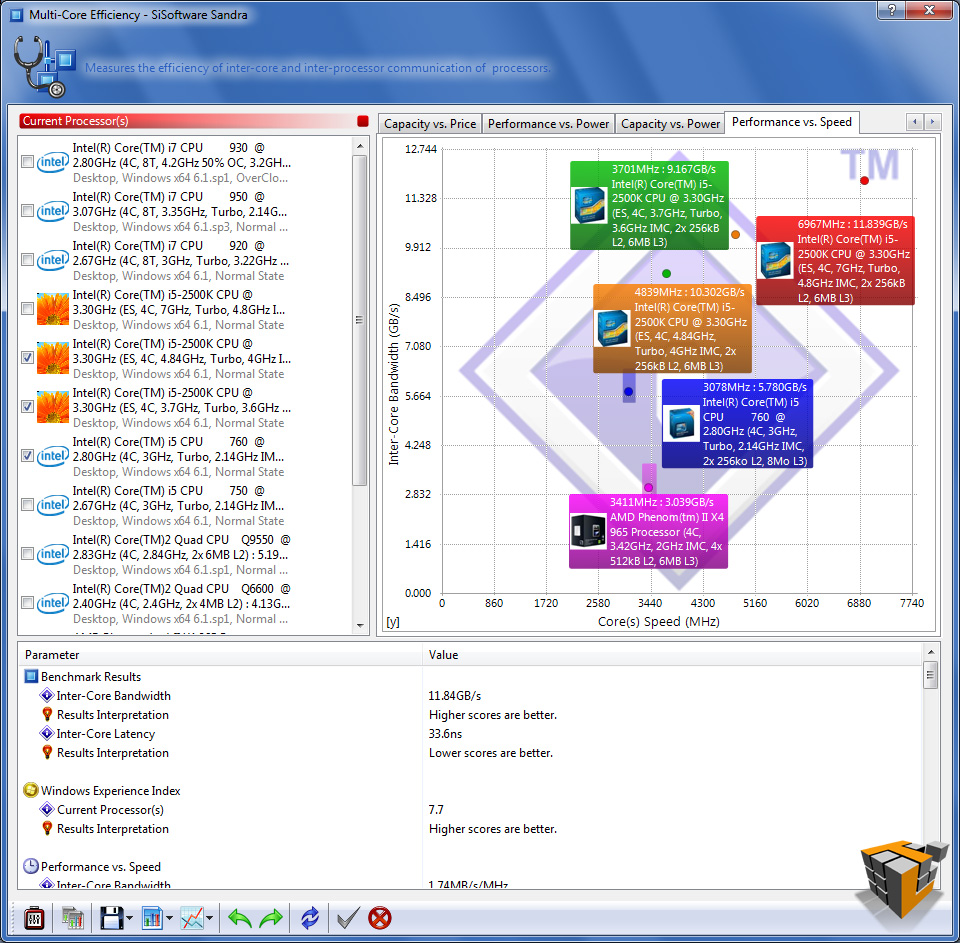
SiSoftware Sandra 2011c
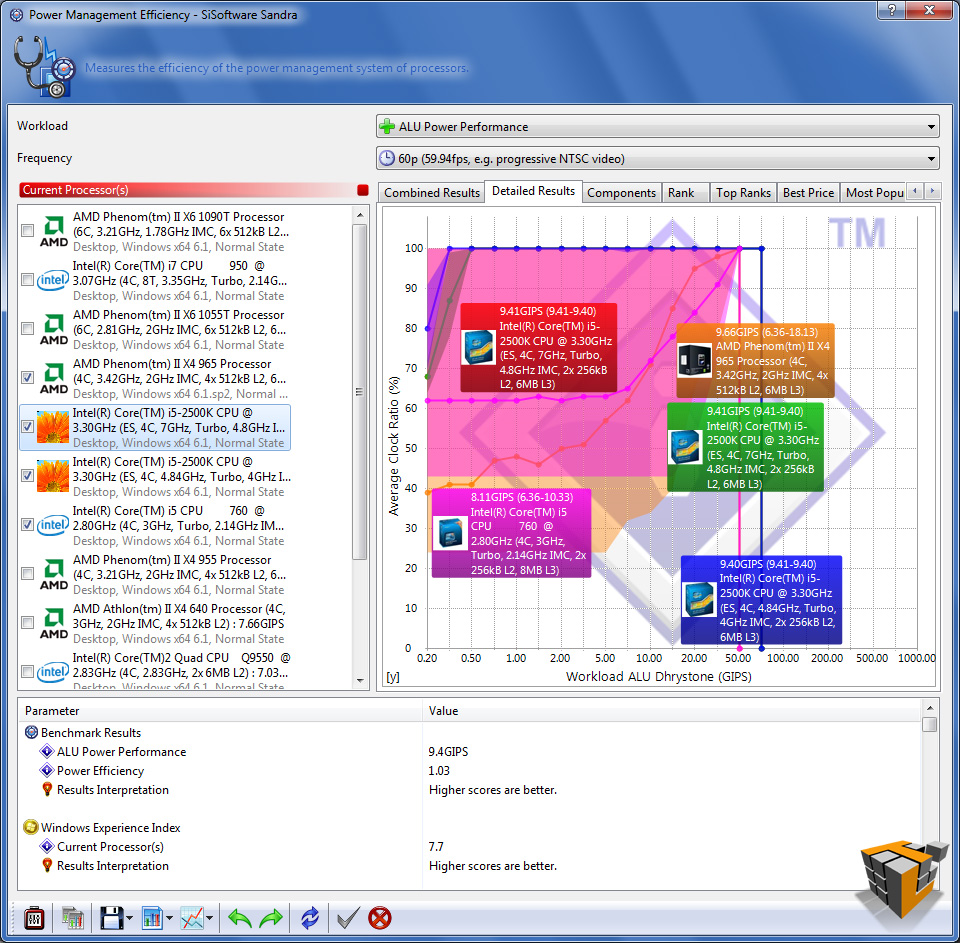
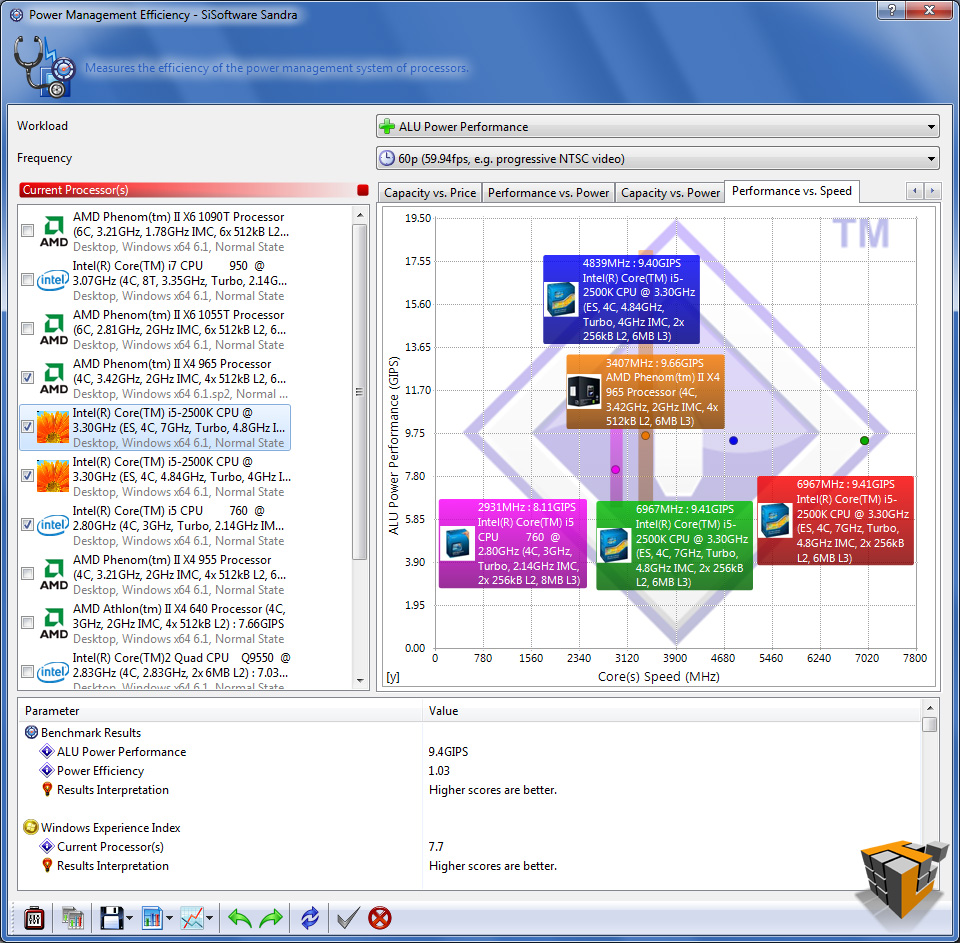
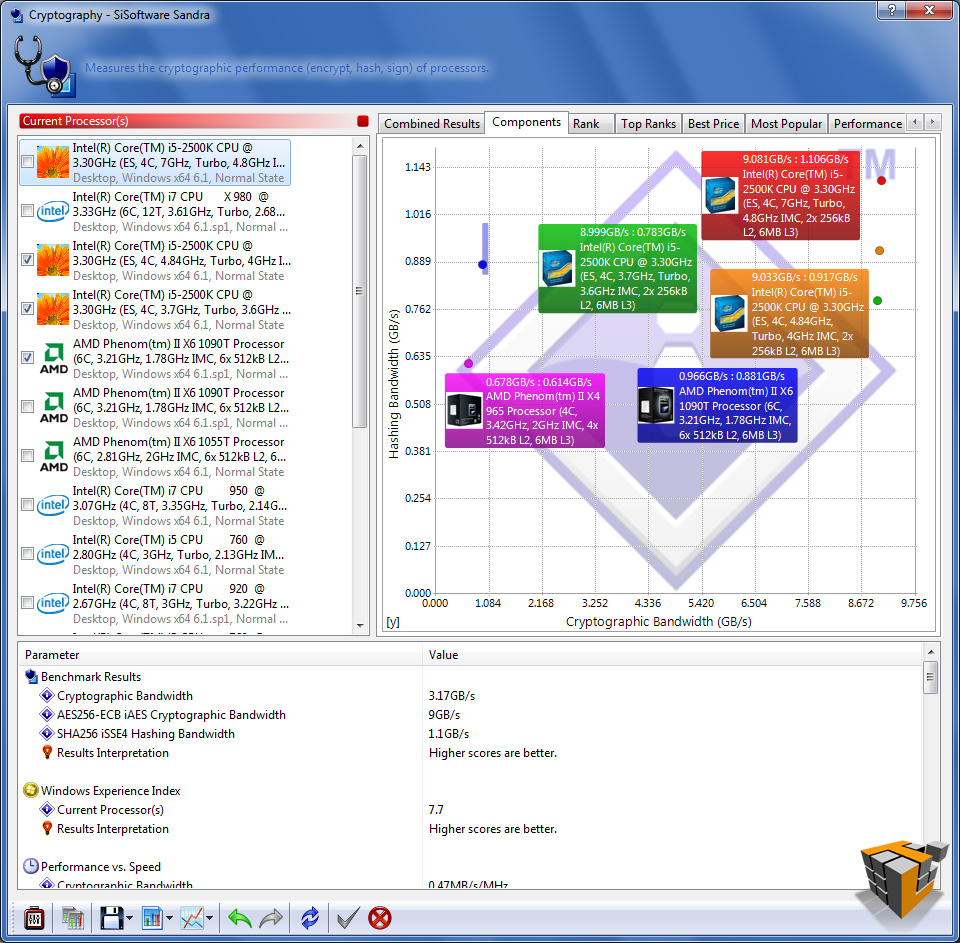
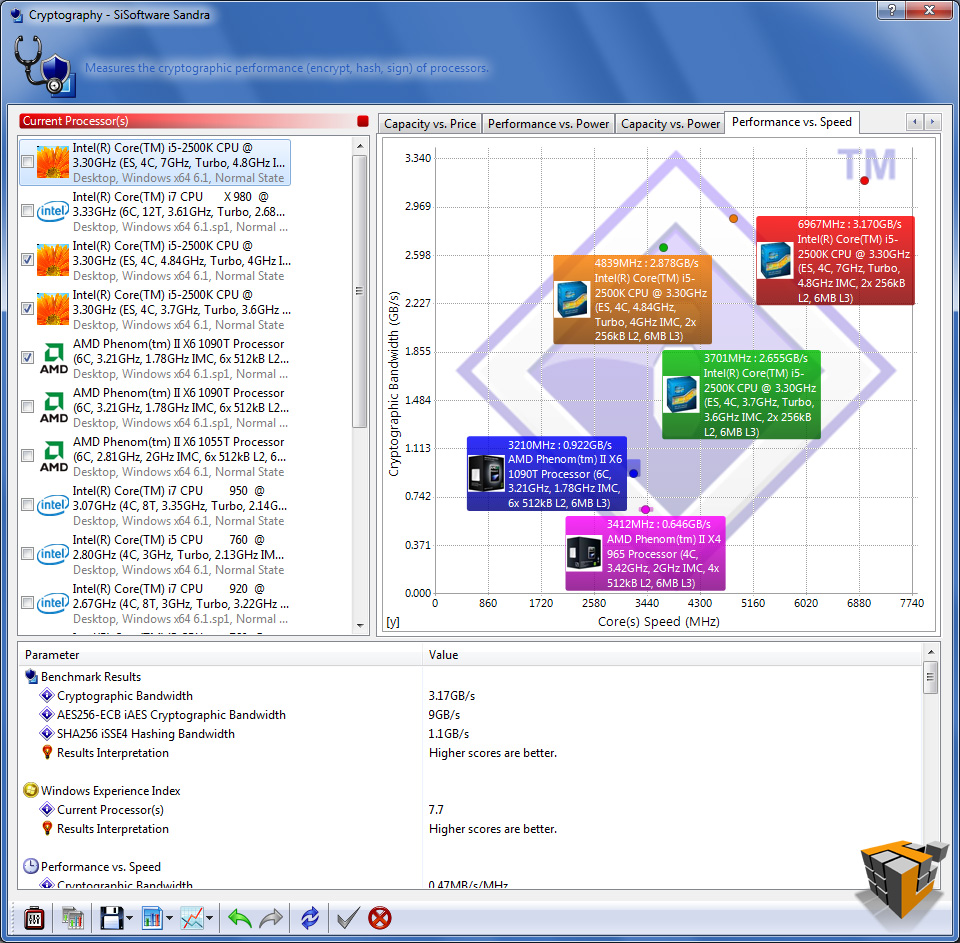
The more detailed views provided by Sandra show the performance increases in every aspect of the system.
 |
 |
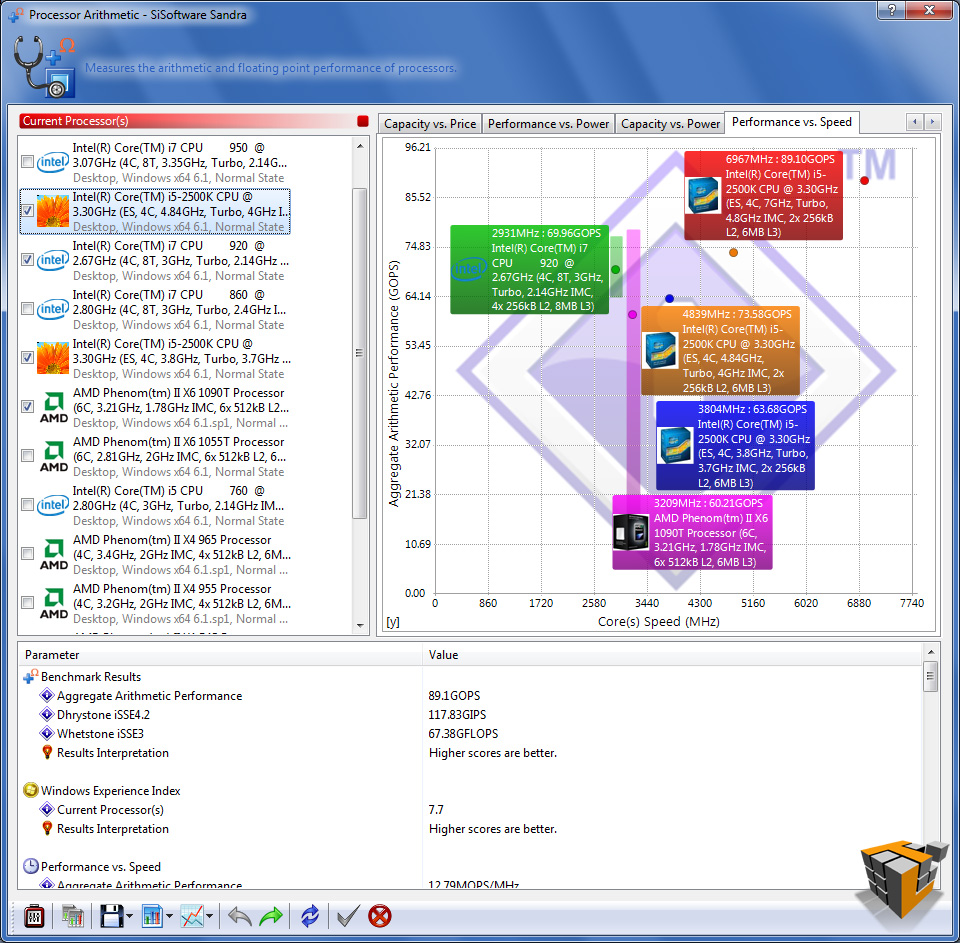 |
| Processor Arithmetic | ||
 |
 |
 |
| Processor Multi-Media | ||
 |
 |
 |
| Multi-Core Efficiency | ||
 |
 |
 |
| Power Management Efficiency | ||
 |
 |
 |
| Cryptography | ||
The ASRock Fatal1ty P67 Professional Motherboard is more than capable of any overclocking. I pushed the system as hard as booting windows would allow. The stability and performance increase obtained with such a simply implemented overclock process is awesome.
For a more detailed look at the performance of the Intel Core i5 2500K Sandy Bridge CPU see our full review here
Time to wrap things up…

[…] ASRock Fatal1ty P67 Professional Motherboard @ TechwareLabs […]
[…] don't take our word for it, come check out the full review and benchmarks and decide for yourself…http://www.techwarelabs.com/asrock-fatal1ty-p67-professional-motherboardDiggLeave a Reply Click here to cancel reply. Name (required) Mail (will not be published) […]
[…] Sapphire Pure Black P67 Hydra Motherboard (PB-CI7S42P67) Review @ KitGuru ASRock Fatal1ty P67 Professional Motherboard @ TechwareLabs ASRock Fatal1ty P67 Professional (Intel P67 Express) Motherboard Review @ TweakTown […]